r/3DO • u/n2tn1lav_7491 • 20d ago
How do I burn games for the 3DO?
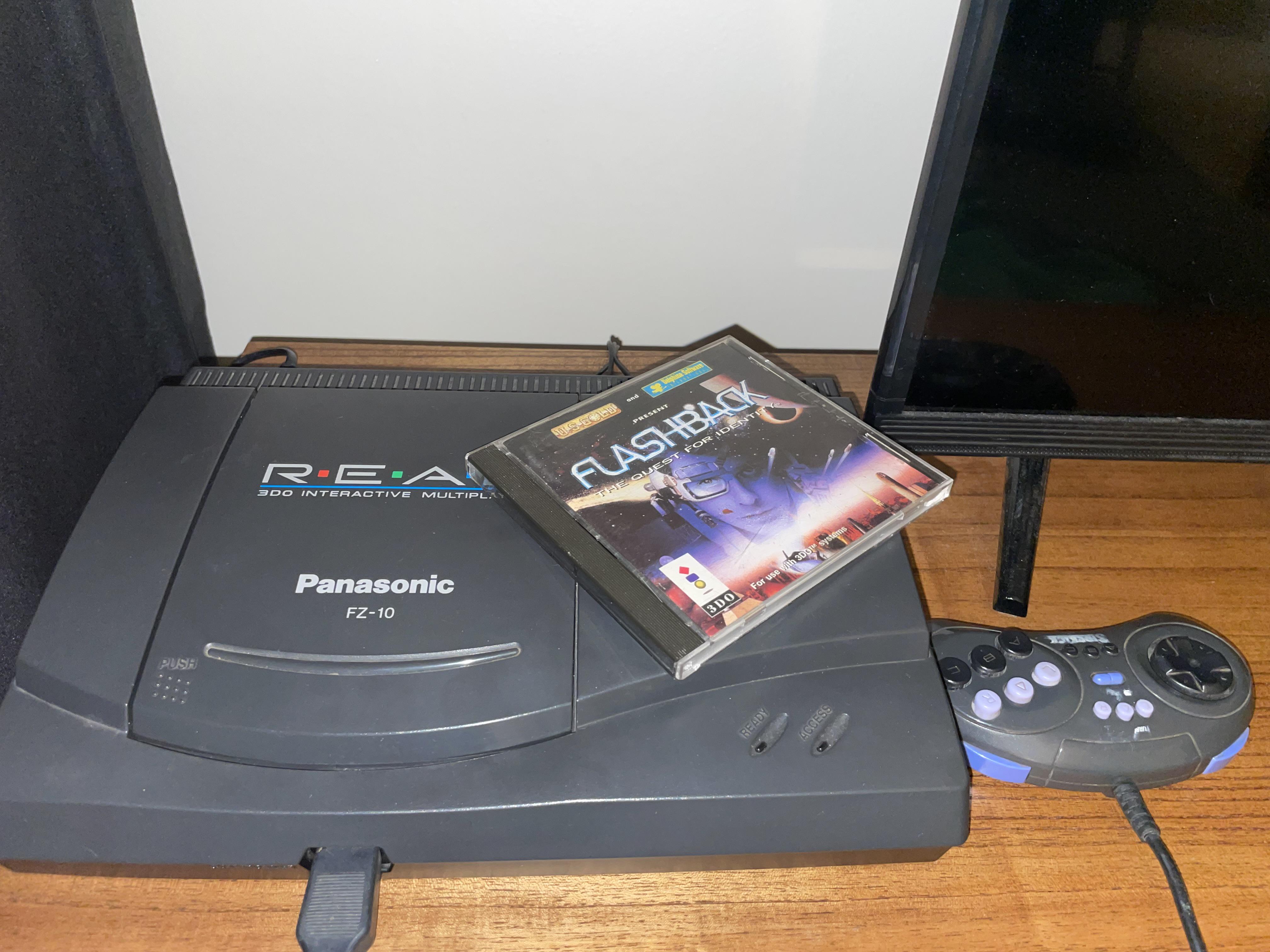
I’m new to the 3DO and a bit lost when it comes to burning discs. I’m looking to make « backups » of games I own and try some « homebrew ».
What do I need, and is there a beginner-friendly guide? I’m especially unsure about the disc format, image files, and burn settings.
Thanks! :)
7
u/pec-man 20d ago
I did a little experiment a while back with burning CDs for my FZ-1: https://www.reddit.com/r/3DO/comments/1q5p47p/experimenting_with_burning_cdrs_in_a_panasonic_fz1/
The FZ-10 uses essentially the same CD electronics as the FZ-1, so you'd probably get similar results to mine.
7
u/Fancy_Bend8763 20d ago edited 20d ago
Interesting, my FZ-10 I could get Verbatim to play but no speed burned at produced a working game with Smartbuy (Ritek) discs I have which you listed as you second best in your experiment. I was surprised myself because the Riteks have always worked perfect for any other console I burn them for. I used inkjet silver Smartbuy because I wanted to print in my cd printer tray; not the blue though so maybe it just doesn’t like those. I just used these cheap Verbatim ones:
I burned mine on a Pioneer BDR-XD07S burner with imgburn.
2
u/pec-man 19d ago
You can't just go by the brand name. You have to look at the specific product name and which dye it uses. The Verbatims you used look like they use phthalocyanine dye, which are completely different from Verbatim Datalife+ AZO dye. Also, the Smartbuy silvers are different than Smartbuy Blue, which uses a modified cyanine dye.
Strange that the Smartbuy (Ritek) didn't work for you. I'd think they would be like any other phthalocyanine disc, which the FZ-1/10 seems to work well with.
1
u/Fancy_Bend8763 18d ago
Interesting, oddly enough it’s opposite for my Sega CD Model 2, the Verbatims are hit or miss and the Smartbuy work great.
1
u/pec-man 18d ago
The important thing to remember is that these old CD systems were never meant to work with CD-Rs. It's a miracle they work at all. To put it as simply as possible, the burn spots on CD-Rs are more difficult to "see" than the physical pits and lands on a pressed CD.
Every different optical drive uses a different laser/photodiode, different RF signal level, different CD decoder chip, different error count tolerance, etc. And then the CD burner you use makes a difference as well. When you find something that works, be glad and stick with it.
9
u/MT4K 20d ago edited 20d ago
If you are going to use CDBurnerXP (great freeware CD-burning application for Windows), beware that its official site cdburnerxp.se doesn’t work anymore and all other similarly-named sites are not official, so files downloaded from there may contain malware/viruses.
Download the latest official CDBurnerXP version (4.5.8.7128) from Web Archive (portable, 64-bit, 6 MB = 6 658 428 bytes, CRC32: 1cde70cb) (archived directly from the former official site when it worked).
10
u/effigyoma 20d ago
Archive.org has the entire library. I just burned at a slower speed (4-8x) with ImgBurn on a decent CD-R.
Home CD writing tech was several years away when the 3DO launched so there isn't any copy protection.
2
u/jdaprile73 17d ago
I haven't had any problems burning games I've downloaded from there in terms of them loading and playing fine, but what didn't transfer over were the soundtracks. Not sure if I did something wrong or what. It's weird to play Road Rash with no music though and I don't currently have access to my OG collection (which was extensive). Did you have this issue?
1
u/effigyoma 17d ago
I only burned a few games so far, but the soundtracks were there just fine.
However, if the game had licensed music in it, that wouldn't fall into abandonware so the person who ripped it probably replaced the audio tracks with blank ones.
EA isn't going to bother going after someone for sharing this version of the game, but Soundgarden would go after someone for using their music without permission (they more or less have to in order to keep the copyright).
2
u/jdaprile73 17d ago
I figured it was a licensing thing for those EA games in particular, so there's probably not an easy solution, but thought I'd check if anyone else had found a workaround beyond just not having music in the game. Hell, maybe the solution is to literally find the list and order of the tracks and collect them manually to burn onto the disc, although I'm not actually sure how to burn data and CD tracks together as I've never tried it.
3
3
u/amtalx 20d ago
There's a lot of good advice in this thread, so I don't have too much to add aside from the fact that I can vouch for Taiyo Yuden discs. I used those for my Saturn as well. That's almost as picky about media as my 3DO.
The ODE suggestion was justifiably down-voted because it doesn't answer your question. However, I would consider it as a long term option. I've gone through several lasers on some of my other systems (Xbox is the worst offender.) Burned media can be pretty tough on lasers. If you're using them regularly, you'll get considerably aggressive wear compared to retail discs. They are tough to find, but there are ODE options that still allow you to use your retail drive.
3
u/Fancy_Bend8763 20d ago edited 20d ago
Just burned 75 games for my FZ-10 with some verbatim discs using imgburn on 4x and 10x speed with a pioneer slim usb Blu-ray/dvd/cd burner. Every game worked fine. Seemed to work no different either speed. Only game I couldn’t get to work was road rash no matter what I tried, could get it to the menu but would lock up when trying to start a race. The Mortal Kombat 2 homebrew port is pretty impressive, highly recommend.
3
u/FAMICOMASTER 19d ago
Put disc in drive, use image burning tool to burn image to disc, put disc in console
1
u/n2tn1lav_7491 19d ago
Very helpful
2
u/FAMICOMASTER 19d ago
What more do you need to know? You didn't give any further details. Do you need help finding blank discs, do you need help getting a CD burner? Do you want suggestions for burning software?
I described the whole process end to end.
2
2
u/VassagoX 20d ago edited 20d ago
I burned my games for my FZ-1 on an old cd burner 20-25 years ago at the slowest speed possible and they worked fine. A lot of my original disks were damaged over the years. I'm an original owner from the 90s as a teen and my younger siblings played it a lot, as they do. I used Verbatim 700 mb disks. A couple still play, but they were burned over 20 years ago.
I've since pulled it out of storage for my CRT and moved on to ODE to preserve the working disk drive. I would highly recommend it.
Edit: nvm, I guess this model doesn't support an ODE reliably without removing laser parts? Is that right? That's tough.
2
u/Money_Prior7041 19d ago
I used Verbatim blank CDs, and used ImgBurn on the lowest speed. Select the .cue file, and it should grab the rest of the tracks. It'll burn them in order, and you should have no problems. I have the same 3DO as in the picture :)
2
2
u/FarangOnSaladaeng 18d ago
Haha. I used to use Nero Burning ROM in the early 2000s. Does anyone know if it’s still around?
2
u/jdaprile73 17d ago
I don't remember what I used the last time I burned a 3DO disk a couple years ago, but it doesn't require any special software. However, I've recently moved to ImgBurn (https://www.imgburn.com/) as I've been burning homebrew stuff for my Dreamcast and that's the burning software I'd definitely recommend now. It's free and does a whole bunch of stuff you almost certainly won't need, but pretty straightforward and reliable to use.
-2
u/kubbie2004 20d ago
Install an ODE
2
u/n2tn1lav_7491 20d ago
To be honest i have a lot of originales games i wanna play . so i think i’ll keep the laser. If someday it stops working i may consider the ODE.
0
20
u/Maidenless_Sensei 20d ago
Make sure you have either older 650MB dics (they can still be found, I have a few myself), or high quality 700MB Taiyo Yuden CD-Rs.
Those were the only ones my 3DO accepted