r/3Dmodeling • u/scifi887 • 2h ago
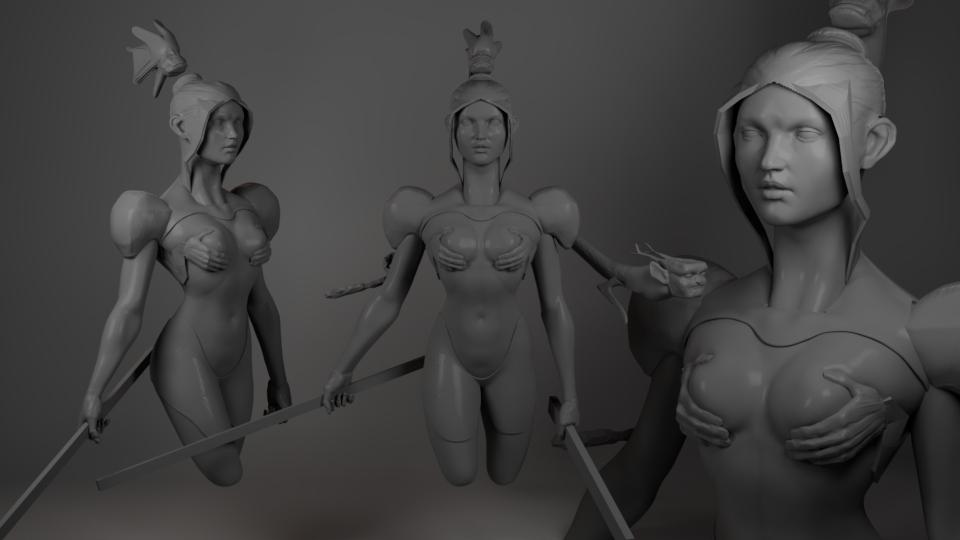
Art Showcase Tactical Dreadnought Plate - Blender

43
Upvotes
r/3Dmodeling • u/AutoModerator • Feb 23 '26
We understand why AI is a sensitive subject for artists right now. It's disrupting the art world in ways that make the future uncertain, and those concerns are real and valid. But something has gone wrong in how our community is responding to that fear, and we need to talk about it.
We don't have an epidemic of AI content in this sub. We have an epidemic of false accusations.
For every piece of AI-generated content we remove, we see around 10 accusations. They're usually directed at:
The art community has become so paranoid that anything that stands out is treated as evidence of cheating. This is not protecting human artists. This is the threat to human artists.
For a new artist sharing their first work, or any artist struggling with anxiety, being dogpiled with accusations causes real trauma that can drive them away from the community. We personally know artists who have stopped posting their work online because of this. If that's the outcome of your "AI policing," you aren't protecting the art community. You're destroying it.
We will always prioritize creating a safe, inclusive space for human artists. If your goal is to punish people for using tools you disapprove of, this is the wrong community for you. If your goal here is to celebrate and support human 3D art, you're in the right place – that's our goal too.
TL;DR
▶ Think something is AI-generated? Report it and move on.
▶ Accusations are considered personal attacks due to the current climate.
▶ AI-generated content will be removed, but AI-assisted work by a human artist is allowed.
▶ Include your wireframe and workflow when you post art.
Read on below for the details.
Rule 2 – Be Constructive & Respectful – doesn't have a footnote saying "except for people you suspect of using AI." It means everyone, always, no exceptions. In the current climate, when you publicly accuse someone of using AI, you are painting a target on them. You are calling in the mob. That makes it a personal attack, full stop.
We became mods because we want to protect this community. When we see someone being attacked, our instinct is to protect them – and the more aggressively you come at them, the stronger that instinct becomes.
We understand the community's fears, and sometimes that's meant being more lenient on AI-related harassment than we would be on other kinds. What that patience has taught us is that warnings don't work: People looking to take out their fear on others will keep doing it for as long as they can get away with it. So going forward, AI-related harassment will be handled exactly the same as any other harassment: First offense – warning. Second offense – temporary ban. Third offense – permanent ban.
If you think something might be AI-generated: Report it and move on. That is your entire job. The mods have investigative tools regular users don't, and we take every report seriously. What you should not do is throw accusations in the comments. The odds are roughly 9-to-1 that you're wrong, and either way, publicly attacking a community member is never the right move.
We personally review most posts, and investigate every report. Blatant AI images get removed on sight, often before the community even sees them, but some cases require more investigation.
We also encourage all art posts to include a wireframe and a brief description of the artist's software and workflow. This deters most AI content, but it’s not just a "prove you're human" gate. The added context helps others learn from your process and it's the kind of healthy engagement that adds real value for everyone. Most artists love talking about their work, so a friendly question about someone's workflow is always welcome.
We're currently looking into the best ways to help wireframes & context become the norm around here. We'll be making some changes to address that soon.
This is covered by the full rules, but they're long and formal, so here it is distilled into simple terms.
AI-generated = Off-topic. If the primary creative contribution came from an AI prompt rather than your own skills as a 3D artist, it does not belong here and will be removed.
AI-assisted = Allowed. AI tools are already embedded in software throughout our industry – Cascadeur's animation tools, Photoshop's generative fill, Rokoko's motion capture – and that's only going to continue. If you're a 3D artist who used AI tools somewhere in your workflow, that's fine. Just make it clear what you contributed with your own skills.
General AI discussion = Off-topic. AI opinions, debates, news, prompting tutorials, etc. will be removed. This is a 3D modeling community, not an AI community.
r/3Dmodeling • u/mhskull • 16h ago
Enable HLS to view with audio, or disable this notification
r/3Dmodeling • u/Mission_Rope1180 • 2h ago
3D model of a vehicle found on Pinterest; I am now looking to create an environment around it.
r/3Dmodeling • u/Atomics3d • 11h ago
Title: "Where the Sky Meets Stillness"...
Your thoughts?
r/3Dmodeling • u/AnushriAdhikary • 1h ago
Hey, so I am posting this to start a light discussion here. Lately due to the market situation, I feel 3D art industry (gaming and vfx) has become very confusing. Due to mass lay offs seniors are now working on mid level 3D roles, and mid level folks have to settle with whatever they get, sorry for the juniors.. I feel this has impacted how people review portfolio these days. Everybody wants to see extremely polished pieces, almost on the level of AAA games. Anything under that is straight up rejected and scrutinized. I don't know if I make any sense, but everything looks quite uncertain for all the mid level and junior level artists. As it's difficult to match the level of detail with some senior artist who has 10+ years of experience. Where do you really draw the line as a person who is hiring or reviewing portfolios for 3D artists? Any thoughts?
r/3Dmodeling • u/No-Direction8154 • 1h ago
r/3Dmodeling • u/merlinm08 • 2h ago
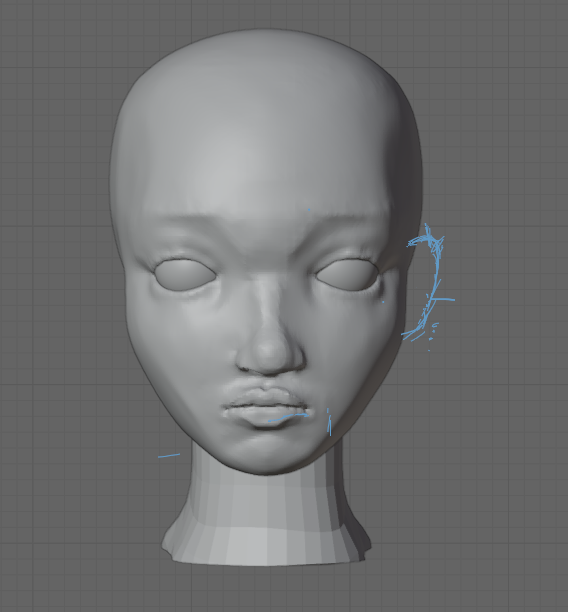
Is this bad or can I keep working
r/3Dmodeling • u/Naspirtu • 12h ago
Recreated an illustration in blender
Original by Goosusette on twitter and bluesky
r/3Dmodeling • u/Expensive_Force_1981 • 4h ago
Guys could you review my portfolio and critique my projects in this post's comments?
I wanna improve the quality of my works and the presentation of them,it would help.
Portfolio: https://www.artstation.com/gio_balavadze7
r/3Dmodeling • u/Distinct_Storm_9292 • 19m ago

I'm confused about which render to pick.
r/3Dmodeling • u/Artistic_Candle4479 • 18h ago
I got a bit burned out on my main project, so I decided to find a cool reference and give it a try hahaha. This is my interpretation of Zeen Chin work! NULL I'm not sure if I'll finish it, though.
r/3Dmodeling • u/Feruz3424 • 3h ago
Steam Workshop:
( https://steamcommunity.com/sharedfiles/filedetails/?id=3817397362)
r/3Dmodeling • u/Flashy_View1715 • 16h ago
Enable HLS to view with audio, or disable this notification
I am trying something new to showcase my 3d models, but i do not know if it's good enough, if you got the time please write your honest feedback.
I mainly work in blender.
r/3Dmodeling • u/Classic_Attention_53 • 5h ago
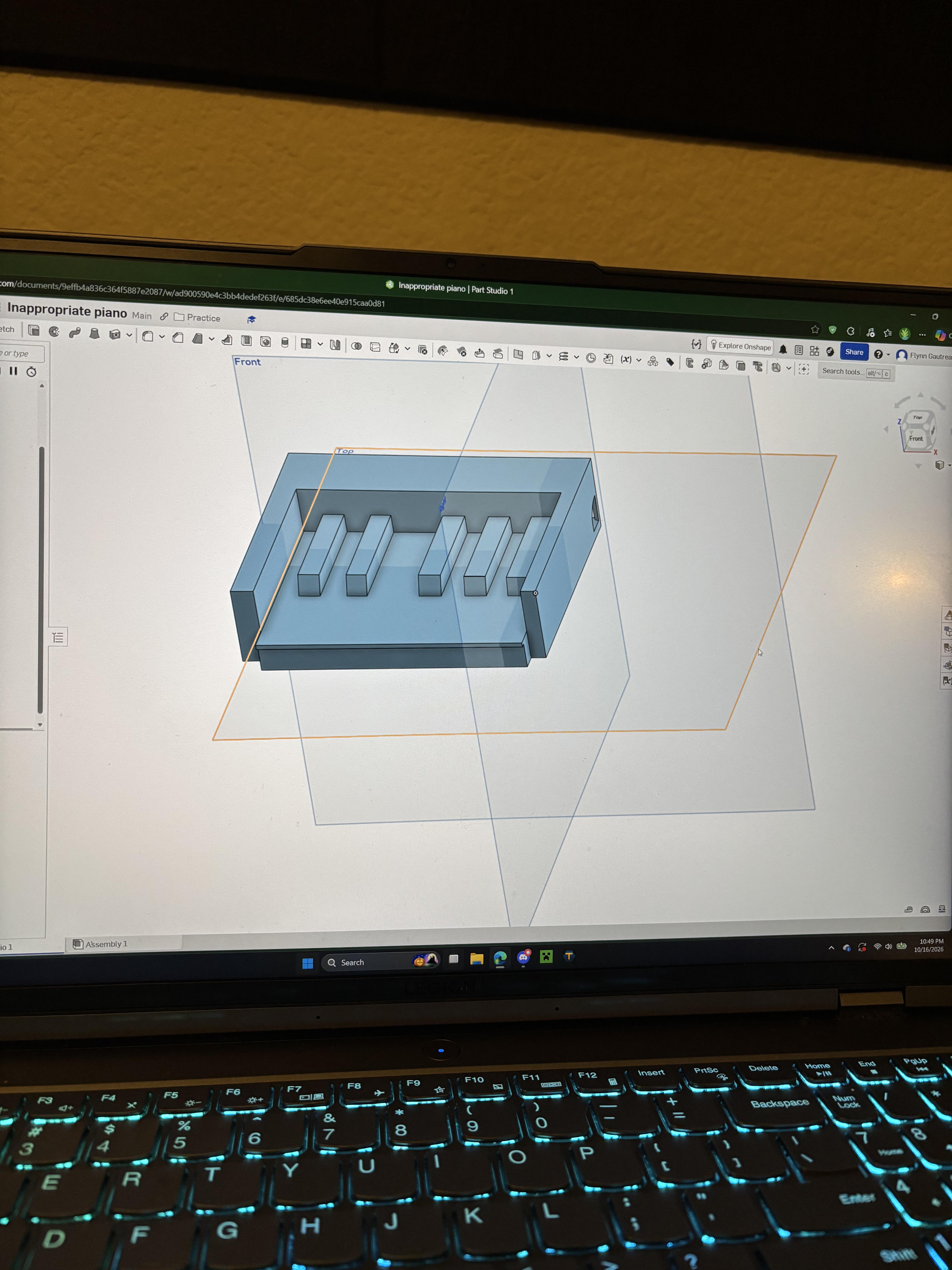
This is my first 3d model. I just started yesterday because my engineering class is making us learn onshape. I decided to make a small 12 key piano keychain. It’s not the best because the black keys aren’t perfect copies, and I’m not putting in the effort to separate all the white keys, but it still took me some effort. I’m not looking for criticism, after all I have no clue what the terms y’all might use even mean.
r/3Dmodeling • u/Nomistake1995 • 12h ago
A faster GPU is supposed to mean shorter renders. In practice, the render that took an hour still takes an hour. It’s just 4K now, with more samples, larger textures and three lighting versions you wouldn’t have attempted before. Cloud rendering makes this even funnier. The moment more computing power becomes available, the definition of like good enough quietly moves further away. I’m starting to think more compute doesn’t buy 3D artists extra time. It just gives us permission to become pickier.
Does anyone actually use faster hardware to finish earlier, or do we all immediately spend the saved time making the machine suffer again?
r/3Dmodeling • u/Mazhuka3D • 4h ago
🇺🇸: You can listen to the video in English through the video settings panel. Blender version 5.2 introduces a new node called "Get Geometry Component," which allows you to select a component of an object to work with.
r/3Dmodeling • u/VaLightningThief • 4h ago

I'm following a course but can't quite seem to get the knuckles looking right. I feel like it's the part between the fingers, I just don't know what to change
r/3Dmodeling • u/BunMark • 7h ago
Hey, guys! I'm currently working on a piece for my portfolio, and I want to add more detail to the clothes, so if anyone could tell me where I can find these brushes, I'd really appreciate it.
Thanks in advance for your help 🫶🏼
r/3Dmodeling • u/Kevin_Dong_cn • 14h ago
Enable HLS to view with audio, or disable this notification
r/3Dmodeling • u/Free_3DModel_For_You • 1d ago
r/3Dmodeling • u/Discotrasher1337 • 1d ago
Enable HLS to view with audio, or disable this notification
How hard is it to learn this kind of modeling ? How many time i need to do this kind of thing from 0 ?
r/3Dmodeling • u/Gagik-3DArtist • 9h ago
Working on a utility vest for a character and I’m trying to lock down my pipeline for the fabric detail before I go further. The screenshot shows the current state of the weave in ZBrush at high subdivision, with the pocket stitching and the seam lines.
How I do it right now:
I sculpt the fabric displacement directly in ZBrush, using a mix of alphas and manual cleanup around the seams, pockets and folds. Then I bake it down to a normal/displacement map on the low-poly mesh. The upside is that the weave follows the folds and the stretch of the garment, so it looks natural around the chest and the pocket flaps. The downsides are a heavy scene, long project times, and the weave scale drifting between pieces (the vest, the sleeves and the pockets don’t always match).
What I’m considering:
Doing the fabric detail in Substance Painter with tileable height maps and alphas instead, and keeping only the large forms and wrinkles in ZBrush. That would keep the scale consistent and make it easy to change later, but I worry it will look flat and “stamped” without the stretching and compression you get from sculpting.
What I’d like to know:
Would love to hear your pipelines, and any workflow videos or breakdowns are welcome too. Thanks!