r/ObsidianMD • • 16d ago

Obsidian October: take the State of Obsidian 2026 survey!

Thumbnail
2026.obsidian.md
139 Upvotes

O_O is back! Every October, the Obsidian community turns “I should make that” into “I made that!” Whether you’ve been tinkering with a plugin, theme, vault, guide, or video, this is your month to finish it and share it.

This year the Obsidian team will also be working on our own project, a new survey we’re calling State of Obsidian.

Take the State of Obsidian survey

In May, we launched the new Obsidian Community, and since then the number of plugins and themes has more than doubled to over 8,000 projects!

We thought this would be a great opportunity to reimagine our annual Gems of the Year awards and report on how you are using Obsidian in 2026. This first survey will also set a baseline for how the community continues to evolve going forward.

As you know, we take privacy seriously. The Obsidian app doesn’t collect personal data, and our developer guidelines prohibit plugins from including telemetry. So the State of Obsidian survey is how you can tell us about your favorite plugins, themes, tools, and ways to use Obsidian. We’ll compile this data into a report that we will share publicly by the end of the year.

Take the State of Obsidian survey

Give your projects some love

Do you have an existing plugin? Give it a tune-up with the APIs we’ve added since last October:

  • The new Settings API in Obsidian 1.13 makes your settings searchable.
  • If your plugin stores API keys, passwords, or other secrets, explore SecretStorage and SecretComponent to let people use secrets they manage in the Obsidian Keychain.

Your project doesn’t have to be a plugin. Refresh a theme, share a vault, write a guide, or make a video that helps someone discover a new way to use Obsidian. If you’ve been waiting for a nudge to release it, this is it!

Join us on Discord in the Obsidian October channel to share what you’re making as it takes shape, ask for help when you get stuck, and lend a hand on someone else’s project. Rock on! 🎸🪨


r/ObsidianMD • • Jan 31 '25

Obsidian Community resources

211 Upvotes

Welcome to r/ObsidianMD! This subreddit is a space to discuss, share, and learn about Obsidian. Before posting, check out the following resources to find answers, report issues, or connect with the community.

We also really do enjoy your memes, but they belong in the r/ObsidianMDMemes subreddit. :)

Please be sure to read our Code of Conduct to help make this space an awesome place to discuss all things Obsidian. Please, don't be a shill.

Official resources

In addition to Reddit, there are several official channels for getting help and engaging with the Obsidian community:

Need help with Obsidian? Check the official documentation:

To keep things organized, please report bugs and request features on the forum:

For Obsidian Importer and Obsidian Web Clipper, submit issues directly on their GitHub repositories:

Community resources

The Obsidian community maintains the Obsidian Hub, a large collection of guides, templates, and best practices. If you’d like to contribute, they’re always looking for volunteers to submit and review pull requests.

Library resources

Obsidian relies on several third-party libraries that enhance its functionality. Below are some key libraries and their documentation. Be sure to check the current version used by Obsidian in our help docs.

  • Lucide Icons – Provides the icon set used in Obsidian.
  • MathJax – Used for rendering mathematical equations.
  • Mermaid – Enables users to create diagrams and flowcharts.
  • Moment.js – Handles date and time formatting.

Plugin resources

Obsidian supports a wide range of community plugins, and some tools can help users work with them more effectively.


This post will continue to expand—stay tuned!


r/ObsidianMD • • 20h ago

Pele: New renderer for Mermaid diagrams coming in Obsidian 1.15

Enable HLS to view with audio, or disable this notification

1.7k Upvotes

Here's a demo of Pele, the new rendering library for Mermaid we created for Obsidian 1.15 (the next version of Obsidian). It's compatible with all the latest Mermaid syntax but runs much faster, about 100-500× faster!

We're releasing it now so people can start testing it, and developers can start building on top of it. Try the playground here: https://pele.run/playground

The biggest improvement you'll see in Obsidian is that Mermaid charts will render as fast as you can type and match your theme colors. It also has zoom options and changes the diagram layout based on space available.


r/ObsidianMD • • 2h ago

plugins my first plugin published successfully 🎉🥳

Post image
18 Upvotes

r/ObsidianMD • • 6h ago

showcase I built Just Simple Slides: a minimalist visual editor for Markdown presentations in Obsidian

Thumbnail
gallery
27 Upvotes

Markdown slides are a brilliant idea, but the tools often get in the way: Obsidian’s core Slides plugin feels too limited, while Marp can turn a simple presentation into an exercise in technical details and scripting.

PowerPoint is great for designing slides. Markdown is great for writing, structuring ideas, and revising the content.

I wanted a visual way to work on a presentation while keeping the content in an ordinary Markdown file. Obsidian’s built-in Slides can show the note, but I was missing the overview: seeing the slides, arranging their order, and keeping presenter notes nearby.

So I built Just Simple Slides.

It uses the familiar --- separator and adds:

- Slide thumbnails with drag-and-drop reordering.

- Automatic layouts: text and images sit side by side; image-only slides display the image large and centered. Content scales to fit.

- Your Obsidian theme: backgrounds, colors, and fonts come from your existing setup.

- Native Markdown editing: the slide view opens in a separate tab. Edit source takes you to the selected slide in your existing Markdown editor, including another Obsidian window.

- Private presenter notes, edited below the preview.

- Fullscreen presentation mode with keyboard navigation.

Private notes use optional callouts:

> [!slide] Notes

> Show the demo here.

> Leave time for questions.

You can have several of these per slide, with optional names. They stay in the Markdown file but are hidden from slide previews and presentations. Other callout types remain visible.

The focus today is the editing workflow. Presentation mode is basic; future work will add simple, optional animations and transitions while keeping the plugin minimalist.

It’s open source. Screenshots, installation instructions, and a demo are on GitHub.

Links - GitHub Repo and Obsidian Community Listing


r/ObsidianMD • • 3h ago

help How do you write your Properties? Is there a proper way

7 Upvotes

I have seen some obsidian well know users with really complex vaults like Nick Milo and Kepano write properties in a specific way. They either use all lower case like created, updated or if they have to use two words, I don't know how Kepano writes them but Nick Milo writes them as dateCreated or such. I think... know the reasoning behind this: It's easier to use in code or in Bases or Dataview. I've also seen Mike Schmitz, another person I've watched a few videos on obsidian and is definitely a obsidian power user. He does use spaces in his preparties with spaces, all lower caps.

The Question I have is there a specific way to write them or are there I have to keep in mind. I don't know this might be a dumb question...


r/ObsidianMD • • 16h ago

showcase Static Aurora: a theme that changes colour with the music you're playing

Post image
80 Upvotes

Hi all. I've made a theme where the background glows follow whatever you're listening to.

Static Aurora is warm dark glass over slow, drifting glows. On its own it's a calm dark theme. Pair it with one of my player plugins and the glows fade to match:

  • Aurora MP3: your own music library in the sidebar. The theme takes the colours of the album cover.
  • Static FM: coloured noise for focus. The theme follows the colour of the noise.
  • Hi-Fi Tuner: internet radio on a wireframe globe. The theme follows the globe's colour scheme.

The colours change when you press play and stay when you pause. The players also take turns, so starting one pauses the others.

Light mode is something different: a Windows 2000 classic look.

With Style Settings you can stop the drift, set the glow strength and pick an accent colour.

Install: Settings → Appearance → Themes → search "Static Aurora". The plugins are in Community plugins.
Theme repo: https://github.com/AshOtis/aurora-theme

Feedback is very welcome, especially screenshots of what colours it picks up from your music.


r/ObsidianMD • • 13h ago

help I have STRONG OPINIONS about footnotes in markdown

47 Upvotes

Yes, you heard it right. I have opinions. Opinions about text formatting. Yes I am very cool thanks.

Jokes aside, writing an essay and as usual I'm running into footnotes in digital formats make much more sense between paragraphs in digital formats. In books it makes sense for them to be under pages but in digital formats they're typically relegated to the end of the book for some reason. Which depends on your ebook reader and well formated documents to read.

It's just a legacy choice that doesn't make sense in modern digital formats like epub or md. Let me just read the footnotes inbetween paragraphs without needing to jump pages like god intended.

Also obsidian should support footnotes being given words instead of numbers and they autonumber when in read view or printing. It just makes sense. Who tf likes having to order notes we all use Tidy Footnotes or something if there's enough for it to mater.


r/ObsidianMD • • 5h ago

ai New to Obsidian - Home Page made, now how to properly utilise..

8 Upvotes

New to obsidian after using many different apps over the years (Trello, Notion, OneNote, Notepad++..) but very eager to get going on Obsidian.

Spent a little bit of time making this home page as saw others do the same and loved the idea of it. Used a bit of claude to help with the tables and structure as i didnt want to spend a whole day doing it -hence the AI flair.
^Is there a better way to do these tables/progress bars using existing community plugins?

I have seen people use mind maps (unsure how useful it will be to me tbh) and different methods for capturing notes, one im trying out atm is the CAP - Capture Analyse Process methodology though unsure if it really fits for my use case... being someone who wont use Obsidian as a research/journalling tool, but more a tracker of general notes/ideas/and endless list of small hobbies and projects ill never finish cause I get distracted :)

Would love to hear what ideas people have used themselves to make Obsidian best suit them and how I could possibly ciopy and try myself. Though I also get the.. "you just gotta use it more and it will develop on its own".

Overall loving Obsidian and seeing what it can do + open source plugins and community is always great.


r/ObsidianMD • • 1d ago

showcase I'm walking through my Obsidian vault right now in the form of a magical library. Every file's a book. Cool idea?

Enable HLS to view with audio, or disable this notification

1.3k Upvotes

r/ObsidianMD • • 3h ago

help How to organize notes by different characteristics ?

5 Upvotes

So it is starting to look like a database and I'm not sure obsidian is the right tool...

Situation:

I have a note "objectives", where I store things I want to do, can be important like addressing a health problem, or can be just a thing I want to do in a videogame, it's just "things I want/should do".
And so I have a list of 150 different objectives, at first I've just put them all at random, then I put them in order from most important to less.
Now I want to also sort them by topics: "Health", "videogames", "job", "social", etc.

My problem is I don't see an easy way to give those notes any property's that the system would later search for me, I would have to manually make a note of "job objectives" and put everything related to jobs there, and so one with all categories, then some objectives can be related and belong to more than one category... and I also want them to be sorted according to importance on their own no matter the category...
Point is, that's a lot of writing the same thing in different parts and then also updating it on the go... and I'm looking for a way to automate it a bit.

Well, is obsidian capable of pulling it off ?


r/ObsidianMD • • 17h ago

ai Leaving Notion was the best decision I made

48 Upvotes

a year ago, i decided to leave Notion. Their push toward paid ai features was the last straw for me. I won't lie, moving everything was scary. i had built my entire workflow around Notion for years, and starting over with Obsidian was overwhelming, especially when all i saw at first was a blank note lol. But slowly, with help from this community, i found my way around and started to really enjoy it.

And now with agentic llms getting so good, things really drastically changed. i'm building features i always wished Notion had, including my own custom calendar interface, exactly how i want it. i still remember dealing with Notion Calendar app for example, all the bugs and missing features, and how many times i had to contact them asking for improvements with no success. Now im building what i need pretty quickly, without waiting for someone to fix or add it.

tbh, moving from a closed ecosystem like Notion to Obsidian at the moment is like a no brainer. Pretty much anything i wish existed, i can try building myself with the help of llms. So ironically, thank you Notion for pushing me away lol. And a big thank you to the Obsidian team and this community for the help and the amazing plugins out there. You guys made the transition so much easier, especially back when i had no idea what i was doing. Seeing how fast things are evolving now makes me glad i made that decision back then and went all in on Obsidian.

For those curious about the calendar, i built a custom interface using Hearth, with the widgets, layouts and different views how i wanted them. Since moving to Obsidian, i was slowly adding features through community plugins, but with how much llms have improved recently, i am customizing so much more myself, and incredibly fast too. At this point, i can't imagine going back to Notion. Whatever feature comes to mind, i can get something working here the way i want it.


r/ObsidianMD • • 6h ago

plugins Open Request to Skilled Developers

4 Upvotes

I miss Calendarium (It still exists but not all features work), it was fantastic. Mostly I miss the import feature from Fantasy Calendar (https://fantasy-calendar.com/). I just wanted to put an open request out there to someone with more skill to me to make a new/updated version for the community. Alternatively, I may just not know about another plugin, so if you have any suggestions those would be welcome.
Ill give you a big kiss. :*


r/ObsidianMD • • 2h ago

help should I stop using folders and tags and only use MOCs in obsidian or what to do exactly to organize in obsidian

2 Upvotes

should I stop using folders and tags and only use MOCs in obsidian or what to do exactly to organize in obsidian


r/ObsidianMD • • 4m ago

help Note Toolbar plugin

• Upvotes

Recently, the buttons I configured for "Split right" and "Split below" stopped working entirely. They used to work perfectly and were a lifesaver for my mobile workflow, but now nothing happens when I tap them.


r/ObsidianMD • • 7h ago

help Looking for Home Page / Landing Page advice

1 Upvotes

I'm starting a vault for a new TTRPG setting I'm working on and am looking for advice or examples on how to make a home / landing page.

It's important to me because I publish my vault as a wiki for my players once its ready and I'm running a game in the setting. I use Digital Garden and Vercel to host the site.

The vault navigation and search functions are on the left page margin which is great but I want the landing page to look nice and make site navigation easy for my players so I'm looking for advice on how to do that best.

Here is the site I had for my previous vault to give you an idea of what I used before, it's fine but it's just a page list and I'm hoping to make this one look and work better.

https://mistveil.vercel.app/

Thanks for any tips


r/ObsidianMD • • 21h ago

ai I walk and talk into Obsidian every morning. It's become my "Knowledge OS."

44 Upvotes

I wake up pretty early and go for a walk.
Somewhere along the way, that became part of how i use Obsidian.

I've mapped my iPhone's action button to a series of shortcuts that opens Obsidian and starts Willow Voice dictation. Then I just walk and talk. My ideas, my plans, something I'm working on. Sometimes I'm talking through a particular project. I don't have to sit down and decide how to write it all out first.

One morning I ended up with something like 15 paragraphs. I hadn't edited anything, I'd just spoken naturally while walking, and there it was.

I call my Obsidian setup my "Knowledge OS." It holds my thoughts, ideas and project context, and the AI tools I use can draw on it. I use Grok more generally and OpenAI and Claude for development work. When I'm working on a project, I'll ask the AI to look through that context and pull out what's relevant.

So those morning conversations become material I can use later. I might talk through a plan on a walk, then come back to the project and have that thinking available. Obsidian gives it somewhere to live.

The small bits of friction matter a lot to me. If I correct myself halfway through a sentence: “tomorrow we’re going to… no, the day after”, I want the correction captured without having to go back and delete the first attempt. That’s one of the things I like about the dictation I'm using.

It's still not completely seamless on the phone. Sometimes I have to switch keyboards or reactivate the app, and after a timeout I can end up pasting the text manually. One extra tap sounds trivial until you’re doing it repeatedly. It takes you out of what you were thinking about.

I've also been experimenting with AssistiveTouch for other parts of my phone workflow. I'm always looking for the smallest number of steps between having a thought and getting it somewhere useful.

Anyone else using Obsidian this way? I'd be interested in what happens to your dictated notes afterward - whether you keep the whole conversation together or break it into smaller notes and link them up.


r/ObsidianMD • • 18h ago

graph Out of all the notes in your vault, how many have you opened a second time?

23 Upvotes

I did a rough count of mine and it was embarrassing: around 1,400 notes, and I’d guess under 100 ever got a second visit. The graph view looks great but also does nothing for me....

For people who’ve kept a vault for many years: what’s your ratio? And was there a point where your notes started paying off, or did you change how you take them?

Also how would you use the graph to avoid this/in general?


r/ObsidianMD • • 3h ago

plugins What do you use for charts in your notes? Thinking of building a plugin, but not if a good one already exists

1 Upvotes

I want charts inside my notes. Bar, line, pie, written in the markdown so they live with the note and still read fine as plain text.

Before I build my own plugin, I'd like to know what you all use. If something already does this well, I'll just use it.

What I've found so far:

  • Charts (phibr0). 331k downloads, builds charts from a markdown table or CSV. Last update was about 3 years ago, though.
  • Fancy Charts. Uses ECharts and keeps the data as a readable markdown table. Looks promising, but it's still early (v0.2.0).
  • Charts for Bases. Turns a Base into a bar or line chart. Useful if your numbers live in note properties.
  • Dataview + a chart plugin. Very flexible, but you end up writing code for every chart.

What I'm after:

  • The data stays plain markdown, so the note makes sense even without the plugin
  • It can pull numbers from properties across many notes, not only a table in the same note
  • It looks right in light and dark themes, and works on mobile
  • It exports cleanly to PDF

Here's roughly how I picture it in a note:

```chart type: bar

title: Monthly revenue

Month Revenue Costs
Jan 4200 3100
Feb 5100 3300
Mar 6300 3500

```

And pulling data from properties across notes:

chart type: line title: Weight over time source: "#daily" x: date y: weight

So:

  1. Which chart plugin do you use right now, and are you happy with it?
  2. What annoys you about it?
  3. If I built a new one that did the list above, would you use it? What would it need to make you switch?

If the answer is "X already does all this", I'll drop the idea and use X. If not, I'll build it open source and post it here.


r/ObsidianMD • • 8h ago

help Auto-correct keyboard bug in Android

2 Upvotes

I'm not sure if this is the right place to raise concerns like this but there's this minute bug that's been buggin me for a while now whenever I edit my notes. Whenever I put the type cursor over a word that has the red underline (like a misspelled or unrecognized word), the keyboard collapses/hide. It's making it hard for me to edit a particular word as it prevents me from placing my cursor from them. For context, I use Gboard as a keyboard in my Pixel 9a.


r/ObsidianMD • • 1d ago

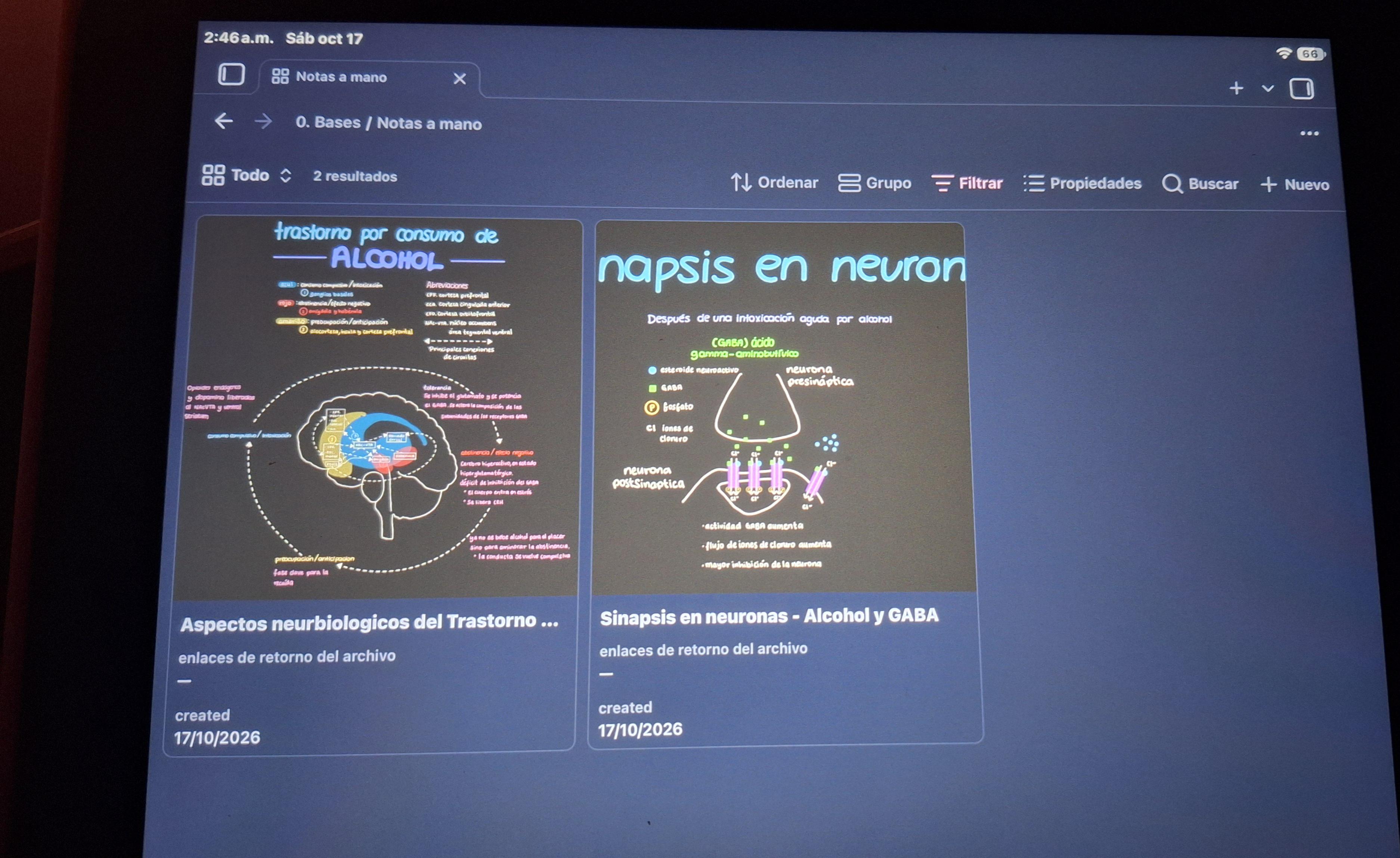
showcase Handwriting my notes and doing diagrams and doodles gives me so much joy so... as a non-tech user, I just think I'll use bases for this

Post image
52 Upvotes

These are currently visual notes of my degree but I poan to do alot more outside of it :D


r/ObsidianMD • • 6h ago

help Right Sidebar Default Items?

1 Upvotes

I'm blind i think i accidentally triggered the expand right sidebar and not finding the collapse sidebar somehow, i right clicked and close ALL toolbar items associated with the right sidebar.

And of course i didn't remember what were those entries LOL

Now i wonder if i could reset the default or how to bring it back at least the minimum restore.

Much thanks in advance haha!


r/ObsidianMD • • 17h ago

plugins 2 new templates added to Bookmarks Sync Plugin

Enable HLS to view with audio, or disable this notification

9 Upvotes

I posted yesterday about the Bookmarks Sync Plugin!
Today i worked on the templates system and added new templates!

if you have any template ideas, please send them over or open a pull request: https://github.com/chadidi/obsidian-bookmarks-sync

Thanks


r/ObsidianMD • • 17h ago

showcase Random Theme: a lazy way to discover new themes

5 Upvotes

I made a small plugin that gives you a random Obsidian theme every day, or with a single click. It picks from the whole community theme list, so you don’t have to install themes first. When a theme is picked, the plugin downloads it for you.

Settings

  • Rotation: daily (default), weekly, every startup, or off.
  • Match light/dark mode: pick only themes that support your current mode.
  • No repeats: skip themes used in the last N days.
  • Mark themes Love, Okay, or Skip. Skipped themes are never picked again. Loved only rotates through your loved themes.
  • Status bar label: shows the current theme. Click it to cycle Okay → Love → Skip.
  • Optional dice icon in the ribbon to reroll right away.
  • Clear cache: deletes downloaded themes you didn’t love. Themes you installed yourself are never touched.

Thanks to this, I’ve found some gems I wouldn’t have found otherwise.

Random Theme
Forum Link


r/ObsidianMD • • 13h ago

help Links em PDFs ou Fotos?

2 Upvotes

Alguém sabe como posso inserir um link diretamente em um PDF ou em uma foto? Já usei o annotator, mas ele gera um comentário que precisa de uma outra nota pra assimilar um link, além de não ficar aparecendo.
Também já testei no PDF++, mas ele também cria outra nota e puxa o trecho, ou seja, nenhuma das versões é capaz de atribuir um link de nota a uma palavra específica de um pdf ou exatamente em cima de uma foto.