r/SolidWorks • u/Ahmed_djader • 2d ago
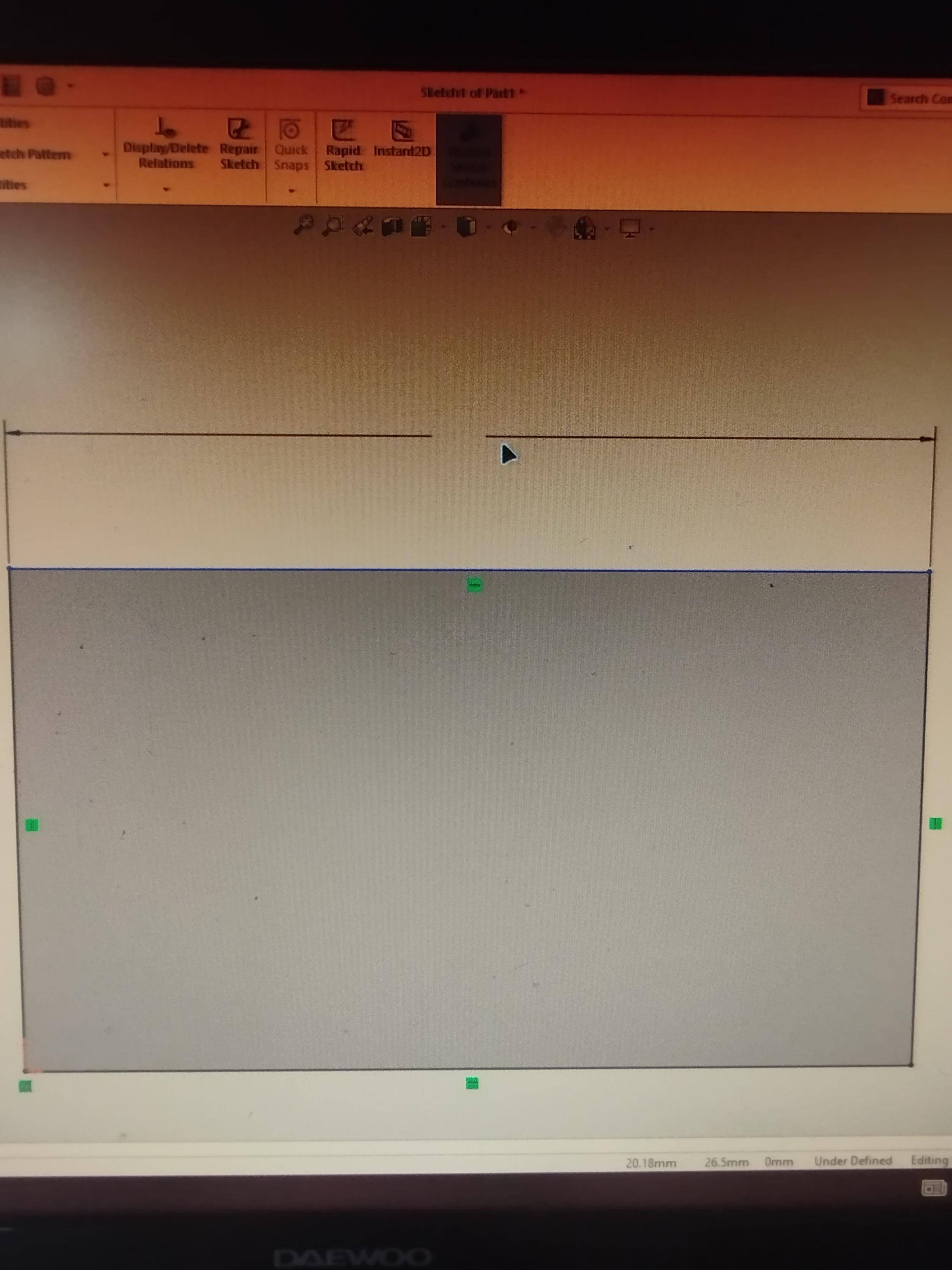
CAD The Dimension doesn't appear
Does anyone know how I can fix it ?
3
u/Exciting-Dirt-1715 2d ago
Start SW in software openGL mode, then you know if it’s a gpu issue
3
u/Ahmed_djader 2d ago
yeah I try it and it works. I just Disable Enhanced Graphics Performance and now everything is good. I really appreciate your help
1
u/Exciting-Dirt-1715 2d ago
This is not a permanent fix, software openGL will impact your performance negatively. Try installing another gpu driver and deactivate software openGL again.
2
u/experienced3Dguy CSWE | SW Champion 2d ago
What is your GPU u/Ahmed_djader? If it's not a SOLIDWORKS-certified GPU, then the Enhanced Graphics Performance setting can cause all manner of display problems exactly like you experienced. I think you've definitely found the root cause of your problem.
2
u/Slingers97 2d ago
Is the dim text size set to really small? I think I've had this before and it was a setting relating to text size or resolution im pretty sure.
1
u/Ahmed_djader 2d ago
I checked the font sitting and it's look normal. Could just tell me where I can find the resolution sitting
2
u/Dankas12 2d ago
Check the font you’re using in settings. I had this when I decided to start CSWP on a new laptop. Was not happy. Hope you find it
1

1
u/tria_zurich 1d ago
As is so shit that it needs a mainframe to display sketches- let’s face it we should be redone from the ground up and it would run a lot smoother with regular hardware!
3
u/messmaker007 2d ago
Go to settings, check dimension settings for anything weird, like the other comment it might be set to a tiny size. Also recommend restarting the computer if you haven’t already, sometimes weird stuff happens for no reason