r/gigabyte • u/Embarrassed-Bar8907 • 3h ago
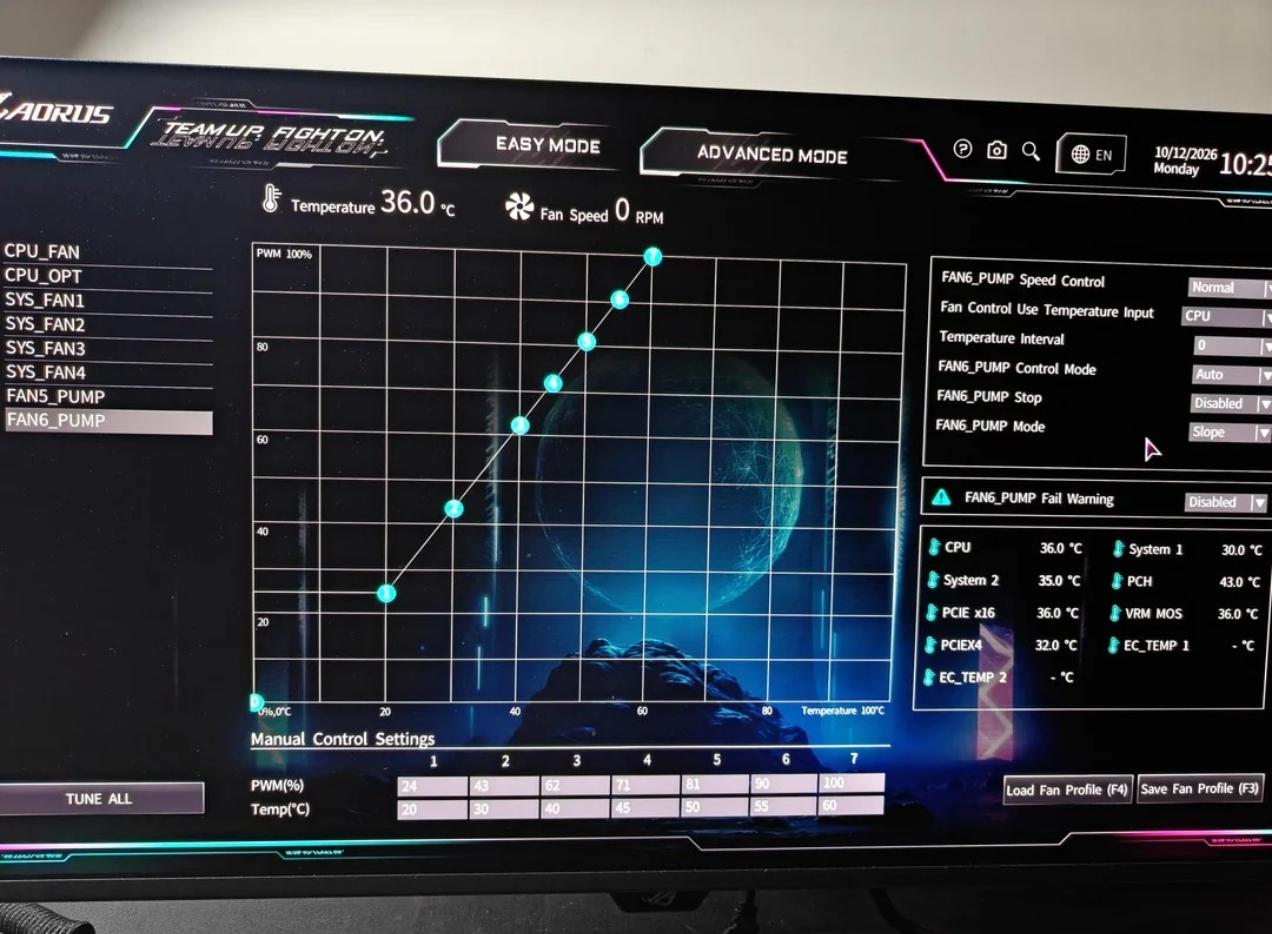
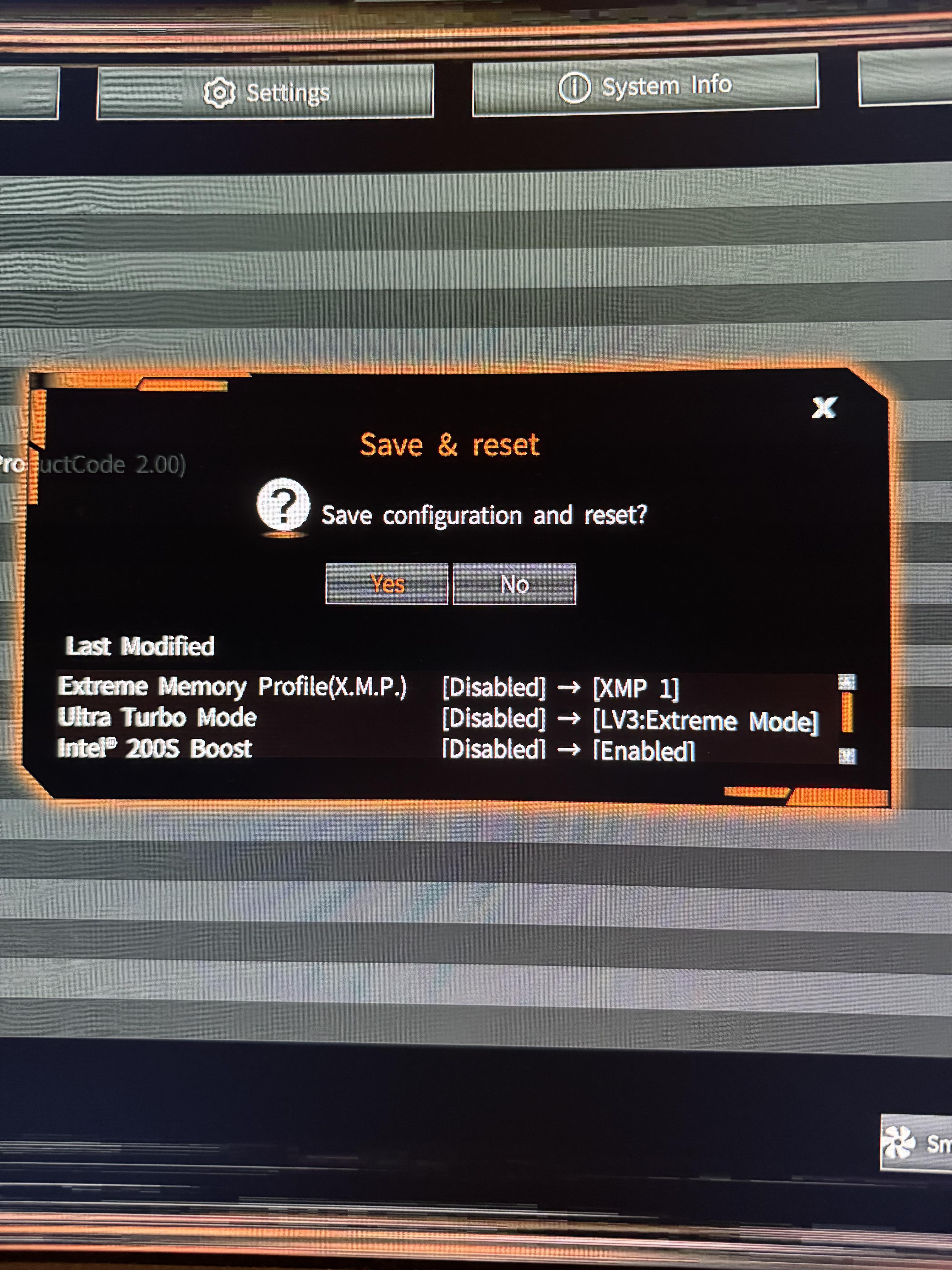
Support 📥 POST Issue on Gigabyte Z890 Gaming X Mobo after BIOS Changes
2
Upvotes
r/gigabyte • u/AORUS_Official • 25d ago

Planning an Intel-based PC build?
There's currently a GIGABYTE promotion that gives you a pretty nice bonus for choosing a qualifying GIGABYTE Intel Z890 or B860 motherboard.
Buy an eligible motherboard from Amazon.com during the promotional period and you can claim one free AAA PC game through the Intel Software Advantage Program.
And you get to choose your game:
So the question is:
Which one are you picking?
The motherboard side of the deal covers all GIGABYTE Z890 and B860 motherboards, giving builders plenty of options depending on how they're putting their system together.
GIGABYTE's Z890 and B860 boards are built around Intel Core Ultra desktop processors and include features aimed at both gaming and enthusiast builds, including:
The promotion runs July 1 through December 31, 2026, so there's still plenty of time for anyone planning a new build.
The redemption process is:
1. Purchase an eligible GIGABYTE Z890 or B860 motherboard from Amazon.com.
2. Obtain your Intel Master Key.
3. Sign in or create an Intel Digital Hub account and redeem the key.
4. Choose one of the three available games.
5. Download and play.
One game per qualifying purchase, with additional eligibility and redemption requirements applying. Learn More HERE: https://www.aorus.com/en-us/explore/events/intel-unlock-one-game-2026
But let's make this a PC-building discussion:
If you were building a new Intel gaming PC today, which game would you choose as your freebie — and what CPU/GPU would you pair with the motherboard?
r/gigabyte • u/AORUS_Official • May 09 '26

The new GIGABYTE GO27Q24G is now available in North America, bringing next-generation OLED performance to competitive gamers who demand both speed and immersion.
Built around a 27” QHD 240Hz 3.5 Gen Glossy WOLED panel, GO27Q24G combines elite responsiveness with upgraded HDR brightness, enhanced motion clarity, and a completely redesigned borderless form factor engineered for focus.
Borderless Competitive Immersion

GO27Q24G introduces an exclusive 4-sided borderless OLED design that minimizes distractions and maximizes screen immersion. Combined with an ultra-thin 2mm metal base, the monitor delivers a cleaner desktop footprint while maintaining stability for competitive setups.
Display Specs:
The result is a display that balances esports responsiveness with cinematic OLED image quality.
Brilliance Without Compromise

GO27Q24G upgrades to 3.5 Gen Glossy WOLED with MLA+ technology, enabling:
New HyperNits technology intelligently reshapes the EOTF brightness curve to improve luminance perception by up to 30% while preserving detail accuracy — helping solve the dim HDR limitations commonly associated with OLED gaming displays.
Engineered for Tactical Precision

GO27Q24G was designed specifically for fast-paced FPS gameplay and competitive responsiveness.
Gaming Features Include:
Together, these features help maintain image clarity during rapid movement while reducing distractions caused by flicker or motion smearing.
Smart OLED Protection + 3-Year Warranty
To address long-term OLED reliability, GO27Q24G integrates:
Every GO27Q24G is backed by a 3-year warranty including burn-in protection, providing long-term confidence for daily gaming use.
Precision Without Borders.
Shop Now at Best Buy!: https://aorus.shop/GO27Q24G-BBY-R
r/gigabyte • u/Embarrassed-Bar8907 • 3h ago
r/gigabyte • u/AdBusiness2626 • 1h ago
Enable HLS to view with audio, or disable this notification
r/gigabyte • u/Ok-Engineering367 • 9h ago
Enable HLS to view with audio, or disable this notification
Is this normal? The flickering bothers me, it doesn't look like it's supposed to do this
r/gigabyte • u/Veleonz48 • 5h ago
I want to ask question,
My spec PC :
AMD Ryzen 7 9800X3D
Corsair Vengeance 2x16GB 5600Mhz DDR5
Gigabyte X870 Aorus ELITE Wifi 7 ICE
ASUS Prime RTX 5070 TI OC
Acer Predator 1TB SSD
Fanxiang 4TB SSD
Corsair RMe 850 Watt ATX 3.1
If i enable Pcie gen 5/auto in bios, all my game is crash and my monitor sometimes blinking. If i enable Pcie gen 4.0 in bios my PC is working normally and my game didn't crash. I dont know whats is problem yet, but how can i running in Pcie 5.0 ? Or this motherboard don't work with pcie 5.0 ?
r/gigabyte • u/TheRealIronWolf • 7h ago
I recently upgraded to 128 GB (2×64 GB Crucial CT2K64G56C46U5), which boots fine by itself. However, adding my old 32 GB kit (2×16 GB Crucial CP2K16G64C38U5B) causes the motherboard to stop at POST code C5.
Has anyone managed to get a mixed 4-DIMM configuration working on this motherboard? Would swapping the DIMM positions help, or is this likely a memory-training issue or incompatibility between the kits?
Any advice appreciated.
r/gigabyte • u/Born-Ad4243 • 9h ago
Enable HLS to view with audio, or disable this notification
I just got a Ryzen 9 off Facebook market place and I’ve been wanting to upgrade for a while. Anyway I upgraded and my pc don’t boot at all now. I last updated the bios in November of last year.
I have a gigabyte b550 x v2 gaming motherboard
32gb ram
Rtx 2060
Ryzen 9 5950x (I had a Ryzen 5 3600 previously)
I tried powering it down, taking the battery out, shorting the pins, I tried booting with 1 ram stick on every slot, my computer won’t even beep or anything. Anyway I hope one of yall can help me with this. Maybe I have to change something in my bios or something idk I’m running out of ideas.
r/gigabyte • u/azera_Hunt • 10h ago

Hi everyone,
GIGABYTE has released a new IT5711 RGB lighting controller firmware package, version 4.1.37, for Windows 11 64-bit on October 15, 2026.
The previous version, 4.1.36, mentioned an ARGB lighting compatibility fix, but I couldn't find any release notes explaining what has changed in 4.1.37.
I'm using a GIGABYTE X870 AORUS ELITE WIFI7 ICE motherboard with KLEVV CRAS V RGB DDR5-6000 memory. I've been experiencing intermittent RAM RGB detection issues with L-Connect 3 integrated with OpenRGB. Sometimes one RAM stick's RGB doesn't light up, and the controlled devices list can be completely empty.
I've already updated my BIOS and tried reinstalling/updating L-Connect, but the issue persists.
Does anyone know what firmware 4.1.37 fixes? Could it improve RGB detection or compatibility with KLEVV RAM?
I'd appreciate any information from users who have tried this update.
Thanks!
r/gigabyte • u/DomiTheJustin • 1d ago
I'm honestly pretty pissed off right now.
Today, I opened my PC for my usual monthly cleaning and discovered something that I absolutely did not expect to see on a relatively new, high-end graphics card: the thermal paste on my Gigabyte AORUS RTX 5080 appears to have shifted or run downwards while the card was mounted vertically.
Let that sink in for a moment. This is an expensive, high-end GPU, and I'm using a vertical mount that Gigabyte explicitly states is supported. I didn't install the card in some crazy, unsupported position. I mounted it in a way the manufacturer says is perfectly fine.
So how is this acceptable?
I'm paying a premium for a product like this, and I expect the cooling solution to be properly designed and assembled. Having what appears to be thermal paste migration like this on a relatively new GPU is seriously concerning. I'm now left wondering whether the thermal interface is still making proper contact, whether cooling performance has been affected, and whether this could potentially cause problems down the line.
Why does a GPU that is explicitly advertised as suitable for vertical mounting appear to have this issue in that very configuration?
Is this a known problem with the RTX 5080 AORUS series? Has anyone else experienced something similar?
I'll attach pictures showing what I found during the cleaning.
Gigabyte, I'd genuinely like an explanation here. Customers shouldn't have to question the integrity of an expensive GPU's cooling solution simply because they use a mounting orientation that the manufacturer itself supports.
Really disappointing to discover this during what should have been a completely routine cleaning.
r/gigabyte • u/Competitive_One_8340 • 11h ago

Hi guys, so my brother updatet windows 11 yesterday on his laptop and after the update his laptop was just showing this the whole time. So I found a fix for pretty much the same problem I´ve got here from last year, just I wouldn´t make this post, if the lapotp´s keyboard isn´t working. Neither F2 nor F12 nor F9 are changing anything and even a different keyboard isn´t working. I can´t boot the BIOS settings. Also when extraciting the bios flash tool from gigabyte it doesn´t look like in the screenshots from the post for the fix.

Please help me, my brother would really appreciate it!
r/gigabyte • u/Standard-Building771 • 16h ago
Hey guys; I was doing some routine annual maintenance on my card to replace the TIM and clean it out; but when I took the card apart the thermal pads were completely shot. They were crumbly and falling apart. Ive had the card since September of last year; so its not like this is a 10 year old card here. I wish I took pictures because it was genuinely awful. I have serviced computer electronics; including GPU's for literal decades now, theres a difference between dried out thermal pads that are just old vs what I saw on my card. The 2mm pads were ok, but the thinner ones were absolutely destroyed.
Might be a one off thing; who knows. My temps were "ok"; I routinely check on them every so often in benchmarks and testing for OC/undervolting validation and stability testing.
GV-N407TSGAMING OC-16GD
I received the card directly from Gigabyte from RMA service; but my serial number says it was made in "2021" which is obviously not right. I received the card Sep 2025
r/gigabyte • u/ImBlitzkrieg • 18h ago
Hello! i just finished putting together my build on a gigabyte x870e aorus master, i tried to boot it but the fans wont spin and or give a display, i just see a red vga light with a 99 code, my graphics card is a 2070 super any ideas ?
r/gigabyte • u/WholeFreedom3018 • 22h ago

Is this good or bad sent in GPU because I kept encountering NVLDDMKM error 14 and 153. My fans ramp up beyond overclocking speeds and get a black screen without being able to do anything without powering it off completely. I accidentally broke some fan blades at one point. First time it happened, I accidentally hit them with my finger and they just came flying off. They were going so fast my finger was bleeding profusely. Anyways, is repair only bad or good? Will they actually fix the problem?
r/gigabyte • u/TeacherIT • 23h ago
I bought this mobo couple of days ago. Had Asus prime Z790 but burned down the IMC of my 14700k to the teeth.
INTEL kindly RMA my cpu and delivered one made on the 24th week of 2026 and I threw asus to the bin(literally).
With these 14th series cpus you really should underclock them, in order not to degrade over time.Even with the latest BIOS from Gigabyte (F7) and all at default settings, Cpu vcore reaches 1.45volts and as we all know above 1.4v is a no oxygen zone for cpu.
In order to underclock you have 😄
Hope this helps for anyone that has the above mobo.
r/gigabyte • u/MagicDustTrip • 1d ago

So I'm trying to update bios, I formated USB stick to fat32, unarchived bios update file folder, put the bios update file in root folder of the USB stick. Now when I load into bios and press q flash thing I get this, all the drives in drop down menu are unknown, I can't find my USB stick. Yes I have tried a lot of different USB slots. Wtf is this shit
r/gigabyte • u/AffectionateTie1030 • 1d ago
I can’t find a way to access the "Advanced" menu on my 2023 Gigabyte G5 MF laptop. I saw someone who managed to do it on a G5 KF model, but their method didn’t work for me.
r/gigabyte • u/LWapsy • 1d ago
i want to install Arch on my A16.
What is the current state of Arch usability on it?
what about GPU power, would i be able to get the full 85w?
Is there anything specific to this laptop i need to do while/before/after installing Arch?
r/gigabyte • u/cagdas • 1d ago
I have been using an Asrock Nova wifi x870E for 1,5 years and it suddenly decided my CPU didn't deserve to live. I am in the process of RMAing my CPU and motherboard, but I will definitely change to another brand.
Since My GPU is an Aorus (Master), I thought getting a Gigabyte mobo would be better so I can configure both my GPU and motherboard with the same software.
From what I can tell, the lane sharing is great on this board, the only downside is the sound chip. I actually already have a sound blaster AE-5 Plus, so I will use that anyway.
Anything else you want to mention before I pull the trigger on this?
r/gigabyte • u/Dcd1958 • 2d ago
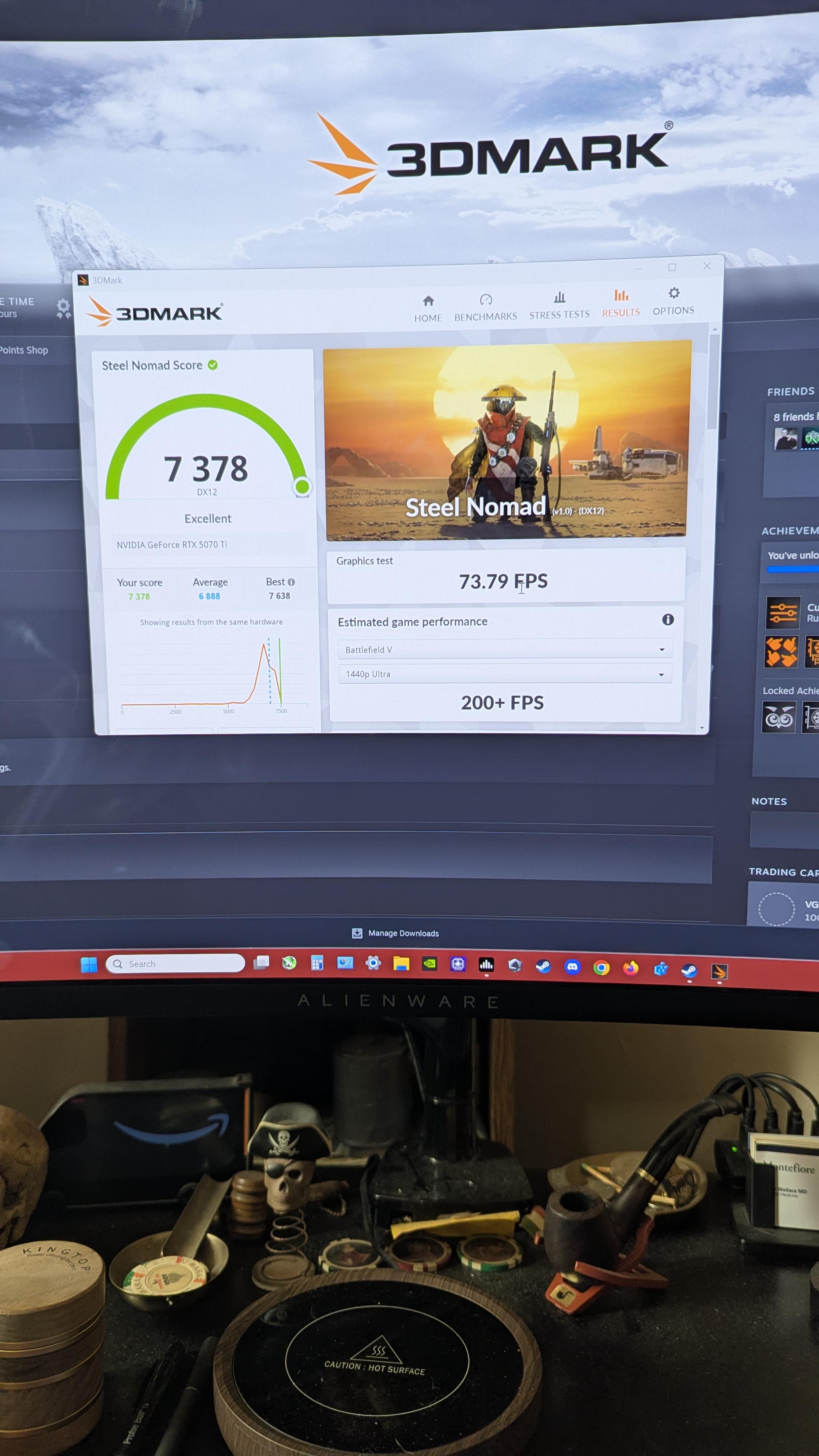
Morning everyone!
So after doing ( and learning..still) another mVolt adjustment on my Gigabyte 5070ti oc
I wanted to see what score I would achieve with everything on. Every app I run on a daily basis.
I have to say, I love this card. Never went above 64c !
I think it's a decent score.
r/gigabyte • u/PsychologicalPop6791 • 2d ago

Hi, I recently built a pc for the 2nd time. While mounting the CPU cooler one of the screws fell on top of the motherboard and bounced away. Does this section of the motherboard look ok? I'm scared of turning it on and accidentally frying my cpu
The board is a gigabyte aorus elite b850 WiFi 7.
r/gigabyte • u/Ok-Alps7081 • 2d ago
I recently bought an a16 i7 13620h/rtx 5060. For the first few days (prior update BIOS/GiMate) it feels great, it was already affected by the CPU power cap that many others also experience I think which pretty much explains why I only get 200 or frequently lower to 170 in Valorant Team Deathmatch , I get 240fps where i cap at stable in deathmatch, for competitive drops to 180 sometimes where many utils are used. But after updating BIOs to fb06 and gimate newest version (where turbo fan mode no longer exists) , my TDM in valorant stutters with bigger range and for frequently , going down to 140 150, deathmatch stutters whole lot. I also felt like my Minecraft fps also went down by 30 fps (I use shaders so before around 260fps now 216fps). I wonder if there's anyway that i can overcome this?. Also I would like to hear your experience post updating or just the general experience of this laptop. Thank you so much.
r/gigabyte • u/AORUS_Official • 2d ago

If a new gaming desktop is already on your shopping list, here's another factor worth considering before you decide on your components.
GIGABYTE & AMD's Onimusha: Way of the Sword game bundle campaign has extended until October 24th, offering an eligible game code with select AMD-powered hardware, including qualifying Radeon graphics cards and select AORUS PRIME 5 gaming desktops.
For desktop gamers, the AORUS PRIME 5 is worth a look if you're after a ready-to-play system powered by AMD Ryzen hardware. The bundle also applies to eligible individual graphics cards, so it's relevant whether you're buying a complete desktop or planning a GPU upgrade.
Eligible products include:
The offer is available through participating retailers and e-tailers only. Eligibility, regional availability, and redemption requirements apply, so check the official terms before purchasing.
Campaign details and redemption instructions can be found here:
https://www.aorus.com/en-us/explore/events/prime5-onimusha-game-bundle-2026