r/gigabyte • • 14h ago

Support 📥 Does anyone know what this rubber strip that came with my B850 board is please?

Thumbnail gallery
0 Upvotes

It isn't mentioned anywhere in the documentation that comes with the motherboard, and the online manuals don't mention it either. I've tried Googling to no avail. Any insight would be really welcome!

It's a really flexible strip that seems to have adhesive on at least one side.


r/gigabyte • • 23h ago

Support 📥 I'm really sad. About to start third RMA on my 5060 OC Low Profile

Thumbnail gallery
1 Upvotes

Bought the card at Microcenter like a year ago.

About 5 weeks ago the card completely failed.

First RMA -> Receive card, video out, fans stuck at 100%

Second RMA -> Fans work, card dies again. Luckily I got a Windows log of a blue screen.

Third RMA -> ?????

What are my options? I really don't want to waste any more time, can I please just get a replacement at this point.


r/gigabyte • • 9h ago

Support 📥 My €4,500 GIGABYTE AORUS RTX 5090 MASTER failed. GIGABYTE confirmed it cannot be repaired, the retailer refuses replacement, and GIGABYTE won't help

195 Upvotes

I purchased a GIGABYTE AORUS GeForce RTX 5090 MASTER 32G from PCDIGA, one of Portugal's largest computer hardware retailers, on August 6, 2026, for €4,499.90.

Less than two months later, I was left without a working graphics card. Now both the retailer and GIGABYTE are refusing to help me obtain a replacement.

Here's what happened.

1. Problems with the card

Shortly after installation, I started experiencing intermittent black-screen flickering over DisplayPort. Initially, I suspected a driver or software issue and tried to troubleshoot it myself.

Later, the RGB lighting stopped working entirely, and the GPU's power warning LED started flashing white, indicating a potential power-related fault.

On September 18, I submitted the card to PCDIGA for warranty service.

2. GIGABYTE confirmed that the card was beyond repair

The card was sent to GIGABYTE's authorized service center.

According to the official technical report, repair was not possible.

This was not accidental damage or a problem caused by misuse. The product developed faults during normal use.

3. PCDIGA refuses to replace it

Instead of providing a replacement, PCDIGA issued a credit note for the original purchase price of €4,499.90 and offered a full refund.

Why am I refusing the refund?

Because the price of RTX 5090 cards has increased dramatically since my purchase.

PCDIGA subsequently listed the exact same AORUS RTX 5090 MASTER model for €8,649.90.

That's €4,150 more than I originally paid!

The retailer argues that replacement would be disproportionately expensive because of the increased market price.

In other words, I purchased a flagship graphics card, it failed under warranty, and now I'm expected to pay thousands of euros extra to obtain the same product.

I have formally disputed this decision under Portuguese consumer protection law (Decree-Law 84/2021).

4. GIGABYTE's response was disappointing

I also contacted GIGABYTE directly, provided the documentation, and asked for assistance.

GIGABYTE confirmed that the technical report was issued by its service center.

However, its support team explained that warranty claims are handled by the retailer and that GIGABYTE does not directly intervene in the retailer's replacement or refund decisions.

Essentially, I was told to take it up with PCDIGA.

5. My questions to GIGABYTE

  • If your authorized service center confirms that a €4,500 flagship GPU cannot be repaired, why can't GIGABYTE arrange a replacement through its distribution or service network?
  • Can GIGABYTE supply an equivalent replacement unit to PCDIGA?
  • Why is the customer left caught between the manufacturer and the retailer, with neither willing to provide a working replacement?
  • What kind of after-sales support should customers expect when purchasing one of your most expensive products?

I'm not asking for an upgrade or compensation. I simply want the same working graphics card I originally purchased.

I understand that the retailer has its own legal obligations, and I am pursuing those separately. But I also believe GIGABYTE has a responsibility to support customers when its premium hardware fails and cannot be repaired.

I have kept the purchase invoice, the authorized service center's technical report, PCDIGA's written refusal, and GIGABYTE's response.

GIGABYTE representatives: I would appreciate a public explanation and practical assistance in obtaining a replacement.

Has anyone else experienced something similar with GIGABYTE warranty support in Europe?

u/GIGABYTE_VGA

u/AORUS_Official

r/gigabyte • • 13h ago

Support 📥 TGP problem in my new gigabyte laptop

Thumbnail gallery
0 Upvotes

Purchased Gigabyte laptop from flipkart last week. The specifications on the app was showing 85 watt TGP but when checked in NVIDIA control pannel it shows 80 watt but the main problem is that it's not giving even 80 watt, the max it's going in any highest graphics game is 60-65 watt sometimes 70 watt, and gpu usage is showing 100%.

Please if anyone knows the solution kindly help me.

Also I purchased 512 gb model and it's usable is showing only 425gb, google is telling it is using around 30 gb for smart reset, so please tell me how to remove this and if removing it will cause any problems.

Thank you.


r/gigabyte • • 18h ago

Support 📥 How do I fix this?

Post image
0 Upvotes

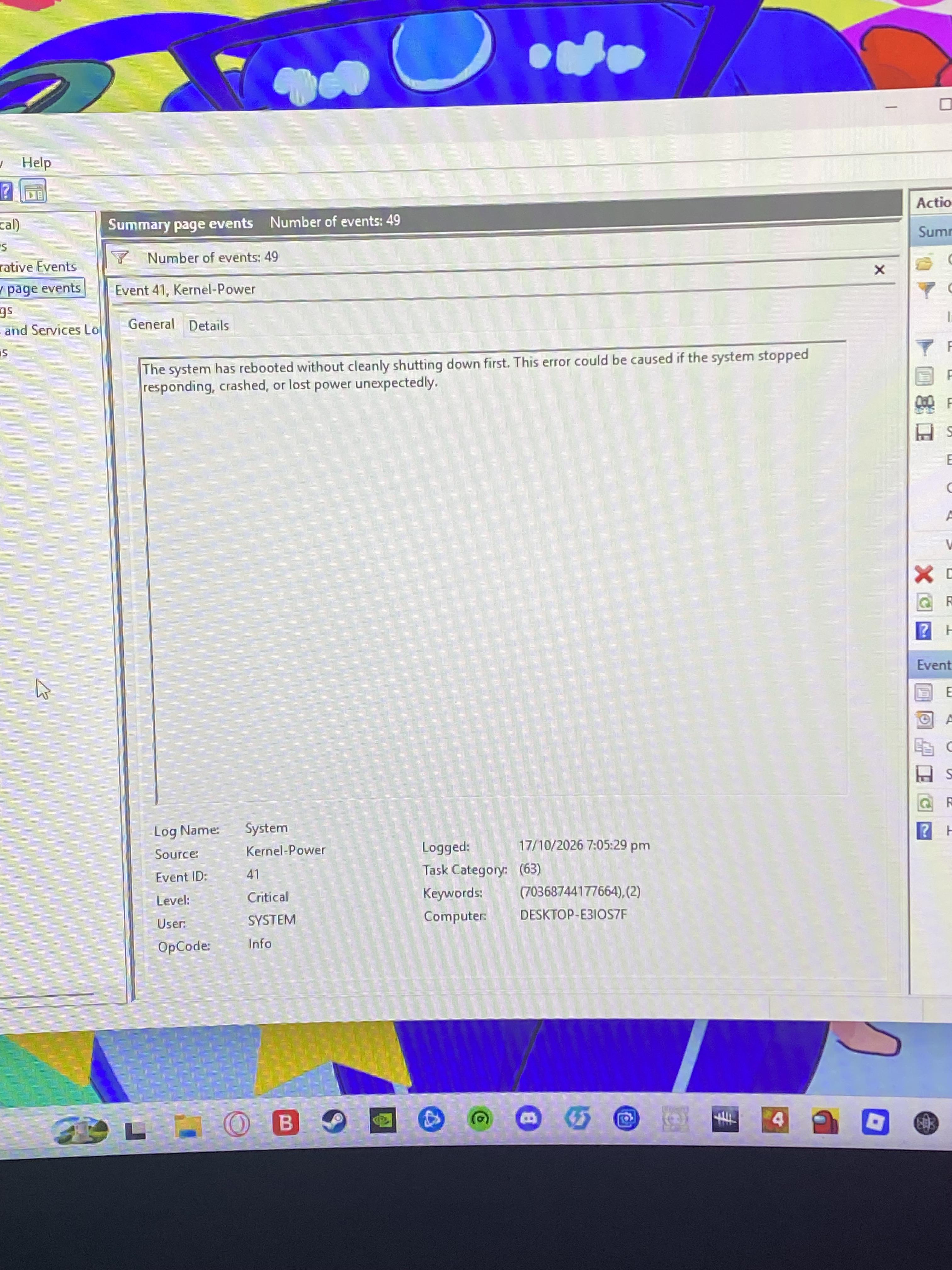
My PC randomly restarts itself and Idk why, but it never blue-screens, is there something wrong with my PC or are there some certain settings that need changing? I have checked my drivers and they're all up to date


r/gigabyte • • 10h ago

Annoucements/Mod Post 📢 [GIVEAWAY] Gears of War Fans: Show Us Your Versus Setup for a Bonus Giveaway Entry

1 Upvotes

Our GIGABYTE x NVIDIA Gears of War: E-Day giveaway is still live, and we're bringing an extra community activity to Reddit!

We're giving away three GIGABYTE GeForce RTX 5080 GAMING OC graphics cards alongside a Gears of War, each custom-wrapped with official Gears of War: E-Day artwork. Each winner will also receive a Gears of War: E-Day game code.

For this community activity, we want to see what Gears of War looks like for you.

Show Us Your Versus Setup

Share a screenshot of your favorite Gears Versus setup. It could be your favorite character, weapon skin combination, best kill-cam, or a memorable moment from a match. Add a quick note about which Gears game is your favorite and why.

Whether you're a longtime Gears veteran or someone who recently joined the fight, we'd love to see what makes the series special to you.

Participating in this Reddit activity can also unlock a bonus entry through our existing Gleam giveaway, alongside the main entry methods. Just submit your comment via the GLEAM link below, and instantly earn 20 bonus entries to boost your chances of winning!:

https://www.aorus.com/en-us/explore/events-page/gears-of-war-e-day/index.html

Giveaway details:

  • Prizes: 3 custom GIGABYTE GeForce RTX 5080 GAMING OC GPUs featuring Gears of War: E-Day artwork, plus a game code for each winner
  • Giveaway ends: October 29, 2026
  • Winners announced: October 30, 2026 via AORUS NA Instagram stories and contacted directly via email
  • Eligibility: Legal residents of the United States and Canada
  • Terms and conditions apply

Enter the main giveaway here!: https://www.aorus.com/en-us/explore/events-page/gears-of-war-e-day/index.html

To get the conversation started, tell us: which Gears of War game had your favorite Versus experience, and what made it memorable?

Looking forward to seeing your setups! ⚙️


r/gigabyte • • 11h ago

trying to run 3d mark and this happens

Enable HLS to view with audio, or disable this notification

3 Upvotes

i have a 5070ti and when i tried running the steel nomad this happened before it ran it and would black screen and just stop one time it finished but scores were just low now i changed the power management to prefer maximum and tried running it and this happened before

edit: i did just swap my 4070 super out for this not sure if that has anything to do with it


r/gigabyte • • 20h ago

Support 📥 Need help on warranty claim

Thumbnail gallery
2 Upvotes

REF26A08018

Its been more than 10 days and i have no updates on warranty claim request. This is very frustrating having no way to communicate and track status.

I will have to take it to consumer court and file a case if this is how Gigabyte wants to operate. I am certain that I’m never purchasing anything from Gigabyte.


r/gigabyte • • 2h ago

Suggestion 💭 [Fixed] Windows 11 goes into an Automatic Repair loop whenever AMD SVM (virtualization) is enabled. The cause was an old Roxio driver (PxHlpa64.sys)

2 Upvotes

Turning on SVM in the BIOS made Windows 11 fail at the spinning dots and drop into Automatic Repair every time, even in Safe Mode. The cause was PxHlpa64.sys, a leftover boot-start driver from old Roxio/Sonic/Rovi disc-burning software. Disabling it fixed the problem and SVM now works.

Specs

  • CPU: Ryzen 9 5900X
  • Motherboard: Gigabyte B550 UD AC (rev 1.0/1.1), BIOS F5h (AGESA 1.2.0.F)
  • GPU: RTX 5080
  • OS: Windows 11 Home, build 26300, UEFI, fTPM on, BitLocker off

Symptoms

  • SVM off: boots normally.
  • SVM on: spinning dots → reboot → Automatic Repair → “couldn’t be repaired”. Safe Mode failed too.
  • No blue screen even with automatic restart disabled, no crash dump, no event log entries, and nothing written to the boot log (ntbtlog.txt) for the failed boots.
  • hypervisorlaunchtype was already Off, so this wasn’t Hyper-V/VBS starting up.

What didn’t fix it: loading BIOS defaults, flashing to the latest BIOS, sfc /scannow, Startup Repair, disabling auto-restart, uninstalling FACEIT, uninstalling Gigabyte Control Center, removing a non-default hypervisoriommupolicy BCD setting, and enabling or disabling IOMMU.

The clue that cracked it: Automatic Repair (WinRE) is itself a small Windows install, and it ran fine with SVM on. So the hardware and firmware could run Windows with SVM enabled. The problem had to be something my installed Windows loads that WinRE doesn’t, i.e. a third-party driver that loads at boot (these load even in Safe Mode).

Find third-party boot/system drivers (run in admin PowerShell):

powershell

Get-CimInstance Win32_SystemDriver | ? { $_.StartMode -in 'Boot','System' } | % {
  $p = $_.PathName -replace '^\\\?\?\\','' -replace '^\\SystemRoot',$env:windir
  if ($p -match '^(?i)system32') { $p = Join-Path $env:windir $p }
  $vi = (Get-Item $p -EA SilentlyContinue).VersionInfo
  [pscustomobject]@{Name=$_.Name; Start=$_.StartMode; State=$_.State; Company=$vi.CompanyName; Path=$p}
} | ? { $_.Company -notmatch 'Microsoft' } | Sort Start,Name | Format-Table -AutoSize -Wrap

Mine showed two non-Microsoft Boot-start drivers besides AMD’s: FACEIT_IOMMU (left behind even after uninstalling FACEIT) and PxHlpa64 (Rovi Corporation).

The fix: disable the driver (admin Command Prompt, back it up first):

cmd

reg export HKLM\SYSTEM\CurrentControlSet\Services\PxHlpa64 C:\pxhlpa64_backup.reg
sc config PxHlpa64 start= disabled

Reboot, enable SVM, and Windows booted normally. To undo: sc config PxHlpa64 start= boot.

Note: I disabled the leftover FACEIT_IOMMU first, and that alone didn’t fix it. It was still disabled when I disabled PxHlpa64, so strictly the fix was “PxHlpa64 disabled, FACEIT_IOMMU also off”. If FACEIT is uninstalled anyway, that doesn’t matter; reinstalling FACEIT re-registers its driver cleanly.

Where PxHlpa64 comes from: old Roxio/Sonic disc-burning software, often bundled with older Photoshop Elements, OEM DVD tools and similar. It’s also known to block Memory Integrity on Windows 11. Check Installed Apps for Roxio/Sonic and uninstall it if it’s there.

If you have the “SVM on = Automatic Repair loop” problem on AMD and the usual fixes don’t work, check your boot-start drivers before reinstalling Windows or RMA’ing anything.