r/pcmasterrace • • Jun 26 '26

Tech Support Help, how can I prevent my sweat from eating away at my laptop's casing?

Thumbnail
gallery
4.3k Upvotes

Around 6 months ago I bought a new gaming laptop to replace my older one. As you can see at the first picture, I think my sweat ate away a bit from the laptop's casing, that happened after 5 years of usage and is wierd af. My newer laptop (right picture) is starting to show the same stain in the same spot with the same shape as the previous laptop and it only has been 6 months :(

Please I need some help to prevent it from happening again, I tried being more careful while using my laptop and even placed a fabric between my hand and the laptop everytime I use it, but I don't think its working.

To clarify, yes, I use this laptop A LOT since I work, do college tasks and play games on it.

P.D: I live in a really hot country so even after bathing I keep sweating, I hope that answers other questions.

P.D2: Srry guys I can't help but sweat all over my R6 ranked matches.

r/pcmasterrace • • 23d ago

Tech Support How can seamlessly move between 2 PCs with the same mouse and keyboard, as if it was all the same one PC?

Post image
3.1k Upvotes

Long story short, I'm tired of this whole Parsec thing.

I'd just like that as I move my mouse into the 4th monitor (in orange), my mouse and keyboard automatically "detect" that they're working on that 2nd PC. So if I start typing while focused on that 4th monitor, it's typing on the other PC, also things like being able to copy-paste from the main PC to the 2nd one seamlessly, drag-and-dropping files from one PC to the other, etc.

The entire experience should FEEL like it's all 1 PC but now I can truly offload stuff to the 2nd PC's hardware (ex: running some kind of coding project or video editing) while still being able to operate my main PC without it being loaded with these things. I know it's running 2 separate Windows Desktops btw, that's fine.

r/pcmasterrace • • Jul 10 '26

Tech Support A tutorial on how to remove tempered glass V2

10.9k Upvotes

someone told me way back that my previous case has a glass hinge so it's safe. so I got a new case and made this. Also I am sure we needed a V2. hope that helps. 🫡 /s

r/pcmasterrace • • Dec 24 '25

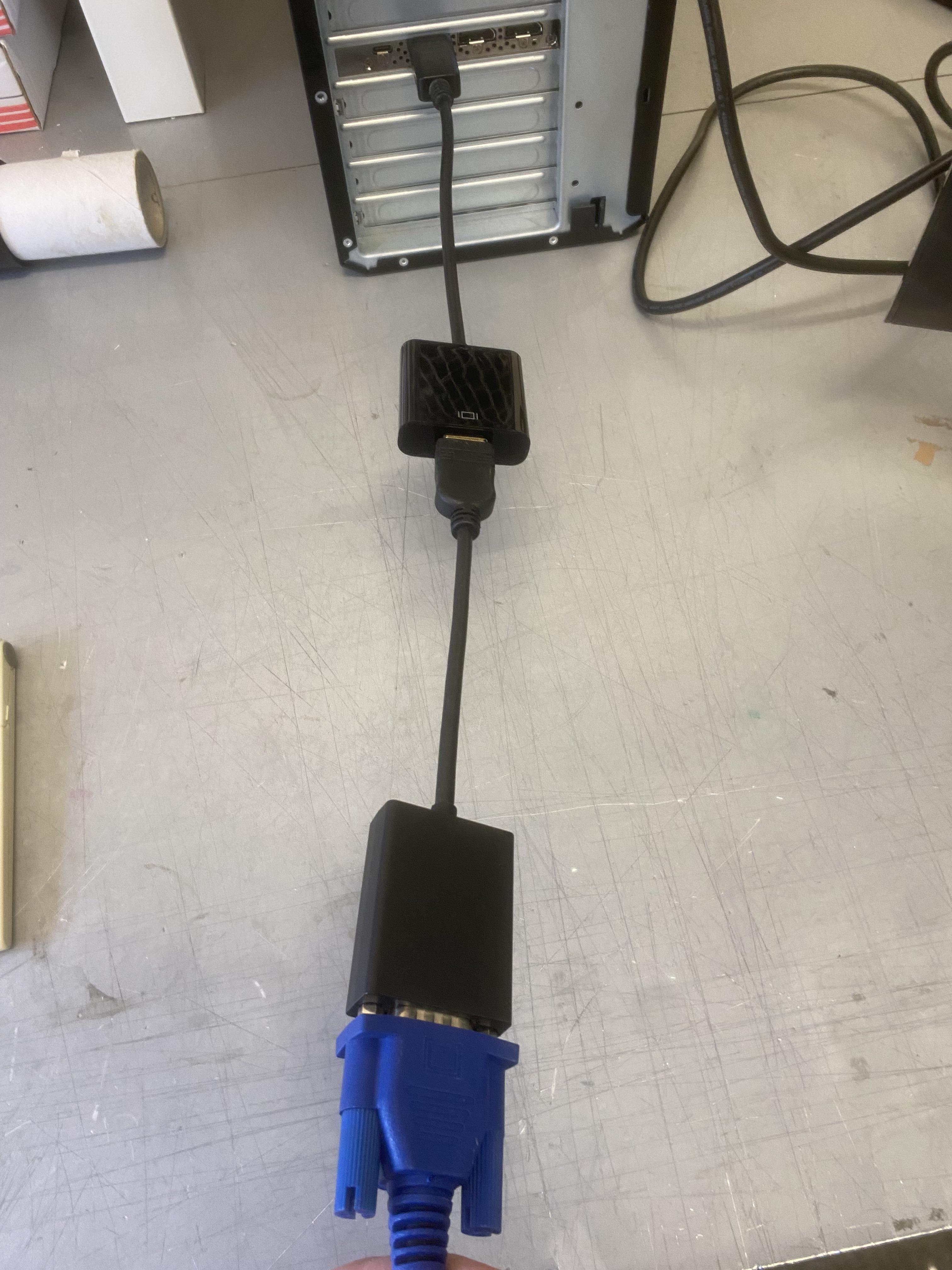
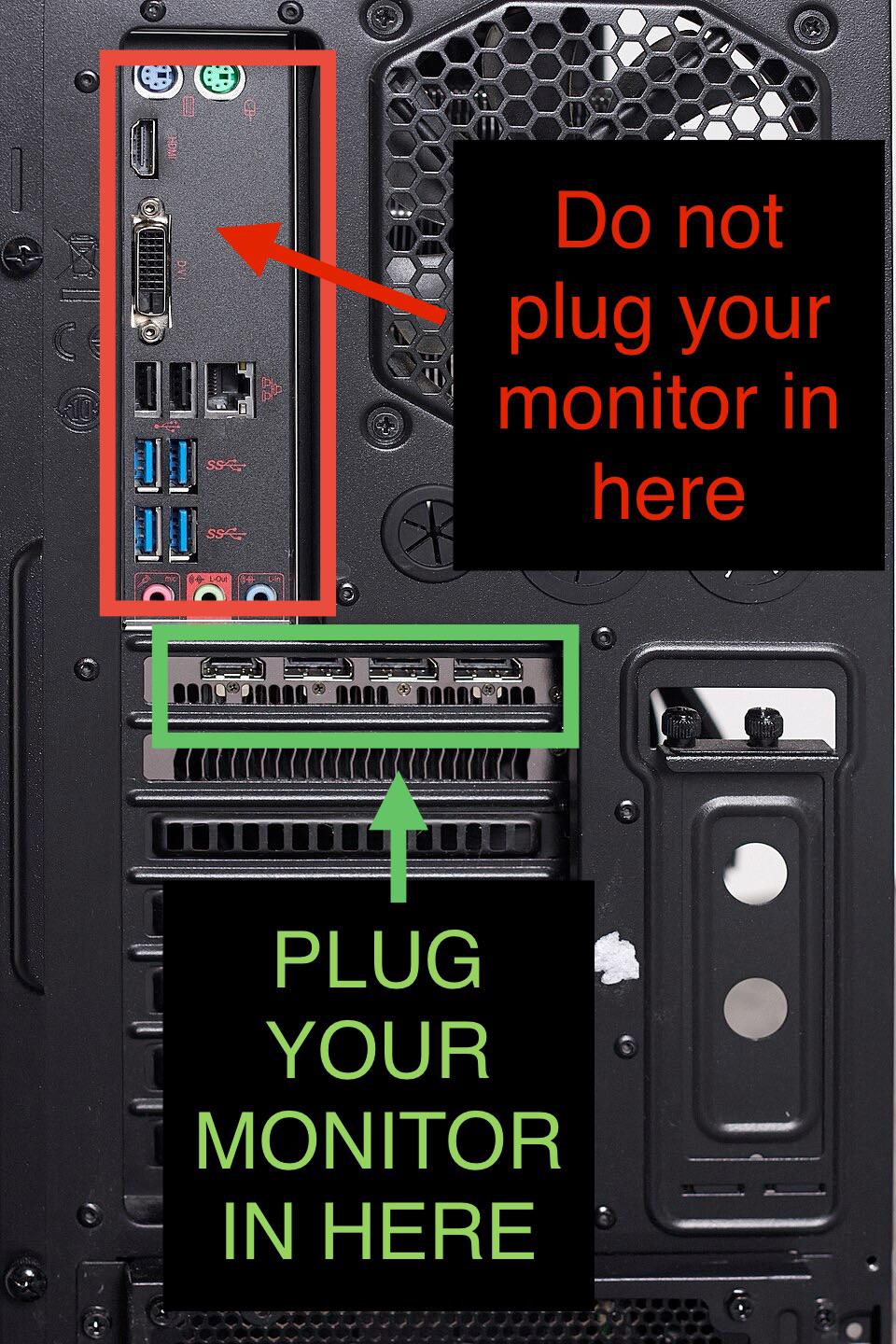
Tech Support To all of the wonderful people joining us today and tomorrow…make sure you plug in your monitor correctly!

Post image
36.0k Upvotes

And, welcome.

r/pcmasterrace • • Jan 18 '26

Tech Support Fire and crane missed my PC

Thumbnail
gallery
36.1k Upvotes

Very sad times. Big fire destroyed my home and a crane had to come to remove part of the roof and wall so firefighters could have better access. Fortunately no one got hurt. Sucks to lose my dream PC though.

Miraculously my PC is still standing but I doubt it will work. There was snow and rain in the past days too. My little brother’s PC, which was on the desk next to mine on the right, seems to be obliterated.

Any tips to go on from here?

---

Building was insured, furniture was not unfortunately. I lived with my parents, who were not experienced with things like insurance. In hindsight I should have thought about it more and double check it.
But yeah sucks to lose everything and having 3 other expensive hobbies did not help..

Thanks for the comments, tips and kind words! Fire started in the kitchen of my parents' restaurant. Tragic situation, but at least the building and inventory are insured. Now hopefully insurance pays out.
I have to make a plan what to do exactly with the PC based on the suggestions. First I need to take care of some other things.

r/pcmasterrace • • 24d ago

Tech Support Seriously, who TF invented this???

Thumbnail
gallery
2.9k Upvotes

So I know M.2 WiFi modules are small and finicky and I know the antenna attachment buttons can break off because the ones on my mother's laptop did but fortunately as a whole and with the base, so I could pull them out.

Now here, any kind of careful handling to avoid exactly that was apparently not good enough and I'm stuck as you can see: the broken one was dead before but it is like it shows me a little nice finger before I throw it away by making the antenna completely unusable because the lugs are now stuck in the plugs...

Anyone has an idea how I don't have to get some completely new wiring installed?

r/pcmasterrace • • Apr 03 '26

Tech Support How do I fix this?

5.7k Upvotes

r/pcmasterrace • • 4d ago

Tech Support My monitor stand snapped, causing my monitor to fall and break, is there anything I can do?

Thumbnail
gallery
1.6k Upvotes

Got a Acer nitro 31.5 inch 170hz 1440p monitor, was around 300 dollars, do I have to cough up another 300 to get a new one, or is there anything else I can do? Also why does it look like that with the blue lines along the cracks? Never seen anything like that.

Edit: Acer not Asus and thank you all for the replies and them jokes were too funny, I seen someone put the cracked screen as their wallpaper LOL, but I will try contacting acer but I bought the monitor like 3 years ago so I don't expect much, but anyway Thanks y'all.

Edit2: So I tried to contact Acer just to find out that the warranty expired, but the worst part is it expired just 2 months ago 😭, so pretty unlucky, but imma just be getting myself a new monitor but for sure won't get this one again if the stand can just randomly break after 3 years.

r/pcmasterrace • • Jul 24 '26

Tech Support Gigabyte denied my RTX 4090 warranty claim saying "PCB broken / damaged by user". I need advice

Thumbnail
gallery
2.5k Upvotes

Hello,

I know GPU warranty denial posts are common, but I would appreciate some advice on my situation.

Context: I have a RTX 4090 with a warranty that lasts until 2027. This RTX isn't mine originally but from a relative of mine. They wanted to throw it away but I don't want to waste two thousands bucks like that.

I transported my PC recently, and afterward the GPU stopped working. The card was still installed in the motherboard during transport. I have not modified the GPU or attempted any repairs. The PC powered on, but I got no display signal. I tested with another GPU and the system worked, so I believed the issue is with the RTX 4090. So I sent the GPU to Gigabyte to repair.

Although my Gigabyte RTX 4090 is still under warranty, Gigabyte denied my RMA claim.

Their reason was:

"Damaged by user can't repair"
"PCB broken"

I have not received any pictures or detailed explanation showing where the PCB damage is located. Just little red arrows that, to me, make no sense. They point in weird directions (Refer to photos).

Has anyone successfully appealed a Gigabyte RMA denial for "user damage"? Should I request pictures of the PCB damage and escalate the case?

Also, if anyone has experience with GPU repair shops, is a broken RTX 4090 PCB usually repairable?

Any advice would be appreciated.

PS: In case someone calls me out, I did use AI. But that was only to fix the grammar, all words are my own.

Edit: I contacted Gamers Nexus and I'm planning to reach out to Northwest Repair if I can't have Gigabyte send me another one.

r/pcmasterrace • • Jul 08 '26

Tech Support Boss had a solution…

Post image
7.8k Upvotes

r/pcmasterrace • • May 21 '26

Tech Support What is this ??? My monitor crashes when I activate my blinds

3.9k Upvotes

Hi !

I have an ASUS DUAL GTX 1070 OC that I've been using for about a year.

The card has 2 DP and 2 HDMI ports, I've always known that one of the DP (the one closest to the mother board) had connectivity issues but I've never looked into it and used the other DP that had no problem.

I plan to upgrade soon to a RX 5700XT and I've been testing my current card to resell it.

While testing, I've noticed that the "connectivity issues" happens specifically when I use my remote to control my blinds, like wtf ??? ngl I laughed when I noticed

*Addendum: The spamming with the remote in the video is ONE of the triggers that bugs my monitor, even when I play normally, I sometimes have some white flashes that you can see in the video but it doesn't go as far as to shutting off the monitor.

I don't really understand where this comes from and if this is fixable, I don't even know how I should describe it when reselling and if it should impact the price.

I guess it's getting a specific frequence signal from the remote ? It doesn't happens very often and I'm using WiFi constantly, so it's only specific frequencies that trigger it I'm guessing

My motherboard is a TUF B450-PLUS GAMING.

Heeelp

Edit: Additional info: My monitor is not wireless, if it's EMI, does it mean it's only affecting the port ?

I've been asked to unplug the blinds and retry, the bug is not happening when I use my remote on the unplugged blinds

I feel like I have to emphasis this but the bug doesn't happen at all when I plug the same monitor into the other display port of my graphics card

Edit 2: Still trying to fix it

It seems that it's coming from the blinds, they send a bad signal to my graphics card. But it only affect 1 of the port. When I plug my monitor into the other port, it doesn't bug. So the other ports are obviously protected against that kind of Interference. I'd like to fix the remaining port.

Edit 3: Not fixed

I PLAN TO SELL IT AND I WANT TO KNOW IF MY GPU WORKS PERFECTLY AND FIX IT IF NO, STOP TELLING ME TO "NOT USE YOUR BLINDS",

IF I SELL IT TO SOMEONE AND THEIR NEIGHBOR HAS THE SAME BLINDS HOW DO I JUSTIFY IT TO THEM IF I TELL THEM THE GPU WORKS PERFECTLY + If that kind of blinds triggers a bug, I can only imagine how many other devices can trigger the same bug

Edit 4: Addressing some of the responses

Ok it seems that some people are just taking me for a retard and are wondering why I'm spamming the remote, it's just to show the bug. When I don't use the blinds, I still have some white strips that appears on my screens like a flash (you can notice them in the video before the monitors shuts off) It's probably due to other interference problems not linked to my blinds, it seems that my display port on my GPU reacts to more than my blinds

Edit 5: Changing outlets

As some suggested, I tried to draw power from the bathroom (with a chain of power strips) and plugged both monitor and PC on it. It still had the same bug

Edit 6: Why I think it's not the monitor nor the cable:

When I switch the port I use on the GPU, while keeping the SAME cable and SAME monitor, the bug suddenly disappears. Some comments still think it's coming from the cable or monitor because interference is something too complex to understand for me and It's possible. I'll still search for a solution though but I did try to test the theory

I tried by changing the monitor and still same bug. I did not change the cable though, I don't have other Display port Cable to try :/ Might have to try again when I can get one
The cable seems insulated enough though. I bought the cable a year ago on Amazon and this is the exact one: https://www.amazon.fr/dp/B0F5W7J44H

Edit 7: Bad Electricity and Poor filtering on my blinds' motor

Yes, I agree with that. But it doesn't happen on all my GPU's port, meaning that the others port are protected against bad electricity but not the one I'm testing, is it possible that bad electricity only focus one fully working port ? I'm not changing blinds, I'd like to isolate the remaining port and fix it

Edit 8: Conclusion, did not find a solution for the GPU specifically.

I got my new RX 5700XT ! I tried it and I have no bug or whatsoever on all the ports of the GPU.

I've decided to list the faulty one (the 1070) while specifying that one port is kind of defect and has bad grounding which make is sensitive to local electric signals

r/pcmasterrace • • 26d ago

Tech Support Oh god... Please not right now... Not in this economy.

Post image
3.3k Upvotes

ASUS TUF 6800XT 🫥🫡

r/pcmasterrace • • 10h ago

Tech Support I booted my PC, and my monitor flashed red white and blue

2.1k Upvotes

I turned it off, came back to it after 5 minutes, and then everything worked fine. Does anyone know what that might've been? Could've just been a blind act of patriotism, but I just wanted to run it through this subreddit to double check.

(9070xt, 9800x3d)

r/pcmasterrace • • Jun 16 '25

Tech Support What is going on here?

13.5k Upvotes

Title is self explanatory, i have no idea what the hell is going on here. Pc froze and this happened. I was playing helldivers 2 before this, dont know if this is relevant but its all i got.

r/pcmasterrace • • 9d ago

Tech Support Stange Flicker when moving explorer

2.4k Upvotes

Hi guys

How fucked am I?

This strange flickering appears out of nowhere. No open tabs or windows except the explorer.

Doesn't appear if I'm playing games.

Is my GPU dying?

r/pcmasterrace • • Apr 08 '26

Tech Support RTX 4070 laptop — artifacts ONLY on external display under load, internal screen is fine (Alienware m16 R2)

4.3k Upvotes

UPD: I bought a new HDMI 2.1 cable and tested it for about 4 hours - no artifacts so far. Seems like the issue was the cable.

Thanks to everyone who suggested checking it.

Hey everyone,

I’m experiencing a strange issue with my laptop GPU and would appreciate any input from people who may have seen something similar.

Specs:

• Laptop: Alienware m16 R2

• GPU: RTX 4070 Laptop (8GB VRAM)

• CPU: Intel Core Ultra 7 155H

• RAM: 32GB

• OS: Windows 11

• External display: HDMI

⸻

The issue:

When gaming on an external display (TV or monitor), after about 40–60 minutes under high GPU load, visual artifacts start appearing — small colored squares/glitches across the screen.

The image becomes difficult to use, but:

• The game does not crash

• System remains responsive

⸻

Important detail:

At the same time, the internal laptop display shows no artifacts at all.

⸻

Observed behavior:

• Happens almost always under high GPU load (\~100%)

• On lower graphics settings, I can play for hours with no issues

• GPU temperature is within normal range (\~60–80°C depending on load)

⸻

Testing I’ve done:

• Tested multiple external displays (TVs/monitors) → same behavior

• Played for \~2 hours on internal display only at high/ultra settings (100% GPU load) → no artifacts

• The issue consistently appears only when using an external display under load

⸻

Question:

Has anyone experienced something like this?

I’d like to understand what this could be and whether this behavior points to a specific type of problem.

Any insights would be greatly appreciated

r/pcmasterrace • • Mar 22 '26

Tech Support Please don't tell me it is what I think

Post image
4.3k Upvotes

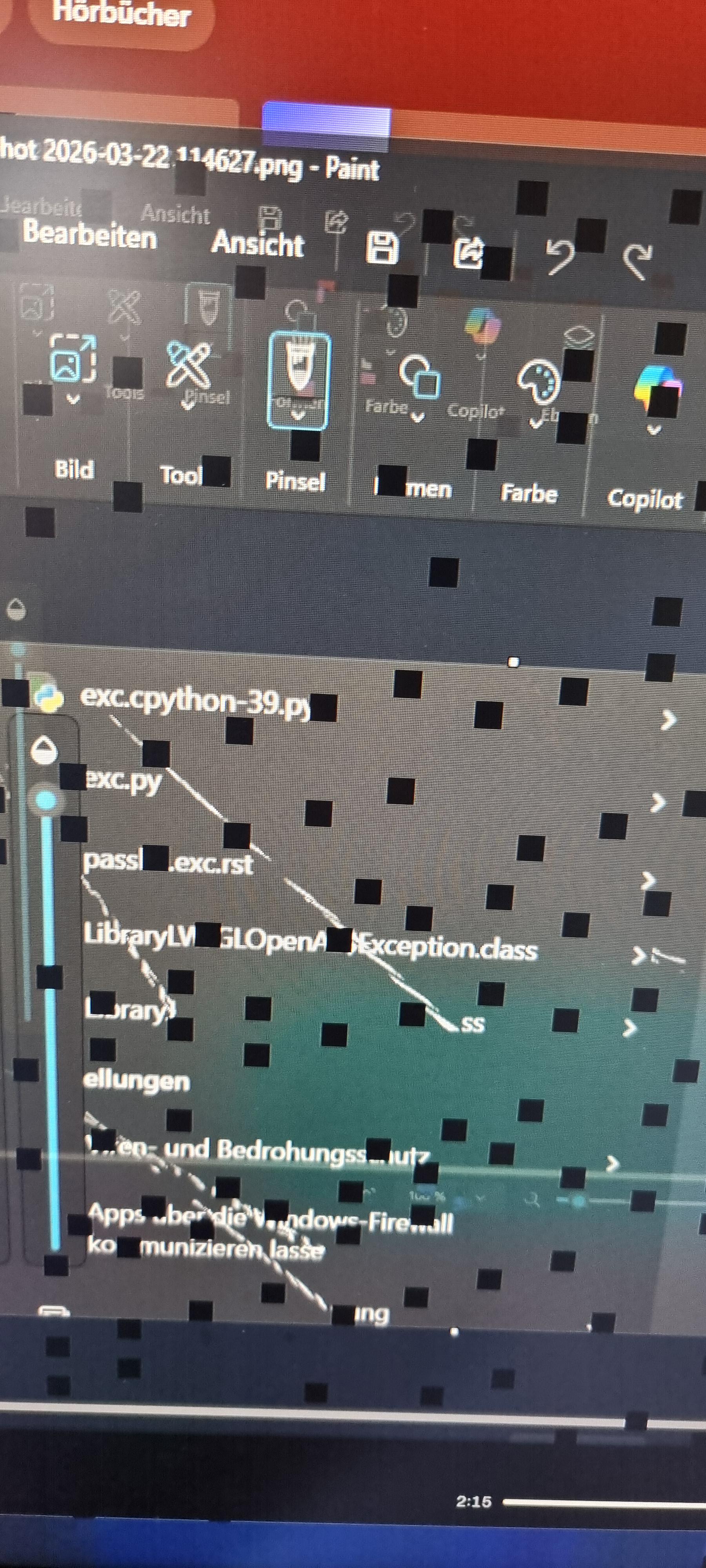
I made a picture of my search results showing these weird white text artifacts.. when opening the Screenshot my screens went black und then showed this.. please pcmasterracegod.. my gpu just fell out of warranty this year..

After a restart it's gone.. does anyone have good news for me?

r/pcmasterrace • • Aug 22 '26

Tech Support RTX 5090 cable melted

Thumbnail
gallery
1.7k Upvotes

I smelt burning plastic while using my PC so I shut it down.

Tried to pull out the cable from the GPU (Zotac RTX 5090 Solid) and it was difficult to remove but did eventually come out.

Checked the connector ends and it has melted!

Is there anything I can do to repair the port on the card?

Obviously I'll need a new cable adapter.

r/pcmasterrace • • Jul 23 '26

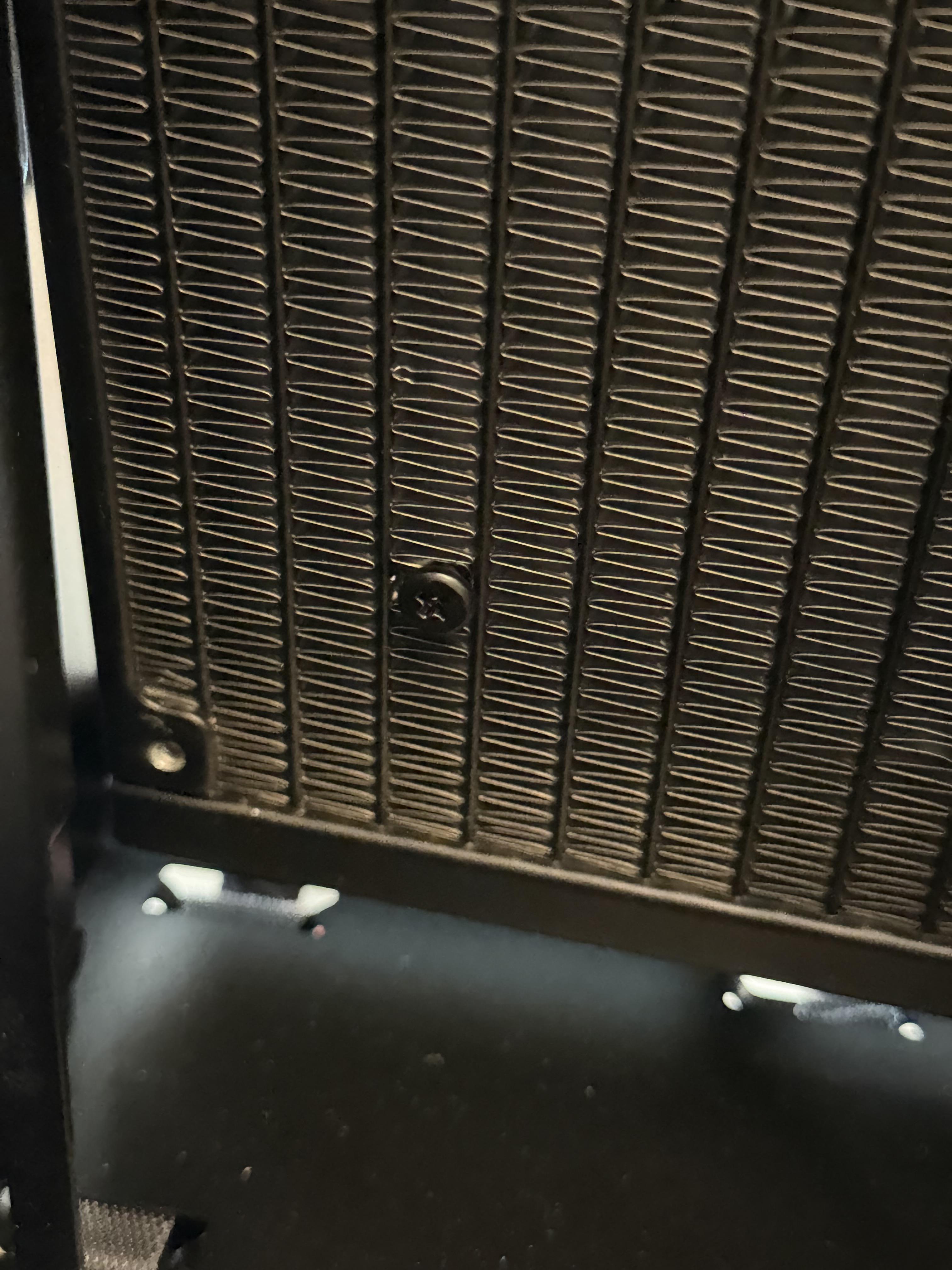
Tech Support How bad is a screw in my aio radiator on a scale from 1-10

Post image
1.8k Upvotes

r/pcmasterrace • • Sep 05 '26

Tech Support Does anyone know how to fix this?

Thumbnail
gallery
1.8k Upvotes

Jokes aside, this brother has a real thing for wires, more than any other cat i’ve personally seen. Anybody have a successful training experience? He always goes behind the monitor and plays with the wires there as well

r/pcmasterrace • • Aug 12 '26

Tech Support Boss got me a monster of a desktop but its slower then my laptop and I have no idea what im doing.

Post image
2.0k Upvotes

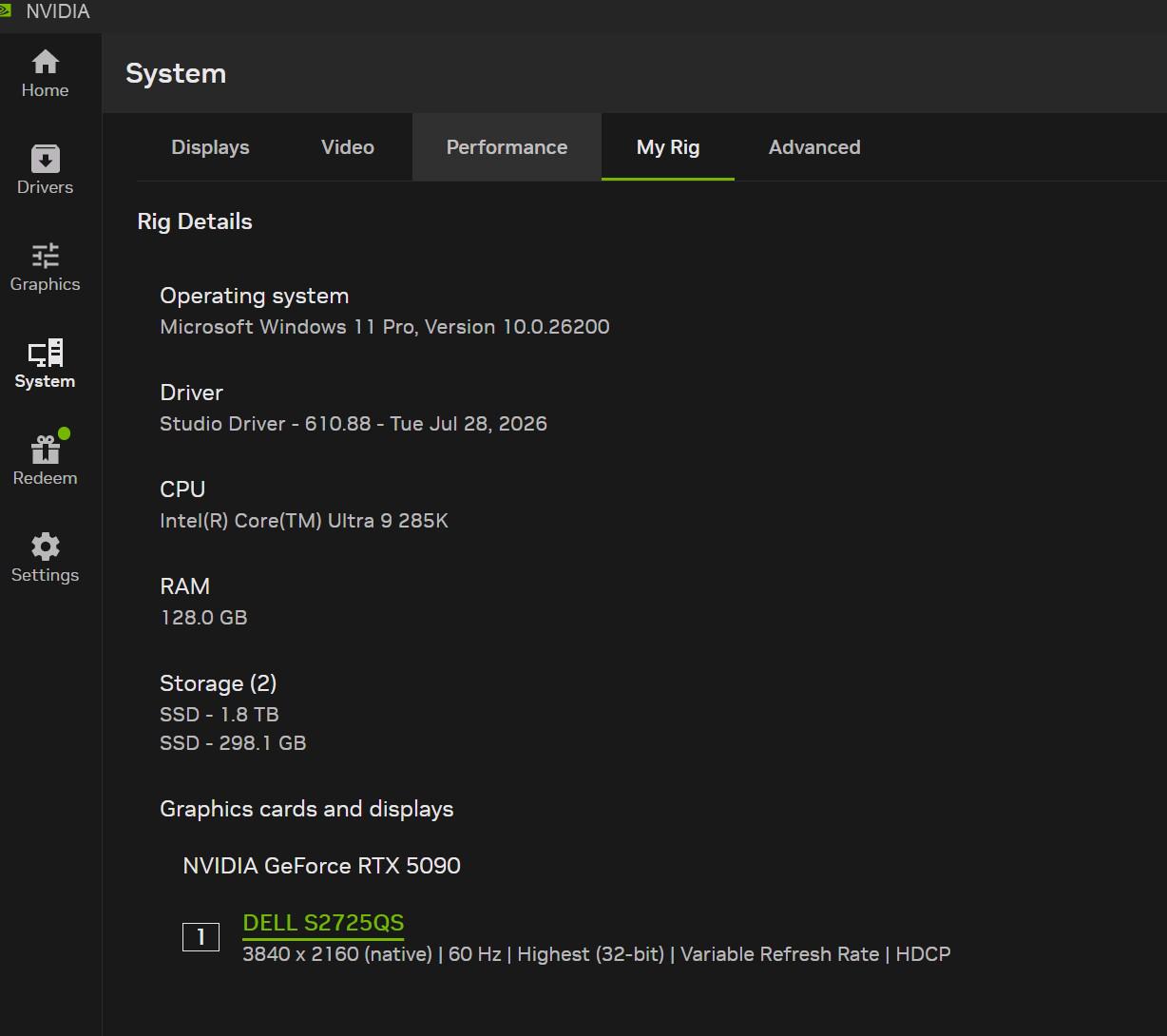
I need help. I do a lot of cad work and 3d scanning for work. Before I was using my personal alienware M16R2 and while it was decent there were aspects where it was very slow, mainly generating meshes from point cloud data so he went out and bought me a new pc, I got it setup and its slower then my laptop.

It runs cad and blender well but with revoscan6 it absolutely sucks. A mesh that would take 45 seconds on my laptop is taking 15 minutes on this pc. I dont know a lot about computers anymore, last time I had a powerful computer it was in the bigwater SE, SLI cards and sata was new days.

Things ive done to try to increase performance. enabled XMP and set clock speed to 4800 (5600 wouldnt post so I cleared CMOS and worked down to a speed that posted), set the CPU to performance in bios.

In revoscan software I enabled GPU acceleration to use the 5090 with no increase in performance, set priority to high in the task manager and tried telling it to use P cores rather then E cores with no noticeable difference. In system config I enable high performance rather then balanced.

My Alienware is a stock i9, 32gb of ram and a 4070 and it outperformed this new desktop that has 5x the spec on paper. Whats going on here? We are a tiny company so there is no IT support, basically gave me a box with a PC in it and I got to figure it out from here.

Any help would be greatly appreciated, ive been using Gemini to try and troubleshoot revoscan 6 but have had zero luck speeding it up and have spent all day trying to get it to at least match my laptop speed. In my research I read that the 285k no longer have hyper threading and this could be my issue?

Help and thank you!

UPDATE: Revoscan reached out to me and I have sent them all my log files and they are going to look into it!

Thank you everyone for the help, it really is appreciated!

r/pcmasterrace • • Oct 27 '24

Tech Support Cat bit the side of my monitor, any hope to revive those pixels ?

Thumbnail
gallery
37.2k Upvotes

I feed her enough but for some reason she prefers the monitor

r/pcmasterrace • • May 20 '25

Tech Support Why is my CPU getting so damn hot?

Thumbnail
gallery
6.2k Upvotes

Hey all, so I was playing Oblivion Remastered and I started getting a lot of crashes, don't know why because this issue did not occur prior to recently. It's been happening for a few days now. I felt the back of my PC and noticed that it was hot as fuck. I also found out that running the game normally is now causing CPU throttling and I even broke past 100c at one point, needless to say I'm very concerned. I'm running an i9 13900k, 192 gigs of RAM, 4tb SSD, and an RTX 4090. I have an ASUS TUF GAMING Z790-PLUS WIFI motherboard, and some type of Corsair air cooler, I forget which model. I'm deeply concerned I might have fucked up my CPU, and I don't know how to check if I did or not. Even while typing this my CPU is fluxuating between 48c to 55c, and I have no fucking clue if that's okay or not idk. I don't know if I **JUST** need to just clean the dust out of my PC, as I recently moved to a dustier area and my PC's side panel is off because if I were to attach it it would put pressure on my 4090's cables, I don't know if I need to upgrade to a liquid cooler, or if I need to contact Intel about possibly getting a new CPU under warranty. I am deeply concerned and any advice would be greatly appreciated, thanks!

r/pcmasterrace • • Jun 07 '26

Tech Support Is my graphics card going out?

5.8k Upvotes

r/pcmasterrace • • Oct 07 '25

Tech Support What is this port? Thought it was Ethernet but I think I'm wrong.

Thumbnail
gallery
5.0k Upvotes