r/protools • • Mar 25 '26

Help Request I bought a new Mac M4 thinking that I would be able to use pro tools but apparently I’m not able to because there are a lot of compatibility issues and a lot of known issues that are still not fixed yet.

4 Upvotes

are they ever going to stay with the current macOS? I currently have Tahoe 26.4 and there are a lot of known issues even with 26.1 that Avid hasn’t even fixed yet. Should I just go ahead and get a different DAW? I’m really disappointed that that these issues aren’t fixed like the tool tip window not showing there’s no way I can learn pro tools if there’s no tool tip thing and that’s not even showing in Tahoe 26.1 and like I said I have 26.4 so any advice?

Edit: running Pro Tools Intro until I decide to upgrade my 11 license. Was perhaps falsely told they should function the same as the paid versions. However, there are still issues starting with Tahoe 26.1 and the Pro Tools paid versions known by Avid that I also have in the Intro version, such as no tool tips.
r/protools • • Jul 09 '26

Help Request Does anybody have a permanent fix for this?

Post image
10 Upvotes

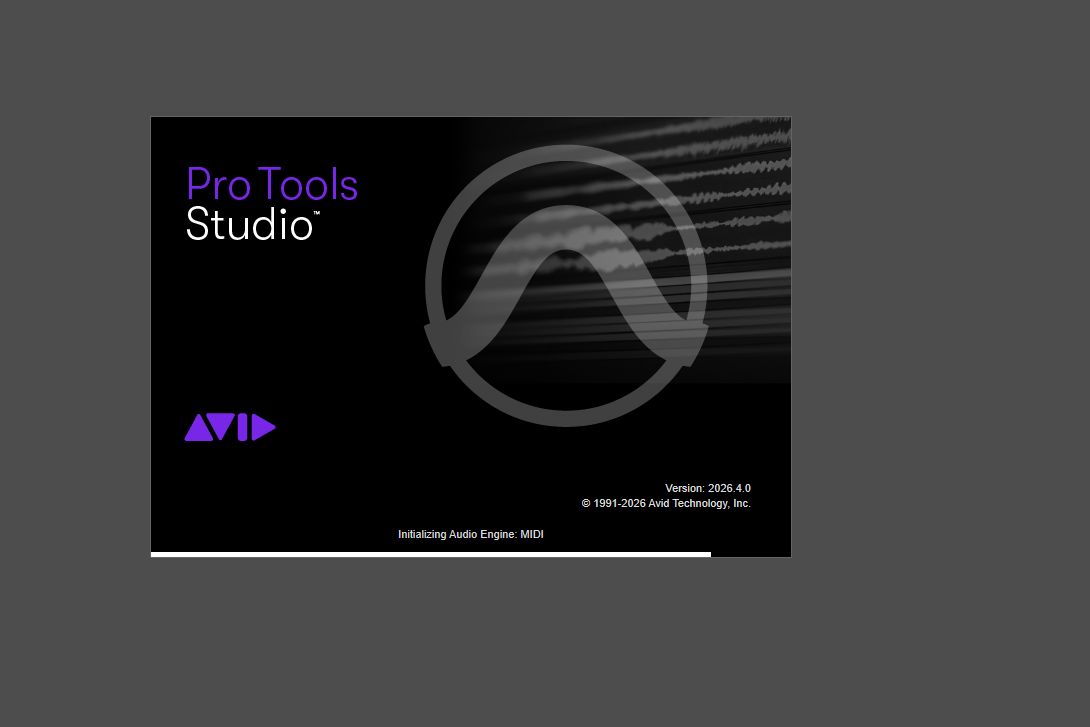
Just downloaded Pro Tools studio version 2026.4.0 and running it on windows 11. I keep running into the issue of the program getting stuck on this specific loading screen. The only solution that has worked is:

going into the Avid folder --> renaming the pro tools folder to "Old pro tools" --> opening the program after restarting my computer.

If I close the program I then have to go into the folder again, delete the newly created pro tools file and restart the computer again.

Any help for a permanent fix on not having to do this process EVERY time I want to open the program is appreciated!

UPDATE: So last night I did a full uninstall and reinstall of PT and the same issue is still happening. I’m using a Zoom r16 as my audio interface and it only loads fine after deleting/renaming that preferences file. I’ll double check what windows 11 version I’m on. Starting to get to the point where I’m accepting my fate.

UPDATE 2: So I was dumb and forgot to mention I'm also using a AKM320 for my midi keyboard. I disconnected both the R16 and the AKM320 and the program loaded up fine. The issue now is that if I want to use either of them, I have to close out the program and start it up again which puts me right back to square one.

r/protools • • Aug 27 '26

Help Request About Second Hand Protools Perpetual Licenses

3 Upvotes

Hi everyone,

I’m planning to buy a Pro Tools Perpetual license and I’m looking for the most affordable option.

A new license is around $600, which is a bit over my budget. So I’m considering buying a used license through Facebook Marketplace. I’ve also heard that licenses can be transferred using an Avid Transfer Form. Is this a safe way to buy a used license, and could I run into any issues after the transfer?

Another option is buying an older Perpetual license (e.g. Pro Tools 10) and paying around $210 for the upgrade to the current version.

Which option would you recommend?

Thanks!

r/protools • • 3d ago

Help Request Does Avid Link still not support Apple's M chips?

0 Upvotes

Hi everyone, I'm new to Pro Tools and I'm installing the Intro version to see how it goes before signing up for a subscription, but that's beside the point. I wanted to know why, when I download Avid Link, it asks me to install Rosetta. Does that mean Avid Link is still an Intel-only application?,

r/protools • • Sep 02 '26

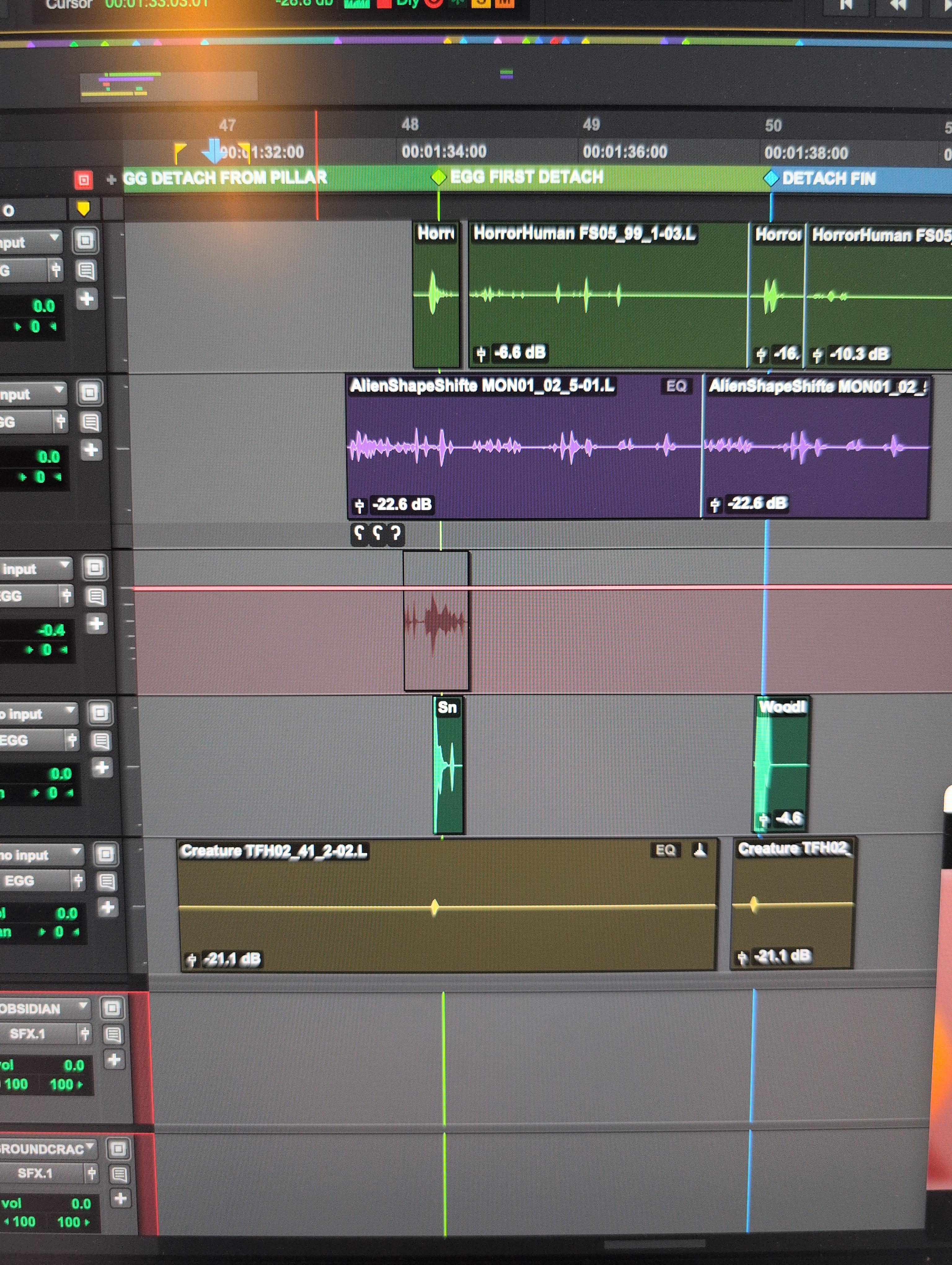
Help Request How do I turn this permanent automation slider off this track??

Post image
20 Upvotes

Seriously I can't figure this out for the life of me I don't even know how I turned this on and now I can't even select the clip

r/protools • • Sep 12 '26

Help Request Did I just lose everything?

0 Upvotes

Protools First 2021.7.0

So today I was cleaning up my Cdrive and thought I was really careful with which files I deleted but now none of my protools projects are opening - no loading screen; nothing.

I tried the method of holding shift, didn’t work.

When it comes to file recovery I honestly don’t even know what I’m looking for, I don’t know what I deleted and I don’t know what’s missing. (I emptied my recycle bin before I noticed any of this btw)

Any help would be appreciated

r/protools • • Aug 01 '26

Help Request Film Scoring: Protools session and SMPTE embedding for audio not produced in protools?

3 Upvotes

Hey all, I'm working on a media scoring project. I never use protools and most of the gigs I've worked on I just deliver stems or stereo mixes in wav format. I'm never the lead on bigger projects, so even when protools sessions needed to be delivered, I'd just send my audio to my "boss" for review, and then they or their people would import everything to protools before sending off for mixing.
 
I've recently been given the chance to take the lead on a bigger project with tight turnaround where I'm expected to deliver a protools session for mixing and I've never really used protools. I have it basically to extract audio and import into my DAW of choice when I get conform edits from production. I never actually do anything else there.
 
Basically, I need to make sure my audio is locked to SMPTE so it will be easy for the mixing engineer to just jump in. If I import the audio to a protools session and put the audio where it needs to be, is that it? Do I need to explicitly change any settings to make sure the files are locked in place? Any other peculiarities I should be aware of? Is there a good crash course video that goes over this very specific thing?
 
Moving forward, I'll do a deeper dive into protools since it's well beyond time I learn, but for now I just need to make sure I can stick the landing on this gig. They're happy with my work so far and I'd hate to look like a moron by not knowing the basics of file delivery.
 
Edit: Requested information. I'm using Protools Studio 2025.10.1 on Windows 10.

r/protools • • Aug 06 '26

Help Request Pro tools keep throwing this

Post image
33 Upvotes

I'm working on a very important session in Pro Tools and suddenly started getting this error:

"Could not save because Assertion in './PtSess/PtSess_RunTimeShared.h', line 132."

After that, I also got:

"Pro Tools was unable to Auto Backup your session."

I'm really worried about losing my work. The session still opens and plays, but saving and auto-backup are failing.

Has anyone experienced this before?

What causes this assertion error?

Is the session corrupted?

What's the safest way to recover the session without losing my edits?

Would importing the session into a new project fix it?

Any help would be greatly appreciated.

r/protools • • 5d ago

Help Request Looking for Pro Tools Intro beginner tutorial as a voiceover artist.

3 Upvotes

Hello there! I'm new to Pro Tools and have just installed Pro Tools Intro version 2026.4.1 on my Windows 11 PC. I'll be mostly using it as a DAW for voiceover recording and editing purposes. From the looks of it, the software looks quite loaded, and I don't know how to start learning it. I'm not able to find enough resources to learn this software from the point of view of a voice over artist. Is anyone aware of any YT channels or other resources which can be of help to me? Thanks.

Pro Tools Intro version: 2026.4.1
PC: Windows 11 64-bit.
What was attempted: Trying to learn the software to use as a DAW for voiceovers.

r/protools • • Aug 19 '26

Help Request Avid S1/Pro Tools - 2 motorized faders not working.

2 Upvotes

Hello, I know this is not Pro Tools specific. But my Avid S1 control surface has been malfunctioning. The first 2 channels (channel 1/2) on the control surface no longer do motorized faders. The faders change data in Pro Tools, but do not automatically lock to changes coming from Pro Tools.

Has anyone encountered this issue? And have you fixed it? I'm pretty handy and can get into the PCB if I need to - if I know where the issue is.

This is a brand new issue as it's been working fine for years. All other channels work fine. I've confirmed this issue in Test mode. All other features, like Solo/Mute/Pan all work on those channels. Avid has been almost NO help as usual. They've asked me to send it back to Sweetwater where I purchased it from, rather than taking on the RMA. Sweetwater says 4 weeks until replacement and I cannot be without it for that long. Thanks!

r/protools • • Jul 07 '26

Help Request PT studio: how to route audio from clip list audition path to other outputs.

3 Upvotes

Right now audition path options in the I/O are outputs only.

I need to get that audition path audio to an aux track input for routing.

Any ideas? MacOS. Motu track16 interface.

r/protools • • 1d ago

Help Request "CODEC" issue in Pro Tools Studio

3 Upvotes

Hiya, I have been having an issue with the video not loading into my session and citing a potential Codec issue and blames incapability with Mac Catalina (which my computer is not). The first time it happened I just updated my laptop (I was on Sonoma at the time and did a regular update). Now it has happened again about 2 weeks after the first instance. I upgraded to Sequoia bc there was no other upgrade option (and it kinda worked last time) but the problem is persisting. Does anyone have any tips for what else I can do to approach the problem? I don't think its a codec issue as the particular copy of the video has worked in the past??? Currently waiting for a different copy of the film im working on so thought I would ask on here while I wait.
I have Pro Tools Studio ver. 2026.4.1 and my mac is Sequoia 15.8.1

edit: forgot to mention that I also tried importing in other videos from other pro tools session in the past, they all had the same error message. mov, mp4 etc

also, here is error msg word for word: "Unable to link file "(my file name)" due to either a missing CODEC or the file may be unsupported. Pro Tools QuickTime support has changed as of macOS Catalina. Please click the more info button for the latest support information. (I clicked on it last time i tried to fix and it was last updated in 2023 lol)

r/protools • • Sep 04 '26

Help Request How to import markers from Davinci to Protools free? 📌

0 Upvotes

Hello guys,

I'm working on my first feature film right now. I talked with the filmmaker and agreed that it would make much more sense for him to give me feedback via timeline markers—so I can import them directly into Pro Tools instead of him manually typing out timecodes in a text file.

He created the markers in DaVinci Resolve and exported them for me as an EDL.

Now I figured out that Pro Tools can't just import that EDL as markers; it seems like it needs to be converted into a .ptx file first. I found an online tool for this, but it costs €15/month. I feel like there has to be a free way to do such a simple task, right?

Does anyone know a free alternative or workflow to get DaVinci Resolve markers cleanly into Pro Tools?

(Note: I already tried converting the EDL to a .mid file, but the markers end up out of position and drift apart as the film goes on.)

Thanks in advance!

r/protools • • Aug 18 '26

Help Request Years of pro tools disconnecting from control surface.

1 Upvotes

I'm on Windows 11, but this is an issue that goes back years and also occurred on Windows 10.

Pro Tools will not keep my control surface connected at all. Other DAWs don't give me this issue. I've owned three PreSonus FaderPort 8s, and I now own a Behringer X-Touch. The issue still remains, and it's driving me crazy. Restarting Pro Tools and the control surface will fix it for a very short while, and then it stops working again. Even that solution doesn't always work.

Can anyone please help me solve this issue?

Things I've tried:

  • Running Pro Tools in administrator mode. (It worked for a few days after doing this, then stopped again.)
  • Trying different USB ports
  • Using powered USB hubs
  • Trying both USB 2.0 and USB 3.0
  • Using different USB cables
  • Reinstalling Pro Tools
  • Reinstalling the control surface drivers
  • Checking my power plan to make sure it doesn't put USB devices to sleep
  • Disabling "Allow the computer to turn off this device to save power" for the USB hubs in Device Manager

r/protools • • Aug 20 '26

Help Request Blackhole 2ch for Protocols trial

0 Upvotes

Running the current version of protocols trial and have installed Black hole 2 Chanel on Sequoia. However I found instructions to be inadequate for me to set it up. Can I get some links or help setting it up?

r/protools • • Jun 25 '26

Help Request ELI5: Pro Tools M5 Compatibility

2 Upvotes

This is potentially a dumb question, so bear with me. I’m not super knowledgeable about this part.

I was put in a position where I was forced to get a new computer. RIP my trusty Mac Mini. I hate spending money on old technology and so I got a new M5 Pro MacBook Pro. I’ve been doing this for quite some time…I KNOW you should never upgrade (well change anything in your rig really) without checking compatibility. I was in such panic mode that my dumbass didn’t even think about checking. We have officially established I have made a dumb decision. Cue the walk of shame through the city. We’ve gotten that out of the way.

Can someone explain to me why Pro Tools would not be compatible on new chips and why it takes months to establish that compatibility?

At this point, I’ve accepted the fact, so now I’m genuinely curious about what changes that causes the incompatibility. Like the chips have to have a different software structure? Or? Thanks in advance!

EDIT FOR CONTEXT: I have tried using pro tools on the new machine and sometimes it runs great and sometimes it’s really bad. It’ll freeze. It’ll give me cpu overload errors and tell me up the buffer. The system usage window will be at 100% bright red and stay there. Critical video engine errors. Sometimes it’ll freeze to the point i have to full on force restart. It’s bad. I can edit 4k footage in DaVinci Resolve with color correction but I can’t run pro tools…

r/protools • • May 07 '26

Help Request Reccomended WINDOWS laptop to run pro tools?

0 Upvotes

Title says it all, also please don't tell me to get a macbook I keep everything on a hard drive that i need to be able to use on my windows PC that alr has pro tools and im scared to reformat it bc I've had issues in the past w it not working cross platforms. Thank yooou

r/protools • • Feb 17 '26

Help Request DC Offset 0. how to achieve this?

4 Upvotes

the terms of the competition in which I participate say that DC Offset should be equal to 0, Pro Tools Ultimate, last version

r/protools • • Aug 28 '26

Help Request Can someone please resolve an issue with my Cloud plan

Post image
1 Upvotes

I bought the monthly cloud plan for 100 extra gb to go with my Studio subscription, but it hasn't updated on my protools yet, it's been hours now and I've literally tried everything, clearing cache, signing out and back in on pt, avid and ilok, resyncing, uninstalling and reinstalling protools and it says I still only have the 1gb plan, yet on my Avid account on the web it says I have the 100 gb plan

I'm on the latest version of protools 2026.4.1 on a Mac M1 Pro

Any help would be greatly appreciated

r/protools • • Apr 29 '26

Help Request Slow-Motion Playback During Recording

0 Upvotes

Slow-Motion Playback When Recording

ProTools Version 2025.6

Lenovo LOQ 2tb/64gb RAM laptop with Windows 11

Macbook Pro 14

Roland Studio Capture Interface

Multitrack set up with 12 live mics

Hey there!

My band is in the process of multitrack recording on Protools. We're currently working on a song with which we currently have 32 tracks. I was just about to finish up fixing the last drum segment when recording started acting up.

Now when I hit record, no matter what track we're rolling on, everything previously recorded is playing back in slow motion essentially. When not recording, playback is completely normal though. Anything else I record at this point is coming out just as weird. Even opening a new project yields the same results now. I have quite literally tried everything. It's like a strange setting is stuck on and continuing to remain that way if I download protools on another computer and try it there.

Below is what we've tried to fix it so far. Any ideas or advice would be greatly appreciated!

What was attempted - Adjusted Playback Engine sample rate, clock source, buffering size, disabled plug-ins, updated drivers, checked windows sound settings, opened a new project, bought a different computer and tried it all there, tried a different interface, tried another DAW, tried mics individually, tried chatGPT, tried the $40 protools support to which they refunded it almost immediately because they had no answers, tried crying about it and begging the audio gods for help- literally everything.

r/protools • • Aug 18 '26

Help Request Unfiltered Audio SRR not showing up in ProTools, but it is in the Plug-ins folder

3 Upvotes

Yes, I reached out to UA. Maybe someone had a similar issue, it might nog be related to a specific brand.
So I downloaded and installed Sinusoidal Run Rhythm (AAX). It is showing up in my Plug-ins folder but nowhere in ProTools.

Things I tried:
- reinstalling and choosing to install all options besides AAX
- deleting plugincache folder
- deleting prefs
- moving the plugin out of the plug-ins folder and have PT rescan for plugins, then moving it back
- tried selecting it from slots on MIDI, audio, mono, stereo, bus - tracks, it’s just not there
- tried the plugin search function in PT

Mac Sequoia - Intel iMac
Latest version of Pt Studio

r/protools • • Aug 19 '26

Help Request Stuck on installing a plugin (Avid Link)

0 Upvotes

I am new to Avid software, and I am able to boot up ProTools so far and do some light editing work. However, as I am looking to edit audio for a film, I need more plugins. My Avid Link is stuck on "Installing..." with the 3 dots animated, but it just won't finish. I am also unable to cancel the installation, or do anything about it really.

I have scoured forums for fixes, but haven't been able to find something similar. It is the most current and up to date version. I also tried to find a helpline number to call, but unless I want to part with an extra £30 a month (wtf) for their help I am quite stuck.

r/protools • • Aug 06 '26

Help Request Using splash top to remote into my home rig?

4 Upvotes

Has anyone used splashtop on a iPad to remote into their home right and comfortably been able to work on the iPad on pro tools? Would be a rare case when I would need to do this. Mostly asking with an iPad because I have one. It would be mostly super light editing and file management. Nothing to crazy.

r/protools • • Jun 24 '26

Help Request Playback keeps getting disabled! Anyone have this issue?

Post image
4 Upvotes

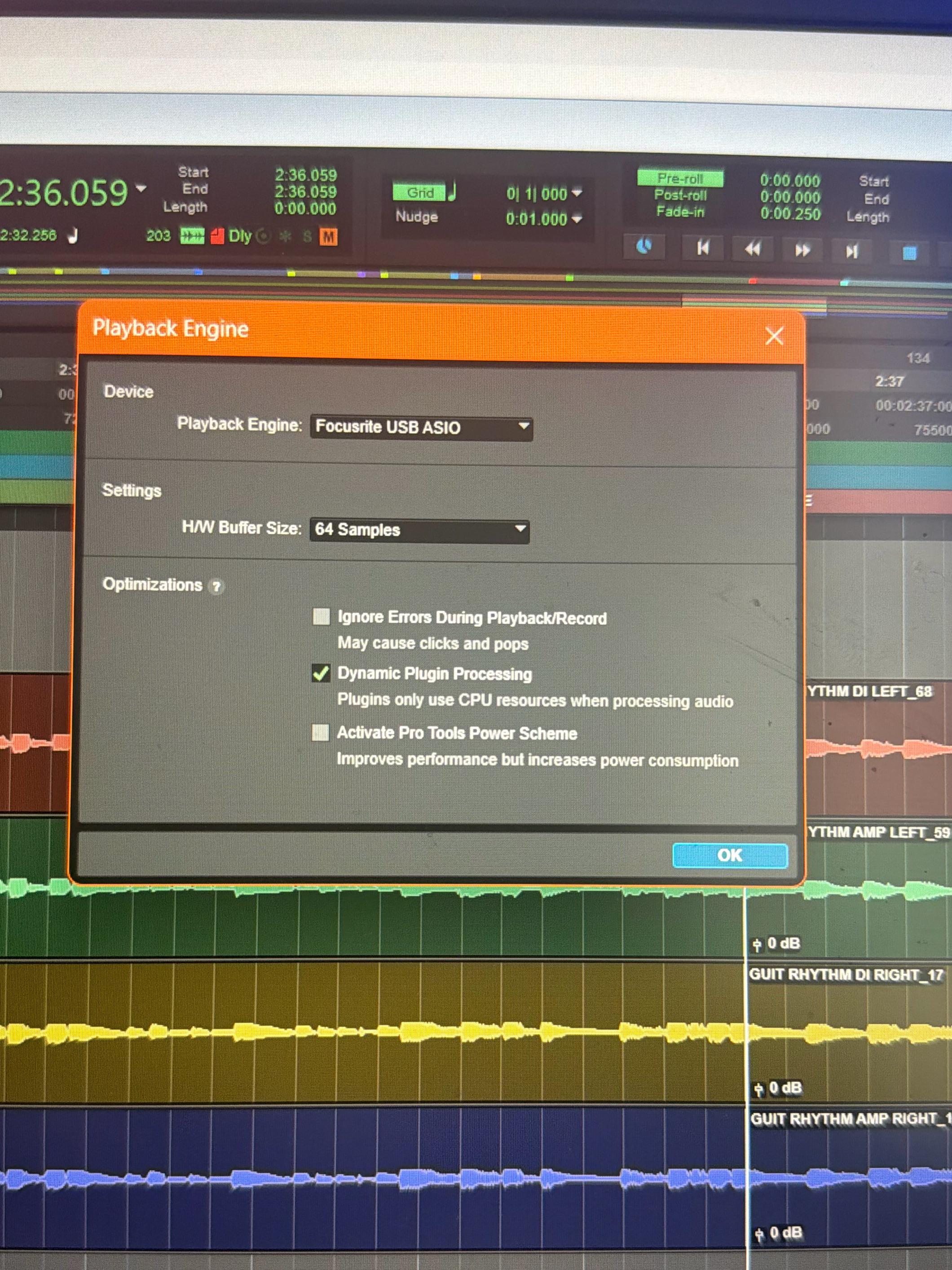
I’m new to protools and I’m using version protools artist 2026.4.0 either if I’m recording or just listening to play back all the audio cuts out and sometimes I hear a super loud beep noise that sometimes cuts off after a second or continues a long beep! The only fix is to go setup, playback engine, and then switch the H/W buffer size from 64 to 32 and back to 64. Happens in the middle of tracking which is super annoying. Does anyone have a fix to this. I’m losing my mind!

r/protools • • Jul 17 '26

Help Request Color channel strip pro tools 2026

4 Upvotes

Hi! I just downloaded pro tools 2026 on my new computer and I can’t seem to find the tracks down to adjust color settings in the color palette. Is this just a bug or a feature they got rid of in the new update? When I open color palette there’s no arrow to open UI customization. Kinda annoying if they did get rid of that feature.

Thanks!