r/wowaddons • u/JameEagan • 1d ago
Addon Release / Update QuestTogether has received a bunch of new features and a major round of polish ahead of Forever's release.
Note: You may not have heard of QuestTogether before as it's not one of those ubiquitously popular addons, but this addon does predate AI by at least 5 years, has over 35k downloads, and I am a career developer for over 20 years now. While I have incorporated some AI tools into my code review workflows, this is most certainly not "vibecoded" as the kids call it. Thank you in advance for actually checking it out before passing judgement 💚
I posted about a month ago that I had updated QuestTogether for Forever. Since then I have been heads down working hard on a bunch of new features and I wanted to share!
Addon Link: https://www.curseforge.com/wow/addons/questtogether
Party Quest Log
This is the biggest one. I've had this feature in a half-baked state for over a year, but as Midnight luster wore off I fell off the WoW wagon again and this went stale. Well it's done! Forever has rekindled the fire.
https://media.forgecdn.net/attachments/2055/231/party-quest-log-overview-png.png
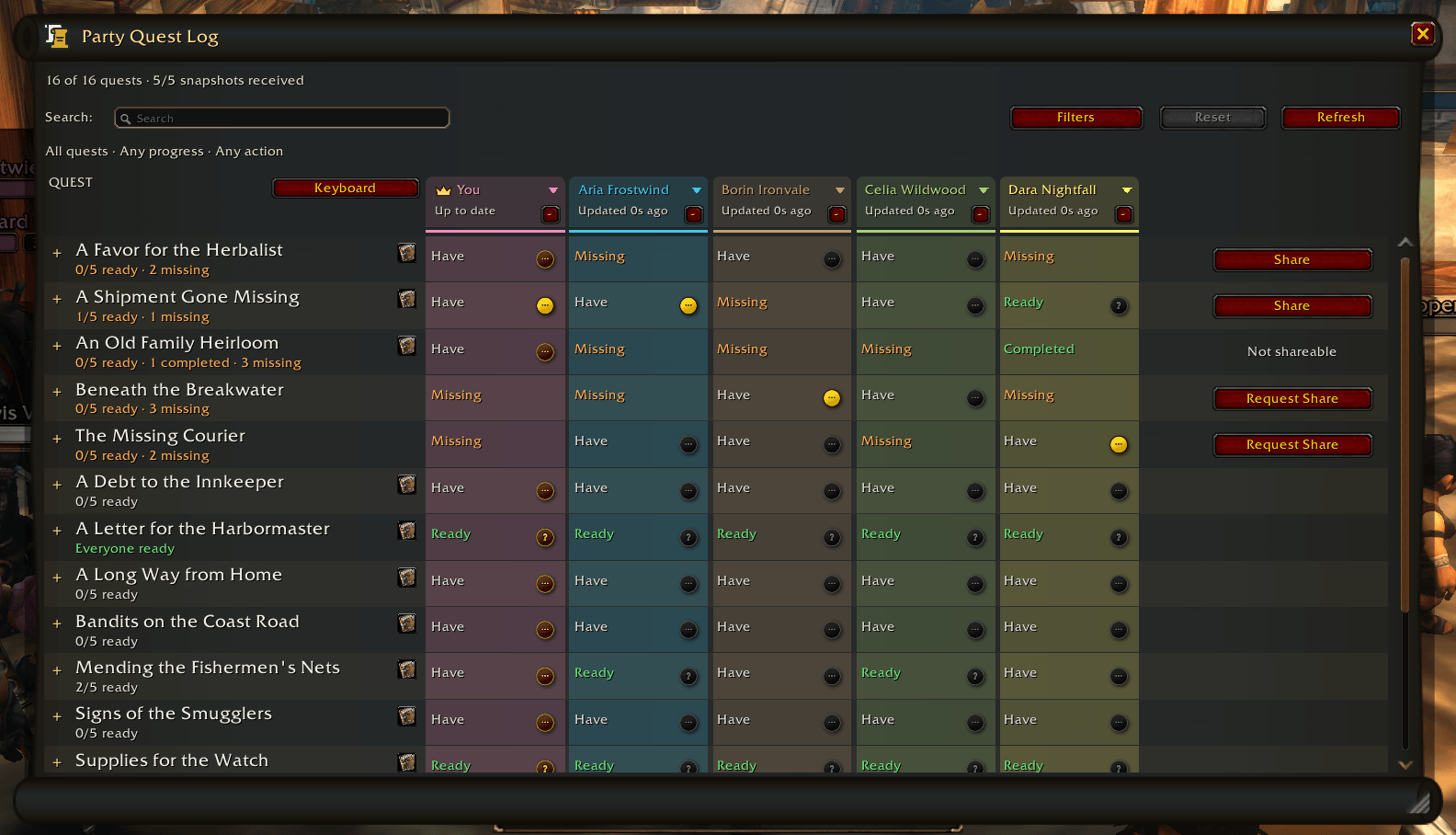
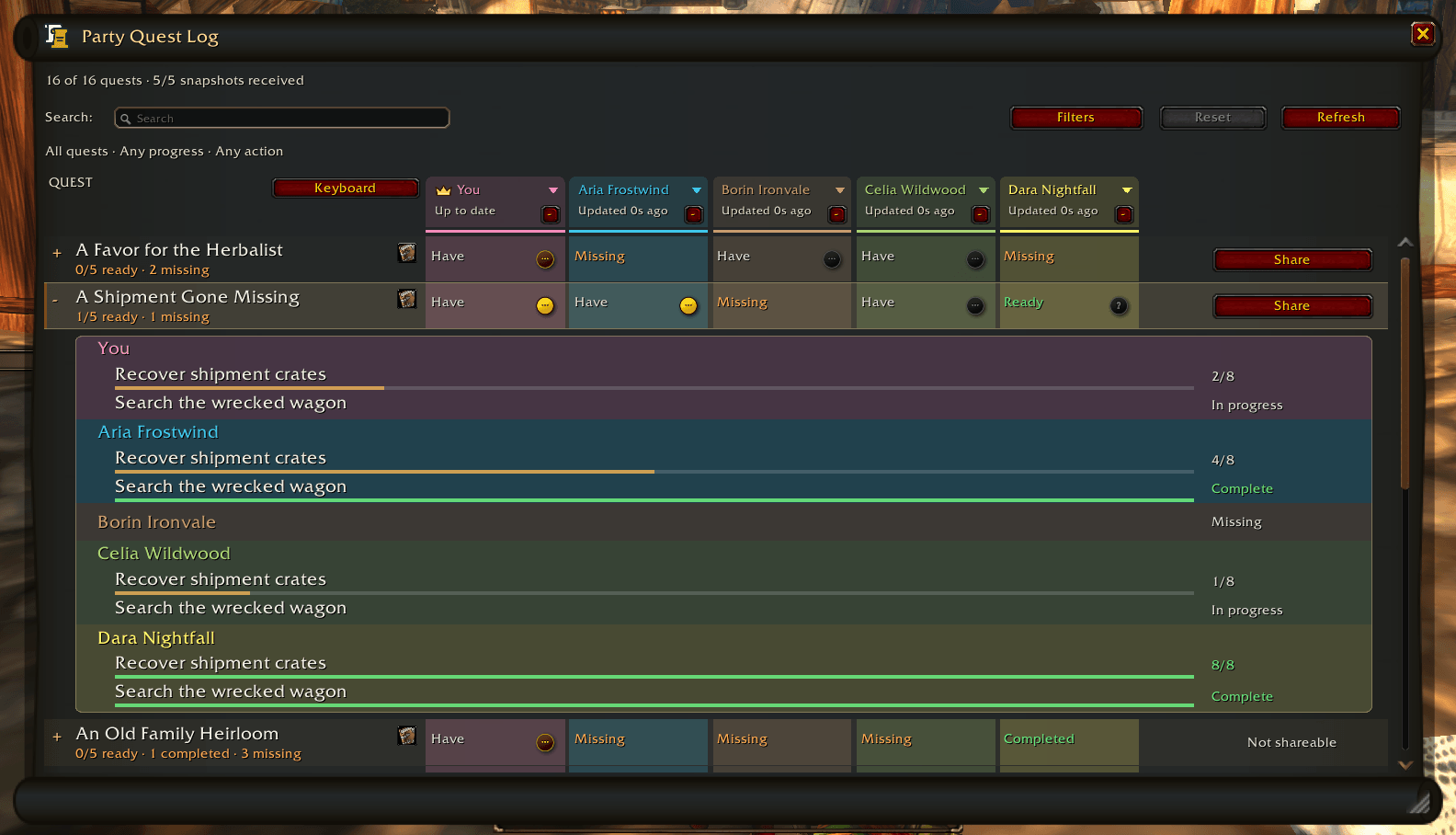
The PQL lets you see your entire party's quests at a glance. You can see who's missing what and easily share, or if you're the one missing a quest you can also request a share. You can also expand any quest to see the greoup's objective progress.
https://media.forgecdn.net/attachments/2055/421/party-quest-log-dark-objectives-png.png
Quest Focus Follow
One of the cooler features of the PQL (imho) is the ability to follow a party member's quest focus.
https://media.forgecdn.net/attachments/2055/215/follow-party-quest-focus-png.png
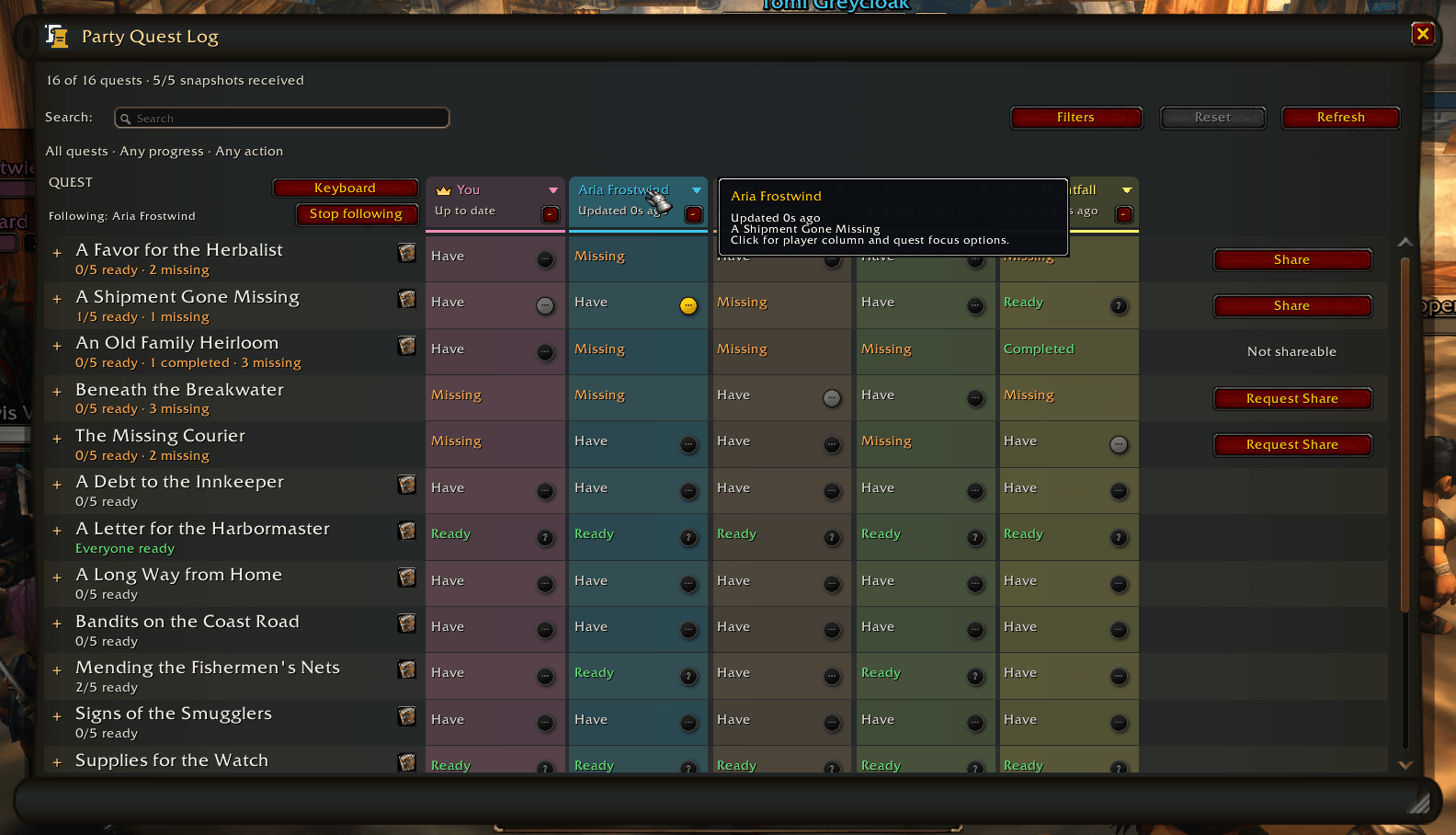
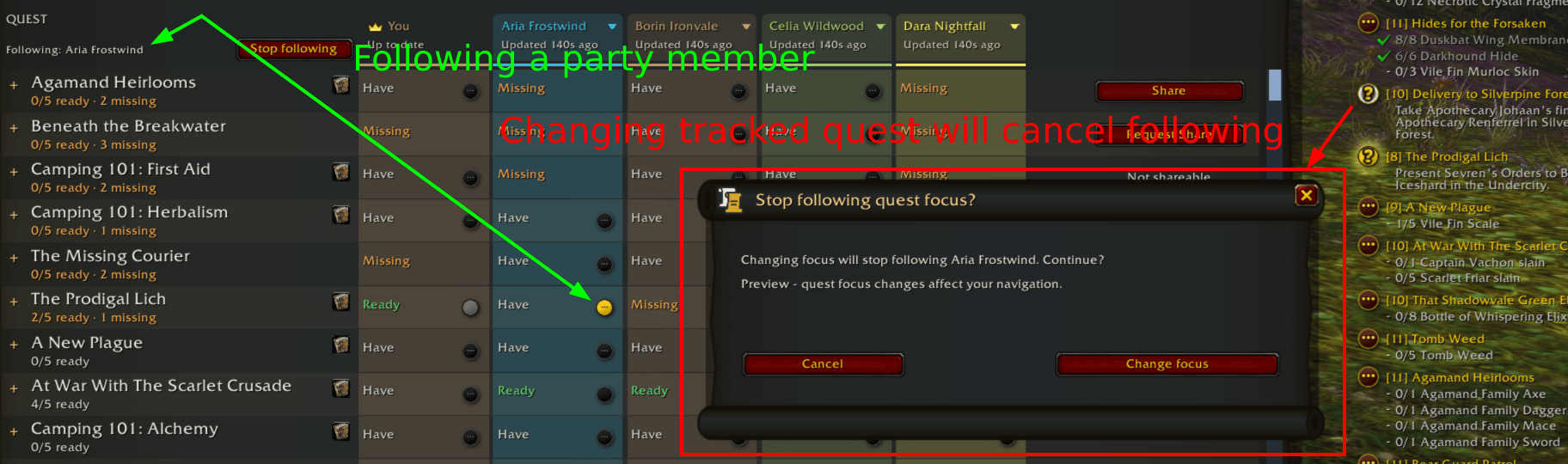
Once enabled your actively focused quest will stay in sync with theirs until they focus a quest you don't have or you deliberately follow a different quest. QuestTogether will ask you if you're sure you intend to end focus follow before allowing your quest focus to switch (even if you are changing focus via the native WoW interface)
https://media.forgecdn.net/attachments/2064/477/partyquestfocuswarningforever-png.png
Looking for questing partners
Not only can you see other QT players on the map, but you can also now mark yourself as "Looking for questing partners" by shift+clicking the QT minimap button (or toggle via /qt lfg).
https://media.forgecdn.net/attachments/2055/499/minimap-looking-for-partners-png.png
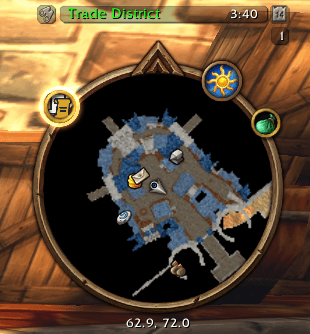
The QT minimap icon will get a glowing borer to show that you have marked yourself as open to receive group invites from others who want to quest with you. Others viewing your location dot on the map will also get a glowing border and a golden tooltip message denoting your LFQP status. The tooltip will also share the player's currently focused quest.
https://media.forgecdn.net/attachments/2055/233/player-map-actions-png.png
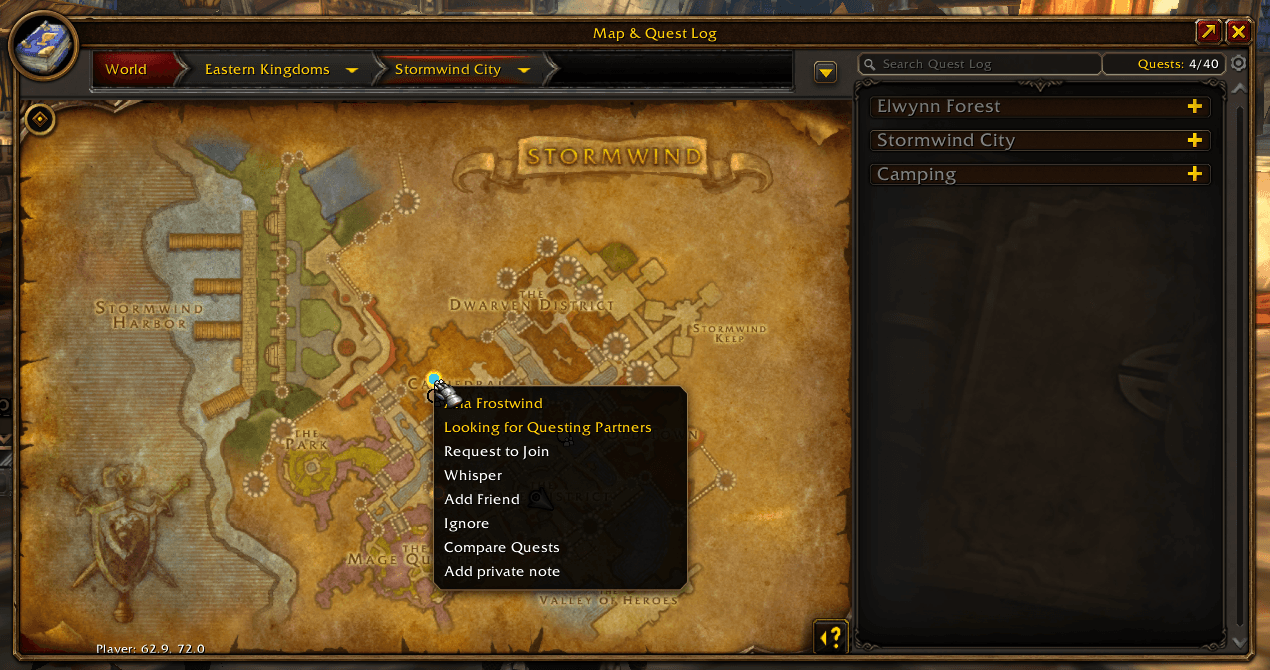
Party information
QuestTogether can now show who is partied up and who isn't. Players in a party will have a small party icon next to their location dots on the map. Hovering over them will highlight all visible player dots in the same party and even put a little crown icon over the leader. The toolltip for the hovered player will also show the party roster, who the leader is, and whether or not they have QuestTogether (the QT icon on the left will be missing if that party member does not have QT).
https://media.forgecdn.net/attachments/2055/234/player-map-party-roster-png.png
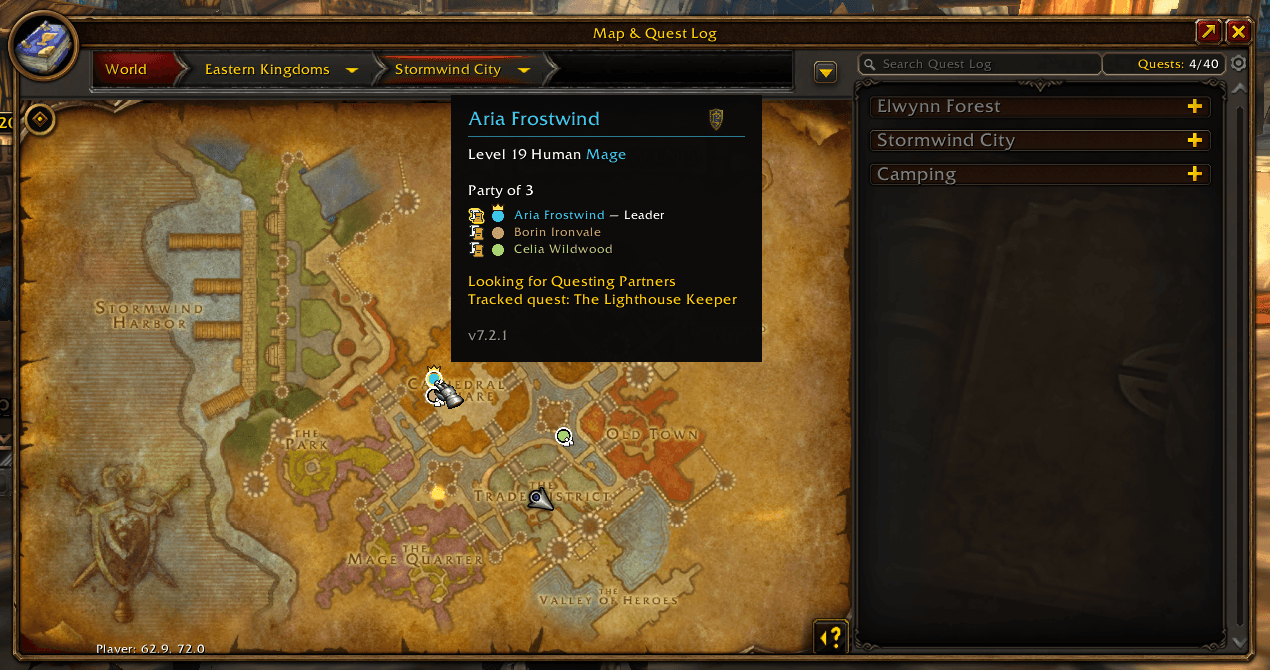
Note: As always you can still opt completely out of location sharing or seeing others' locations if this is an immersion breaking feature for you. If you want to stay completely focused on only your party while questing that is perfectly valid.
Shared party waypoints
Your native WoW waypoints are now sent to your party. If your party members are also using QuestTogether then they will see your waypoint as a class-colored map pin on the map.
https://media.forgecdn.net/attachments/2055/240/shared-party-waypoints-png.png
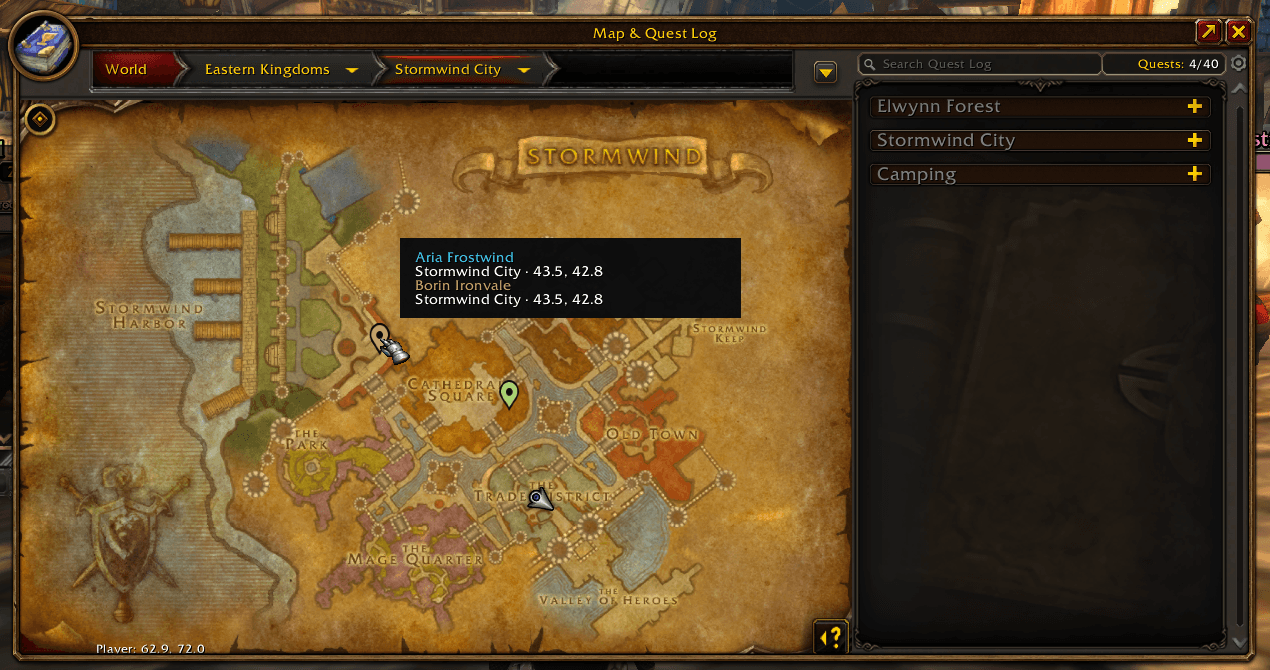
https://media.forgecdn.net/attachments/2055/221/minimap-party-waypoints-png.png
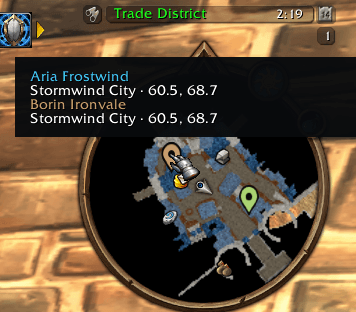
These and pretty much every feature I've mentioned for QT are toggleable in settings.
Private player notes
As someone with ADHD I find it hard to remember people by their usernames sometimes. I found myself taking notes on a pad of paper when being social so I wouldn't forgot who was who, and how easy or not-so-easy they were to get along with lol. I decided to add a little private note-taking feature. Now you can take notes on anyone you meet. These will never be shared to other players, but they do share across your characters so you can see player notes even if you originally made them on a different character.
https://media.forgecdn.net/attachments/2055/235/private-player-note-png.png
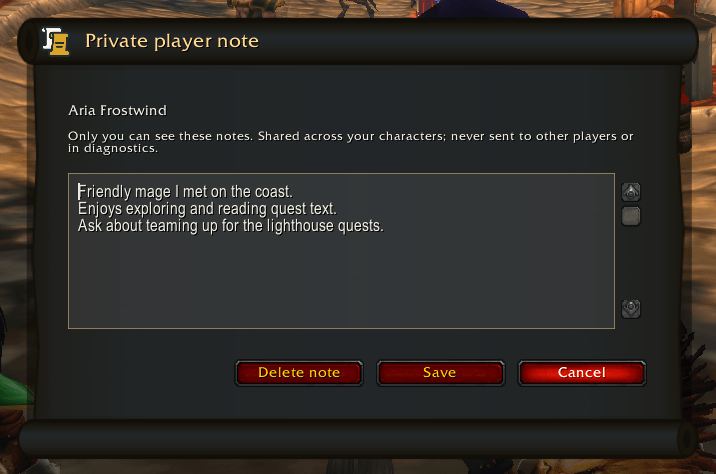
UI Themes
You may have noticed the QuestTogether UI has had a bit of a glow-up with the scroll-themed windows. I also added a light theme for those who want that.
https://media.forgecdn.net/attachments/2055/230/party-quest-log-light-objectives-png.png
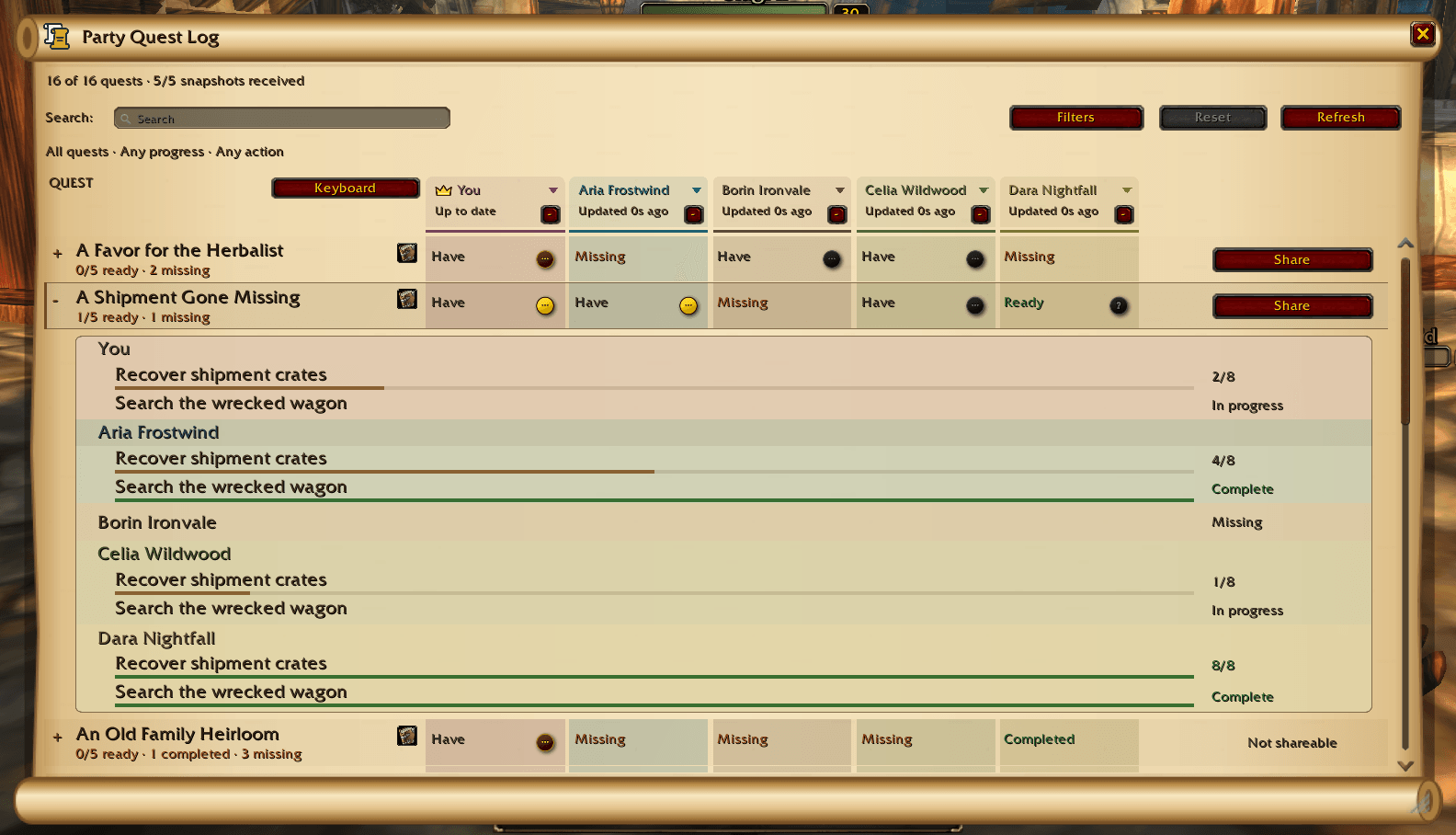
It applies to all QuestTogether windows, not just the Party Quest Log, but the PQL is the most prominent example.
Quest chat log improvements
https://media.forgecdn.net/attachments/2055/217/live-quest-announcements-png.png
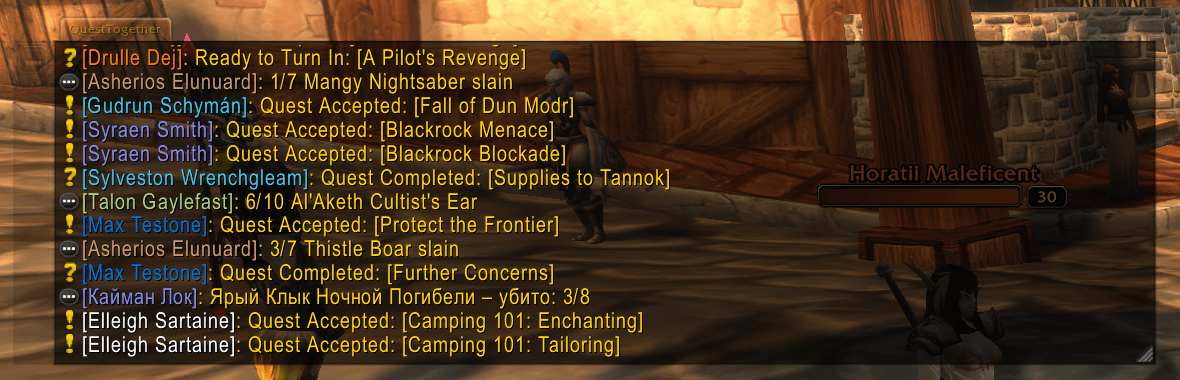
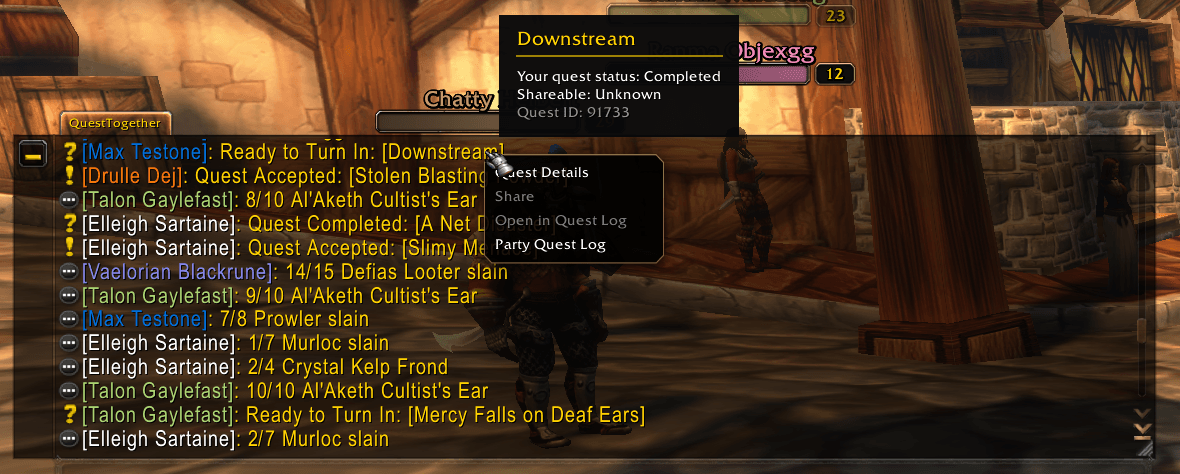
The quest chat log has also gotten some interactivity improvements. You can now click player names and quest titles to get context menus with various actions for grouping, whispering, comparing quests, finding the player on the map if they are sharing location, etc.
https://media.forgecdn.net/attachments/2055/213/chat-quest-actions-png.png
Localization!
One of the cooler things about adding AI to my release workflow is that I was able to put together automatic localization! All UI copy is now localized for your WoW client's chosen language. All patch notes are translated as well and show in-game whenever a major or minor version is published (patch versions do not trigger automatic patch notes showing so as not to be annoying). The patch note viewer now let's you page through all previous patch notes as well, at least up to the time I started actually recording regular patch notes sometime last year.
Anyway, I hope you all enjoy! Thank you for your continued support. You guys are the best 💚
5
u/Outrageous_Pen2178 1d ago
I'll have to check this out. I vibe coded my own custom chat, and added settings for auto share, auto accept, and auto complete, but this will make it nice to track and ensure me and my crew are all on the same step
2
u/coaringrunt 15h ago
Unless I've missed it but could you add a way to track quest progress of your group? Select a quest and show every group member's progress for that quest. Some addons track this on NPC or object tooltips but having a separate window to always share and see everyone's progress would be nice for anything that isn't a kill quest.
I've tested your chat printing progress feature in a separate chat window and party chat bubbles but that doesn't really serve the purpose of seeing how far everyone is at a glance.
2
u/JameEagan 9h ago edited 8h ago
You can see the entire party's progress in the party quest log.
https://media.forgecdn.net/attachments/2055/421/party-quest-log-dark-objectives-png.png
But I see what you mean by wanting an at-a-glance way to view everyone's progress on a quest.
Ask and you shall receive!
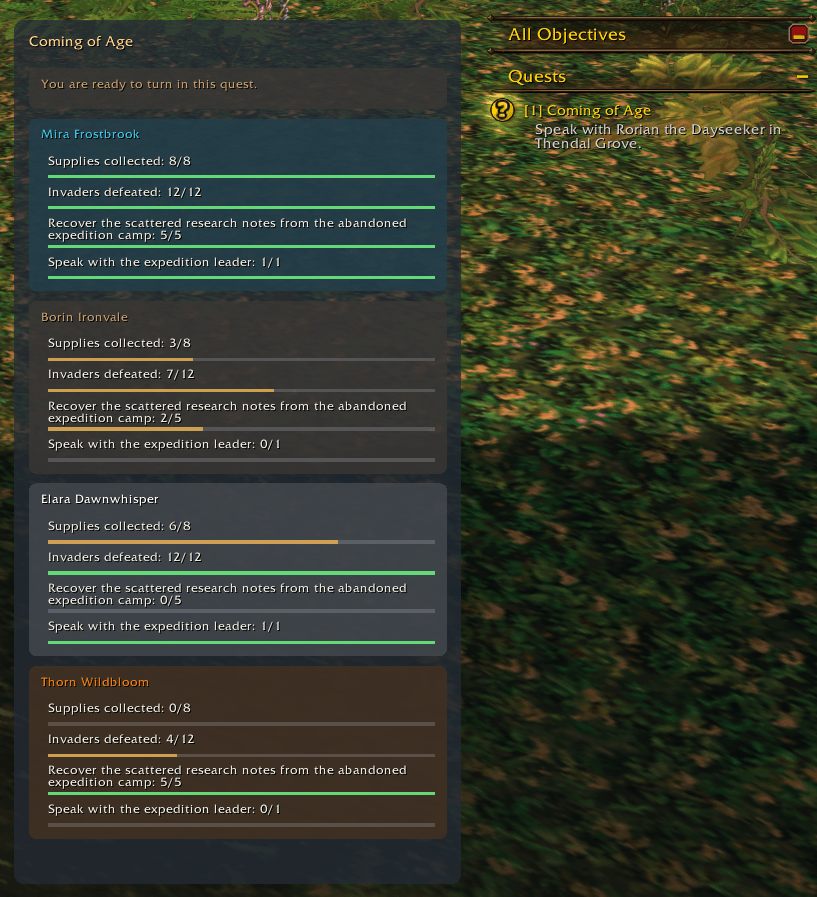
https://media.forgecdn.net/attachments/2068/331/quest-tracker-png.png
This screenshot is showing spoofed data so you can see what it looks like when it's pretty full. By default it shows the focused quest, but will change to show the hovered quest as you hover other quests in the blizzard objective tracker.
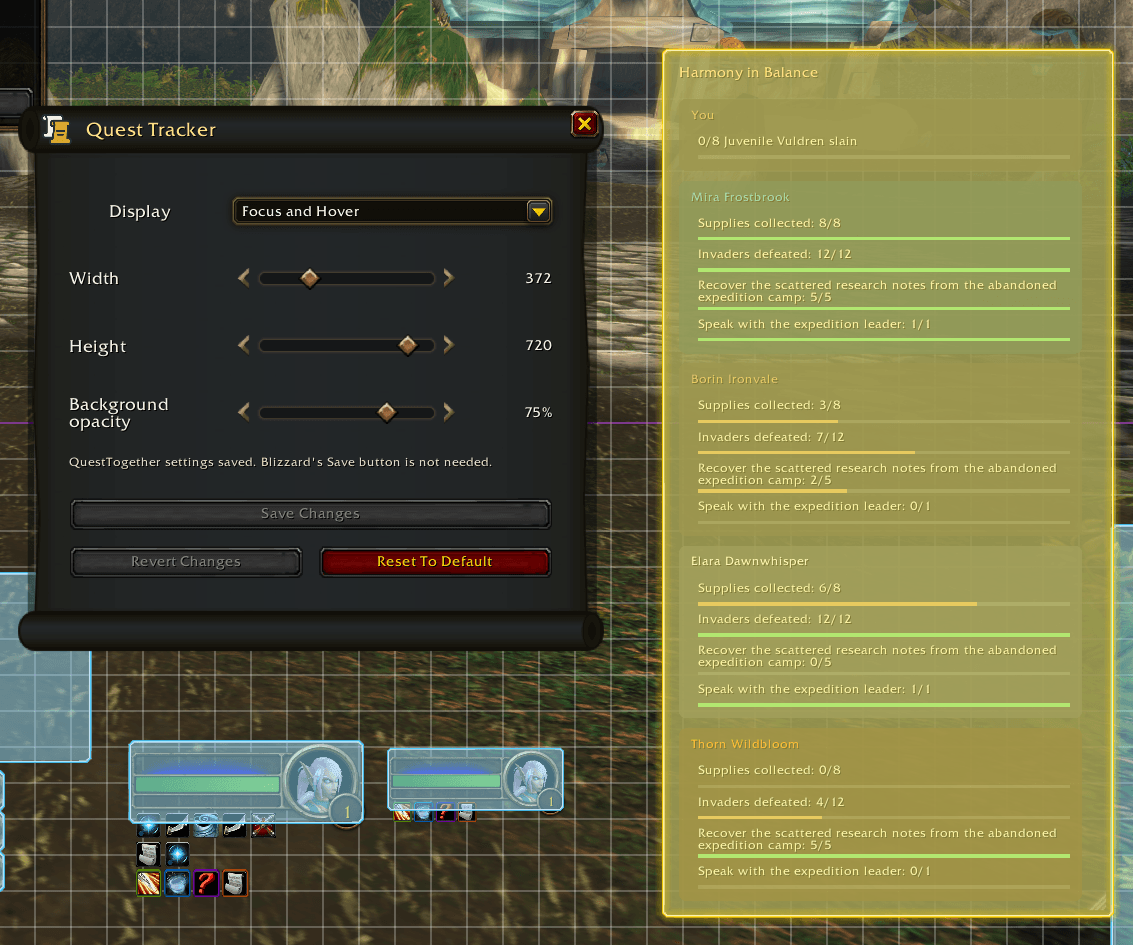
The size, position, and opacity are adjustable in Edit Mode.
https://media.forgecdn.net/attachments/2068/343/quest-tracker-edit-mode-png.png
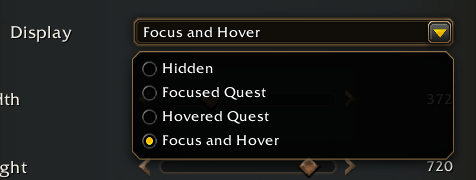
As well as a Display option so you can decide when you want it to show up or if you'd like to hide it altogether.
https://media.forgecdn.net/attachments/2068/342/quest-tracker-display-option-png.png
Update to v7.4 and you'll have it :). I just made it so please let me know if you find any issues with it. It was mostly the same logic as the expanded row in the Party Quest Log but I did have to hook into the blizzzard objective tracker for the hover functionality, as well as edit mode, so if you get any weirdness around those boundaries please let me know.
2
-1
u/Zinx23 23h ago
Someone give me the tldr 👀
2
u/JameEagan 23h ago
QuestTogether helps you quest with other players: compare quest logs, share eligible quests, follow party progress, and find people looking for company. Progress bubbles, an interactive chat log, map information, and party navigation work alongside WoW’s questing UI.
-2
u/Vodddddddd 1d ago
Now this is made with AI I'll take a look - thanks!
5
u/JameEagan 1d ago edited 1d ago
AI code reviews and localization workflows in GitHub Actions. Not AI-made. Enjoy!
-2
u/Vodddddddd 14h ago
Oh then I won't be touching it
4
u/JameEagan 14h ago edited 11h ago
No worries! You typically need the ability to make friends for it to be useful anyway.
2
•
u/AutoModerator 1d ago
Developer Requirements for Releases & Updates:
Users: If you encounter missing screenshots for a UI addon, severe performance issues, or undisclosed AI text/code, please report this post.
I am a bot, and this action was performed automatically. Please contact the moderators of this subreddit if you have any questions or concerns.