r/steammachine • u/Zoramint • 4h ago
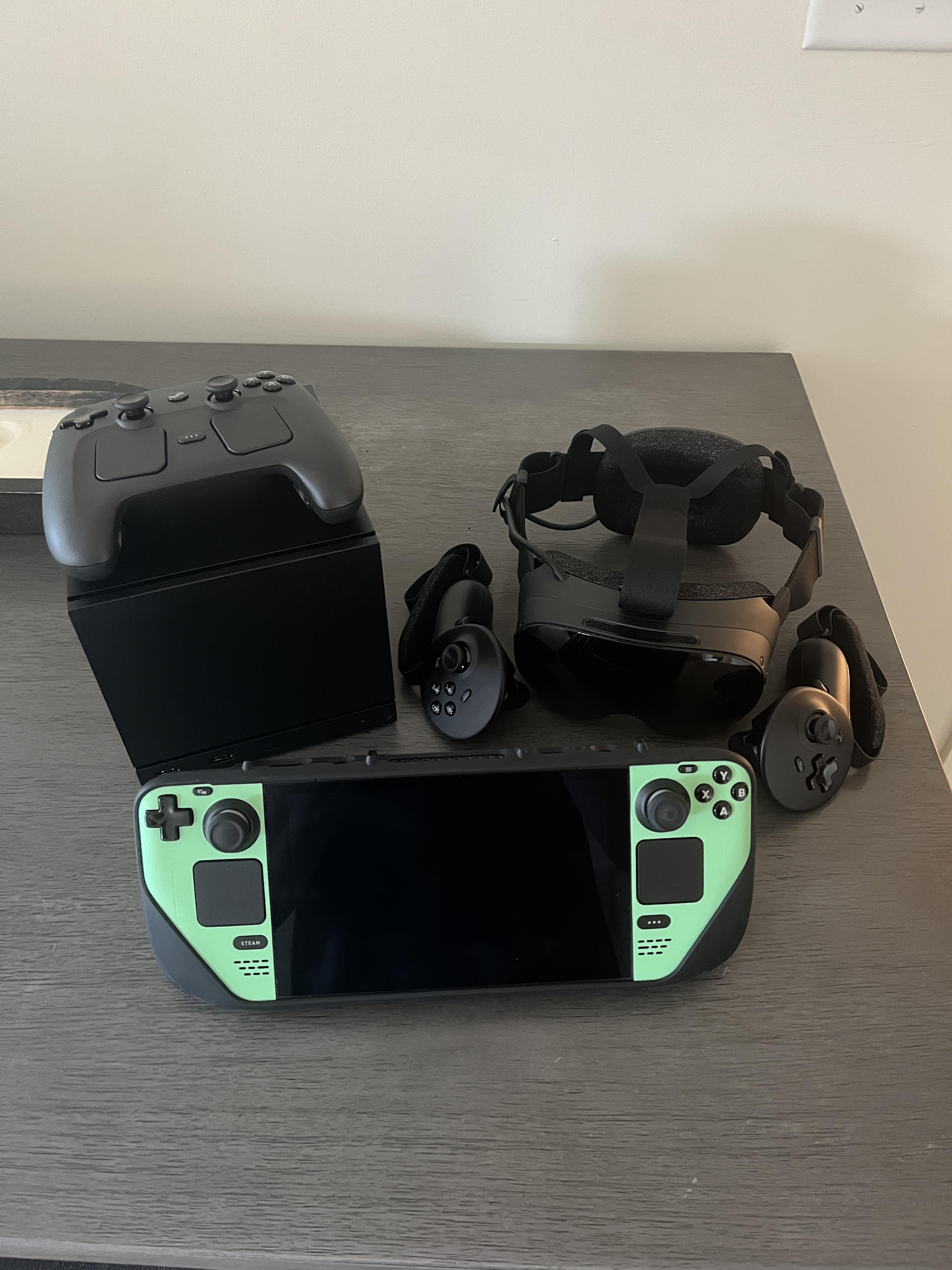
Hardware Finally got my Steam machine to complete the collection!
92
Upvotes
Got the offer a week after buying the frame. Loving it so far!
r/steammachine • u/ehodapp • 18h ago

TL;DR: I read the JSAUX pixel matrix faceplate's flash chip directly. No file system, no wear leveling, every new picture, brightness change and built-in pick rewrites the same spots. Their own clock and stats screens send a new picture every second, which at a typical chip's rating is about 28 hours of use. Don't buy one until JSAUX releases the firmware or ships a fix, and if you have one, stay off those screens.
This is the third one of these, so quick recap. In my first post I was pretty stoked. I'd taken it apart, written a Decky plugin for it, and figured anything I couldn't do yet was just stuff I hadn't figured out, and that it'd all get way cooler once JSAUX posted the source like the product page kind of promises ("supports open-source code"). I bought it because like pretty much every other open hardware thing I own, I figured I'd eventually write my own firmware and make it do whatever I want. I also said whether all the flash writing wears it out "depends on firmware nobody can see yet".
In the second one I hit a wall. Controller chip with the markings sanded off, no bootloader on any pad, a command that looks a hell of a lot like a firmware loader, and support telling me they're "unable to disclose specific information at this time." JSAUX then replied on r/JSAUX that "static images and the app's built-in displays don't require flash writes", that only GIFs over 20 KB use flash, and that "the current hardware doesn't support firmware updates." A few days later they announced the app gets open-sourced once Steam approves it. Just the app.
Well my clip finally showed up from China, so last night I hooked the 2 MB flash chip up to a Raspberry Pi and dumped it before and after every single command I could send the panel. So now I've actually seen the flash. Short version, it's pretty bad.
The "static images don't write flash" thing just isn't true. Every new picture you send gets written to the flash chip, static or animated, any size, and it always erases the same few spots starting at the same addresses. Changing the brightness rewrites the settings area. Picking one of the built-in animations rewrites it too, and makes the panel forget the picture it had, so going back to it is another full write. There's no wear leveling at all, nothing spreads it around. And all of its settings live in one sector that gets rewritten on every upload, every brightness change and every switch to a built-in. When it can't read or write its settings there anymore, does it adjust? Does it just die? Who knows! (Credit where it's due, a failed or corrupted upload never touches the old picture, so they got that part right.)
To be fair, plenty of cheap gadgets rewrite the same flash sector forever and it doesn't really matter because they do it a few times a day. This one ships with official software that redraws the clock and system stats screens as a brand new picture and sends it about once a second (the clock has a blinking colon and a seconds marker, so every one of those is a new picture and the panel can't just skip it). Flash like this is typically rated around 100,000 writes. I couldn't find a datasheet for this exact chip so that's an assumption, but at 100k that's roughly 28 hours of running their clock or stats screen. Chips usually outlast their rating, so think of that as a floor more than a death date, and what wears out is where it keeps the picture and settings, not necessarily the whole panel... but it's the same few spots getting hammered every second and nothing about the design accounts for it.
The obvious fix is firmware that lets you draw on the display directly without saving every frame. I'd love to write it. I've been working with the GabeCubeAura dev for a while now (I've got a pile of PRs in there) and we've been going back and forth on what to even do about this, because right now the answer for anything live on the faceplate is basically "use it less". The guy who made OpenRGB wants it in OpenRGB too, but in his words "having it save every frame to flash is too limiting to be useful."
So I went after the firmware. I put a debug probe on every test pad on the board I could reach and nothing answers. I haven't been able to confirm a lock, but it looks exactly the way a permanently locked chip would: no debug interface answers on any test pad, and the markings were sanded off so you can't look up what it is. It's possible it's just a really cheap chip with nothing to lock. It's also possible they locked it, which is literally just a checkbox when it gets flashed at the factory. Given the sanded chip and how weird they've been about sharing source, I'd say that is very much on the table.
And "the firmware can't be updated"? I don't buy it. There's a command (0x03) the official app never sends that accepts a whole data transfer and pops up a "download failed" icon when it times out. That has every sign of a firmware upload path. If they really can't update it, the units already out there never get a fix for the wear. If they can, it's on them to ship one if they won't release the source.
So here's what I'm asking JSAUX for, and why I'm posting here instead of emailing them again:
If you've got one of these and want it to last, please say something to JSAUX, in their sub, through support, wherever. Until then, if you use their app I'd stay off the clock and system stats screens. Static art and the built-in animations are fine, and my Pixel Faceplate plugin only sends a new picture when you launch a game or go back to the menu.
Everything I measured, with the dumps and how to repeat it, is here: github.com/hodapp/pixel-faceplate/tree/main/flash. I invite anyone who wants to check my work or thinks I'm being dramatic to take a look.
Anyway, I'd honestly love to be wrong about any of this. If someone from JSAUX wants to tell me how it actually works, or better yet, release some source... I'm all ears.
r/steammachine • u/SkittlesBeats • Aug 24 '26
Show the subreddit that you have the privilege of owning a Steam Machine by submitting a photo of it here! Whether it's just the cardboard box or in your setup, please post your pictures here! All other cardboard box photos posted to the subreddit going forward will be deleted if not posted in this megathread.
Please use the Steam Machine Orders & Arrivals Megathread megathread for email confirmations and photos and such, if you so choose.
P.S. - we just added new subreddit flairs to describe your Steam Machine order status and config! Set yours up and look snazzy while doing it!
r/steammachine • u/Zoramint • 4h ago
Got the offer a week after buying the frame. Loving it so far!
r/steammachine • u/KeithKaizo • 1h ago
I’ve been loving the Steam Machine and just wanted to share some of my faceplates I’ve purchased from Etsy. I’m looking to build a collection of these things and I’ve already ordered my first custom one with my favorite anime of all time! Can’t wait to get it in! What kind of faceplates are you guys rocking?
r/steammachine • u/MisterFyre • 12h ago
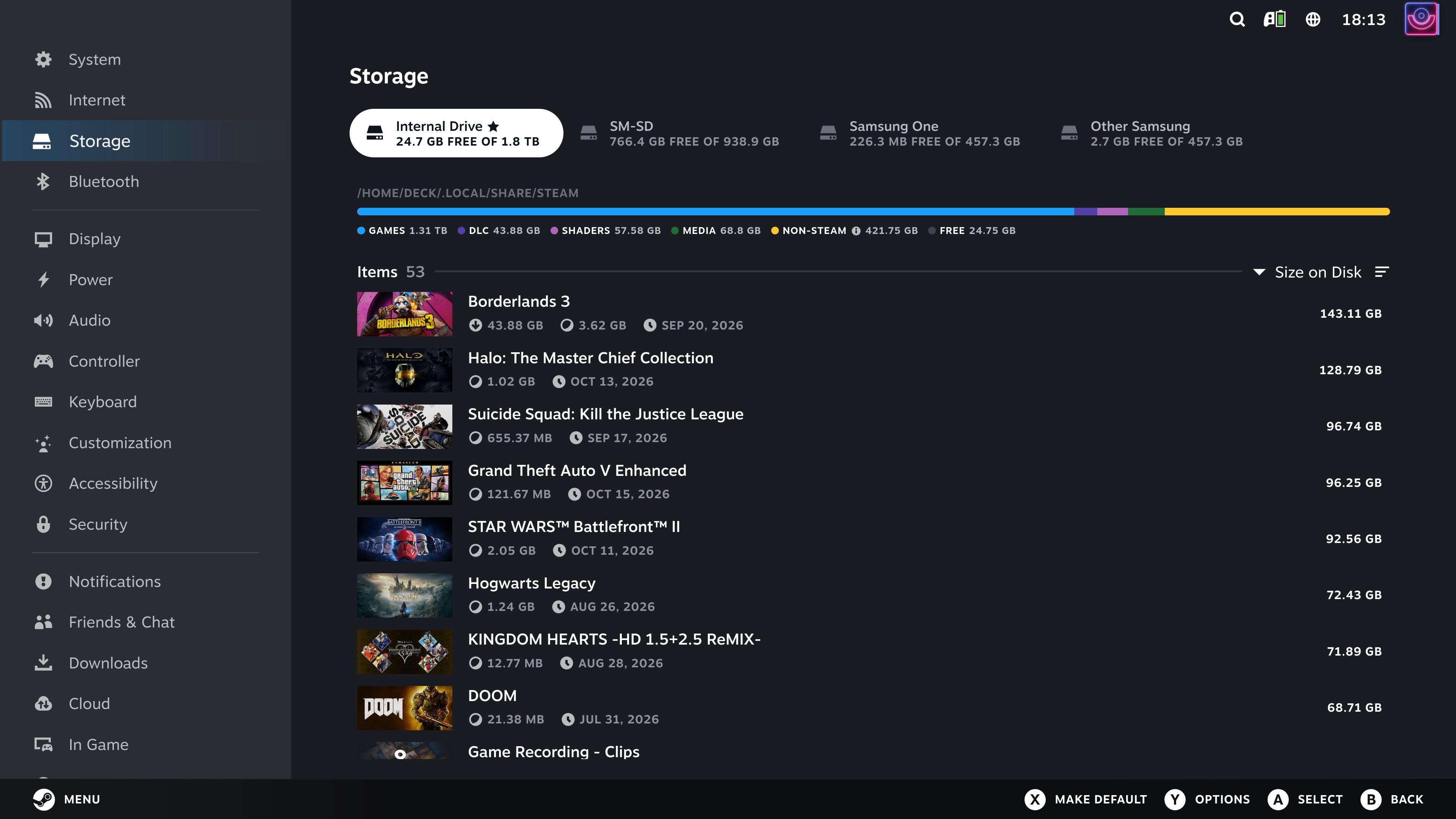
Games are way too comfortable taking over 100GB of space nowadays. 😒
r/steammachine • u/Liam-DGOL • 15h ago
r/steammachine • u/___Bel___ • 53m ago
^Click comparison with performance metrics
Trying out Helix SR (DLSS 3.7) on Steam Machine, the upscaling cost seems noticeably lower than FSR 4.1. In this example at 4k Performance mode upscaling, it's 4.14ms for Helix compared to 7.64ms for FSR 4.1; 3.5ms less for a slightly softer option around or slightly below 4.1 image quality.
It's definitely a better option than FSR 3 and less costly than XESS. If you had a case where FSR 4.1 would get ~50fps (20ms per frame), Helix being 3.5ms cheaper would boost performance to near ~60fps (16.66ms) if used instead. It makes it easier to target higher FPS at high output resolutions.
Basically, it's a nice option to have that fits somewhere between FSR 3 and 4.1 in terms of cost and image quality.
r/steammachine • u/Crazyhamsterfeet • 3h ago
How, after so many updates to the machine and controller, is the machine still turning back on after turning it off. It happens constantly to me. It’s a really annoying error that’s starting to change my opinion of the device.
r/steammachine • u/MaxwellsTime • 8h ago
Hey all!!
I am building a new pc steam machine soon and the only thing I have a mix up on is using apps like YouTube, Netflix, etc.
Is there a way to access the TV app version of YouTube via browser or a download? And similarly, can you just inject that into your steam library? (So you click Netflix and it launches to the Netflix website?)
Thanks!
r/steammachine • u/Cptkaptn • 1d ago

We lost our apartment to a fire, taking the first steps without a desk and without a PC. The Steam Machine brings a lot of joy on the couch. Star Wars Galactic Racer is much more fun than CS 2 with mobile phone internet. My little companion during a tough time hahaha. Everything we have was given to us by friends and acquaintances. Enjoy your desks and office chairs, and get yourselves good insurance. The little cube brings me a lot of joy, even though you have to take some time to set it up properly so it can shine. I highly recommend the boot animation with the laughing captain—it always cheers me up
r/steammachine • u/sem_isthename • 11h ago
I personally don't use Firefox, but I still have the install Firefox thing. How do I remove that? I don't want it to keep using storage. I can not find it anywhere in the system and when I click on uninstall I sends me to the download page, but no uninstall button
r/steammachine • u/Liam-DGOL • 15h ago
r/steammachine • u/TallySmackerz • 3h ago
Just got a Steam Machine and I’m pretty new to Steam itself. With the crap load of Steam points you get for buying this thing I decided to buy a few of the start-up animations. A lot of cool ones! BUT…they don’t ever really show? Whether it’s cold boot-up, wake from sleep, they just almost never show. Sometimes I will get audio only or get the very LAST second of the animation. When I turn on the machine I will get the Steam logo every time and just one of the two instances I mentioned above. Is this common? Is there a reason why this is? I play on a monitor using DisplayPort.
r/steammachine • u/workerbeeadit • 8h ago

Has anyone encountered or managed to fix this issue where the stream successfully starts but then you just get a black screen with a large mouse pointer?
r/steammachine • u/monkey-man-2 • 5h ago
I want to access my steam machine remotely from my iPad at work to continue configuring emulation, Jellyfin, etc while I’m away. My problem is after 10 minutes of the TV being off I get a connection error from moonlight. Tailscale still shows that it is connected to the steam machine, I can still play movies that are hosted on the steam machine through Jellyfin. I have turned off settings for the steam machine to sleep so it always stays on. Any suggestions for what else to try?
I’m also willing for other suggestions if there’s better applications to use to do this.
r/steammachine • u/LeKingCharMing • 23h ago

Not sure if I like it. Sure tight fit, actually put contact paper on the frame to make sure it didn’t scratch.
r/steammachine • u/VR_SamUK • 5h ago
Possibly a stupid question but I have a Steam controller, 2x Xbox and 1x PS5 - I assume I can connect them all at the same time and do 4-player couch coop?
r/steammachine • u/No_Pension_5623 • 4m ago
My steam frame « selection » has been pushed to 2027. Painful. Boring ?
I read lately quest 3 works well with the SM when using steam link (ethernet on SM). That includes halyx with medium settings apparently
Any regular users of both together for sharing their recent experience ?
r/steammachine • u/Tricky_Thanks5672 • 17h ago
Added a decal and sticker to my 512GB Steam Machine in honor of my favorite video game (and Valve's first product).
Lambda decal and Black Mesa asset tag sticker are from eBay. The camera makes the lambda decal look better than it is; in reality it has a matte finish and more of a darker, burnt orange color. I would have preferred a glossier finish and brighter orange; maybe I'll re-do it someday.
Light bar settings are: Solid effect, Orange color, 25% Brightness. Setting the brightness lower results in a nice deep neon orange color.
r/steammachine • u/EwokNuggets • 9h ago
Has anyone else experienced issues after updating their Steam Machine?
I updated (beta) and controller/puck last night, and ever since I can’t do anything with the Steam Machine. Every 10 seconds or so the lag is atrocious to the point I can’t play anymore. I thought maybe it was the game I was playing (planet crafter) but I tried two other games that were fine before and now even they are unplayable.
I switched to Stable updates to see if that would help and it didn’t.
Is factory reset my only option here?
r/steammachine • u/BigMemeVEVO • 6h ago
Installed Discord through Discover and launching it through Steam Game Mode, as most do. Don’t know if anyone else has run into this problem, but trying to stream my screen or turn on my camera just makes Discord crash fairly consistently. Either the stream is black or just crashes, and Discord stutters after turning on my webcam before eventually crashing.
Wondering if anyone’s found a solution to this problem, seems to be unique?
r/steammachine • u/blackriver35 • 10h ago
Hi everyone, I have been using my steam machine for about a week now in my living room and I’m really enjoying it. That said, while I did get a steam controller with it, my plan is to use this with friends for couch coops and other fun couch games. Does anyone have any recommendations on third party controllers for the steam machine? It would be great to get three more steam controllers, but thats obviously not going to happen.
r/steammachine • u/vasterbottenyakuza • 14h ago
Didn't have the money right now to order the Steam Machine. But wanted to try the concept, with gaming capability in the living room.
My wife just bought a Thinkpad, so took her old Lenovo 5500u, 24gb ram and 2tb ssd and installed Steam OS on it.
Chucked it inside the TV furniture, and connected an old xbox360 (PC) dongle I had, to get two controllers running with it.
I play a lot of simple games, and am amazed how well SteamOS works and how the games run. My main Steam account had about 180 games and I think about 140 of them are supported on Steam OS.
Obviously, the GPU intense games I didn't install, but will try to stream them from my main PC to this setup. Internet/network is through a usb-c dongle so hopefully to stream will work well
Is running on it LG OLED, 1080p 120hz. Didn't try 4k, since the 5500u isn't powerfull enough I think.
Anyway, really liked this experience and will definitely buy a steam machine in the coming 6-12 months. If your on the fence, like me. Have a look what hardware you have laying around to potentially test SteamOS on.
r/steammachine • u/Alyenax • 1d ago
Steam recently added custom screensavers to SteamOS Gaming Mode and Big Picture on desktop. That gave me the idea of using animated SteamGridDB artwork to show games from my library while the Steam Machine is idle.
That’s what Steam Animated Screensaver does. You pick some games, choose artwork from SteamGridDB and install it into Steam. You can prepare a bunch of games at once, swap animations, add a cover next to the title and choose between the original framing, 16:9 or 16:10.
Steam plays the screensaver itself. Once it’s installed, you can close the app. No Decky needed, and playback works offline. You’ll need a free SteamGridDB API key to get artworks.
I’m also planning to integrate this into GabeCubeAura, including the LED bar and an artwork on the JSAUX faceplate, without needing a separate screensaver app running in the background. That part is still to come (this week-end I think).
There are builds for SteamOS Gaming Mode and for Steam’s Big Picture mode on Linux, Windows and Mac. I’ve mostly tested it on my Steam Machine and MacBook Air, so feedback from Windows and Linux users would help a lot. The video was recorded on the MacBook Air.
If anyone wants to contribute, I’d be happy to have some help. Animation smoothness in particular could use more work. Some SteamGridDB animations are already a bit choppy, and it really shows on a big screen.
PS: the music of the clip is Song Of The Forge by Scott Buckley