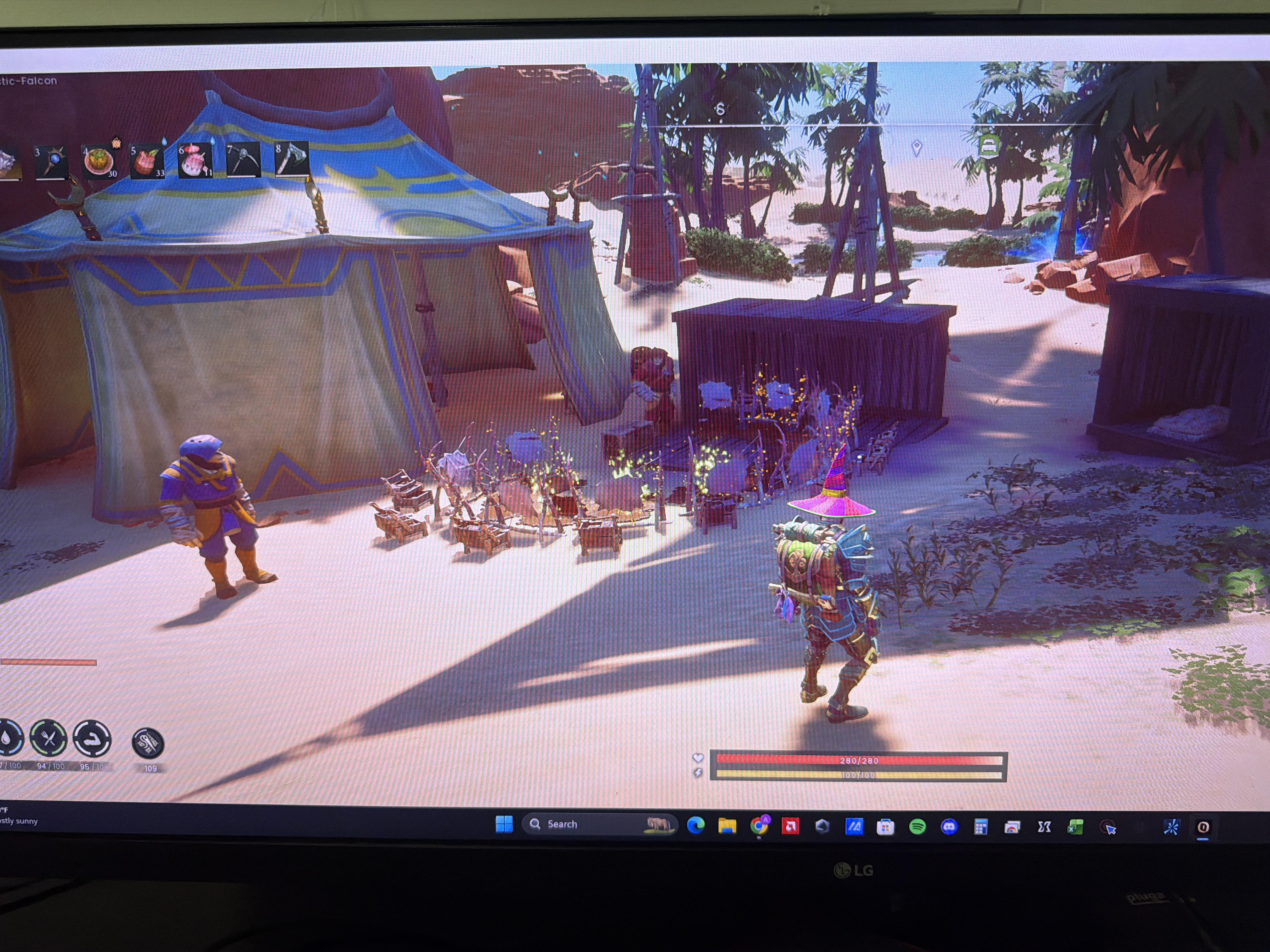
Bro camps in some corner and spawns one skeleton every 0.2 seconds that takes 2 hits to die and takes out half your endurance bar. During a boss fight.
on a computer in the cloud that you setup yourself.
Shockbyte
At Home
Cloud
Difficulty
Easiest
Hard
Hardest
Price
Set
Electricity costs
Depends on capacity
Progression
Secured
Manual back ups
Manual back ups
Hosting at Shockbyte
If you opt to use our hosting partner Shockbyte, simply go to their website to rent a RuneScape: Dragonwilds dedicated server.
You will need to enter some configuration values. To do so, go to the config page:
Then click on RuneScape: Dragonwilds Settings
and edit the settings in here. More info about Config Settings can be found in a following section named "Configuration Values".
Optionally, you can set the World to one from your personal library. More info can be found in a following section named "World Management".
Once you have set those values, write down your World Name and start the server.
You can now play! Find your server by following the steps in the section "Finding My Dedicated Server".
Hosting at home
Prerequisites
Dedicated servers will only run on 64-bit OS. Both Windows and Linux are supported.
RAM required is 2Gb + 1Gb per player. The server can support up to 6 players as of 0.11 (March 2026).
Ports
Dedicated Servers use ports starting with 7777 by default. The second server will use 7778 and so on. You must ensure that the port(s) can be reached directly. This means your Firewall, Router(s) and ISP must forward those ports for UDP.
Please note that:
every router between you and your ISP will need port forwarding.
some ISPs will prevent you from doing port forwarding altogether. Some will have admin tools that allow you to do it. Others will require you to contact their Client Support.
This website portforward.com has a lot of details on how to forward ports.
if your server appears in the list of servers for other players, but is not joinable, then Port Forwarding likely failed somewhere.
Installing the game
The game is distributed via Steam or Steam Command. Simply acquire the free product "RuneScape: Dragonwilds - Dedicated Servers" on Steam.
You can download the product from Steam directly, or use this cmd line to do so:
Owner ID: this is your RuneScape: Dragonwilds Player ID. It can be found in game at the bottom of the Settings Menu. Don't hesitate to use the copy button to add it to your clipboard. The server will not start without your owner ID.
Server Name: the name of your server, no matter what world it may run.
Default World Name: upon startup, your Dedicated Server will create a default world. This configuration value allows you to decide how you want it to be named.
Admin password: anyone who knows this password can enter the Server Management tab in the Pause Menu > Settings menu. They will be considered as Admins until the Admin Password is changed again. You can see the list of people who have used the Admin Password to enter the Server Management screen by going to Files > RSDragonwilds > Saved > Config > Linux > DedicatedServer.ini.
Optional configuration values are:
world password: will supersede any password stored in the world. Can be left empty if you want anyone to be able to join your world.
Finding My Dedicated Server
It's time to play! To find your dedicated server, go to the Public tab of the Worlds screen:
Then in the search tab, enter your exact World name, case sensitive.
After a few seconds, your server should appear.
If you cannot find your server:
please make sure your server and clients use the latest version of the game available. Shockbyte servers just need to restart to update automatically!
please make sure that the world name you searched is the one your server is currently running.
please make sure the mandatory config variables have been set.
finally, look at the log - it should tell you how your server is doing.
Once you have found your dedicated server, just join and enjoy!
World management
When a Dedicated Server starts, it loads the latest .sav file available in RSDragonwilds/Saved/Savegames. If the folder doesn't contain a .sav file, the dedicated server will create a default Standard world with the default config.ini values applied.
How to: move a world to my dedicated server
Ensure your Dedicated Server is stopped.
Back up every file from RSDragonwilds/Saved/Savegames to a safe location (on the dedicated server drive, your own drive or the cloud).
Empty RSDragonwilds/Saved/Savegames
Copy your local world .sav file from your hard drive: C:\Users\your_username\AppData\Local\RSDragonwilds\Saved\SaveGames to your dedicated server hard drive: RSDragonwilds/Saved/Savegames.
Start the server. Done!
How to: create a new world with custom settings
Run your local RuneScape: Dragonwilds via Steam.
Create a new world with all the custom settings you need (Standard, Custom, Creative, etc).
Enter the world.
Exit the world.
Back up every file from RSDragonwilds/Saved/Savegames to a safe location (on the dedicated server drive, your own drive or the cloud).
Empty RSDragonwilds/Saved/Savegames
Copy your local world .sav file from your hard drive: C:\Users\your_username\AppData\Local\RSDragonwilds\Saved\SaveGames to your dedicated server hard drive: RSDragonwilds/Saved/Savegames.
Start the server. Done!
How to: back up saves
Go to RSDragonwilds/Saved/Savegames
Copy any world save you want to back up elsewhere on the Dedicated Server drive, on your personal computer or in the cloud.
You can rename the files to include the backup save in their names to makes things simpler.
User management
Dedicated Servers divides users in three categories:
Owner, the person whose Player ID matches the Owner ID set in config.
Admin, whoever entered the admin password successfully when entering the Server Management page.
regular users.
Owners can Ban and Unban anyone, offline or online.
Admins can Ban regular regular users who are online. Admins cannot Unban.
Logging
Logs can be found in:
.../RSDragonwilds/Saved/Logs/RSDragonwilds.log
Logs are an excellent tool to understand what is happening with your server.
Known issues
Inviting a player to your Dedicated Server via Steam Invites doesn't currently connect as intended.
Changing dedicatedserver.ini values while the server is running will result in those changes being lost.
With more than 400 hours total and the last 100 purely skilling, I’ve maxed all my skills…just in time for Fishing xD I’d like to share my strategies and methods, as well as make some observations about certain skills. With all of these, it’s important to always have food with Knowledgeable Nourishment, and ring or amulet and potion with the relevant XP perks up whenever skilling. Now, for reference before I really began the skilling grind, but after the XP requirement from 93 to 99 was increased, my skills looked like this:
99 Mining
96 Farming
95 Artisan
90 Magic
90 Attack
89 Ranged
87 Runecrafting
83 Cooking
68 Construction
67 Woodcutting
The first 99 that I and most people will have is Mining. Now, it’s a prerequisite to a number of other skills, like Artisan and Runecrafting, and there’s a lot of sources of Mining XP, like stone, rune essence, and ore, but it provides so much XP—more than a thousand from a single mithril node for example. Honestly, it gives too much, and should be given elsewhere, which I’ll get to. I won’t even recommend anything for this, skilling anything else right now will level this.
Artisan is likely to be the next skill for most people. Again, processing materials and crafting gear to simply progress through the regions will provide a large amount, even without any dedicated skilling. Most players could go through their chests and find stacks and stacks of raw materials to process. If needed, farming and firing clay, spinning string/cloth, and tanning leather will finish the last bit, especially by building several of each processing station. There’s one other option, which again, I’ll get to.
For me but maybe not for others, the next highest skill was Farming. When Farming released with Fellhollow, I spent a fair bit of time getting familiar with its ins and outs, and got a minimum of 99 of every seed, as well as farming based on need (I needed a ton of flax for coarse thread for a trophy hall). The key is making as many plots as you can farm in a day: Don’t tend 10 plots when you could tend 90. That was my preferred number, along with 4 wells, 5 super compost bins, and 10 buckets, refilling thrice, and using humidify on cooldown. Note that higher tier crops provide more XP, for example Fellhollow crops provide 405 on harvest (will update the wiki on this later). Note that berries second harvest onwards provides less. You also get a fair bit by simply clearing plots, planting, watering, and fertilizing too.
That being said, before I started skilling Farming, I figured I should probably focus on crops that would help skill Cooking, as that would need significantly more. Ultimately, I primarily focused on Cadavaberries: Sure they provided much less Farming XP on a subsequent harvest, but they only weigh 0.1, stack to 99 raw, cooked, and burnt, cooked were a great non-Perk food source, and all three could be used in Super Compost Bins. With those 90 farming plots, throw down 10 grills and cook the raw berries right after harvest, and then burn the cooked berries overnight, repeat ad nauseum. Cooking any ingredient besides water provides 10 XP each, so that adds up quick. Making recipes at only 20 XP isn't worth it compared to burning the cooked ingredients, getting 10 more XP each time.
Even with all those plots and grills, I still had downtime, but didn’t want to leave base to chop or hunt something—The best use of time was skilling Construction. The way that Construction works is every “new” structure grants XP. Building one chair, demolishing it, then building it again will only provide one chair’s worth of XP, not two, at least until relogging. So we want something that we can build a lot of before we need to dismantle any. We also are looking for items that provide as much XP for the least materials possible. And finally, by placing one supporting structure, a ton of whatever you’re building, and then demolishing the support, you can save time deleting.
At first I was using half walls as they provided a decent ratio of 8 XP for 2 ash logs and satisfied all the requirements…but that was slow, and needed a lot of space and logs. Instead, I saw rune decorations recommended somewhere and yeah: 1 rune for 20 XP and a tiny footprint. The downside is that they don’t require support, so for every rune you place, you also have to individually delete every rune. You can also quickly reach the object limit depending on how bulky your computer is, whether with the decorations or the runes dropped on the ground, so be sure to alternate often and don’t have too many placed at once. I tended to do 3,000 air runes at a time—it also lined up with Internal Alchemy perk refreshing. By maintaining buffs and alternating placing and destroying 3,000 runes, I was getting around 240k XP per hour.
Don’t have that many runes? Well Runecrafting is another great skill to focus on while waiting for crops and grills. Full disclosure, I had 87 Runecrafting before the changes, and had been getting 10 XP and runes every essence, not to mention XP just from mining them, and had a full iron chest full of them. Now, the lower levels are certainly pretty miserable from an XP standpoint (1 XP from Air, Astral, and Water Runes, 2 from Earth, 3 from Fire, 5 from Nature, and 10 from Law) and I think Jagex should increase the lower band, but there’s a few things people are overlooking:
Each rune has an additional Efficiency unlock that increases how many runes you get back from attuning, High Attunement will result in up to twice as many runes and XP for the same amount of essence compared to auto-crafting, with some practice I can get perfect Infusions 9 out of 10 times, and with Runes to Rune Essence and its upgraded version, it’s possible to literally *generate* rune essence when attuning:
At level 93 (the point where the experience grind really starts for most other skills), using 50 rune essence, high attunement, and a perfect infusion, I’ll get 1000 law runes, and then get 60 rune essence back with runes to rune essence. It’s self-sustaining and just needs time and practice attuning and infusing. A tip when infusing: overshoot the target to make the needle move faster, and when it’s directly across, move the needle all the way and it will instantly jump. From that level on, I can get around 170k XP per hour without needing to gather additional rune essence.
Oh boy. All of that was fun and games, pretty enjoyable I’d say, probably a third of the skilling hours for those six skills. But now we’re looking at Woodcutting…and it’s…you’re looking at 335 XP, fully buffed, per Ash Tree. Sure Maple Trees are 519, and provide sap, but there’s significantly fewer, can’t be planted, spread further out and between stronger enemies. So yeah, go chop 3,000 Ash Trees at Temple Woods.
Doesn’t sound so bad? Don’t use Axtral Projection or Splinter or you’ll get significantly less XP per tree. Mithril Axe makes quick work of them? Sure, but even still, including travel and time spent eating, drinking, sleeping, buffing, and repairing, it takes around 20 seconds per tree—only 60k XP per hour, or more than 16 hours of straight tree chopping.
Look, I get that that's chump change hours from an OSRS perspective, and I do appreciate all the feathers from the bird nests, but that's significantly slower than some of these previous methods. Oh, and that’s when deleting stacks of ash wood. You could get some Artisan XP by burning logs or cutting planks and then burning logs, but then it’s even slower. Take XP away from Mining and give it to Woodcutting, please.
I wanted to save the Combat skills for last hoping those would just come naturally, and yeah, they probably will with the full game, or at least Attack will. For some reason, it gets three times the XP compared to Magic and Ranged. And then, the mace special action also provides double XP, and suddenly it’s six times times faster AND THEN it has an XP Potion!! That XP should really be distributed between these three, and potions made for Magic and Ranged XP.
I also wanted to just level this while generally clearing Dowdun Reach or Fellhollow, but I found that farming the Black Knight Titan was far more effective, netting around 4k Magic and Ranged (but 22k Attack!!) per kill, and respawning after 55 seconds. Attack got him down in barely more than two minutes, Magic and Ranged took closer to three. While waiting for Internal Alchemy's cooldown (which frequently bugged), that means I was getting more than 300k XP per hour with Attack but only around 60k XP per hour with Magic and Ranged.
I was gonna use his drop to count kills but after it reaches 99, you can’t carry anymore, and can’t deposit it anywhere, but I got 211 kills finally maxing out all three. Oh, and there’s a bug with Magic, rapidly depleting Rest while casting, up to 1 Rest / 9 seconds, plz fix. The cooldown bug is also nasty, something so inconsistent I can’t find a cause, I’ve got a video on my YouTube channel while I was farming Green Dragons back in Fellhollow for that.
Ultimately, I did enjoy the grind, and know that this will be backfilled with content down the line, I just had time and passion to dedicate to a game I really enjoy. And yes, I know I'm a lunatic. Any other questions you’ve got for me, fire away, I’ll be happy to answer. Otherwise, I’ll see you all out on the lake Fishing on Tuesday!
It's been almost 160 in-game hours since my last post (although much of that was spent afk) but I've finally maxed Fishing! My fastest semi-sustainable XP rate was around 13.5k XP/hr, but that required a lot of infrastructure and preparation to achieve, and even then it's misleading, which I'll get into. I had thought that Woodcutting, Magic, and Ranged were slow to level, but those were around 60k XP/hr by comparison, almost five times faster! As before, I'd like to share some pointers, provide some tips, and also some feedback on the skill.
The first few levels come quickly enough, there's a fair few net fishing spots to nab before you unlock fishing rods at level 3, and as early as level 10 you'll unlock Fishing Frenzy, which will increase the amount of fish you get from a net fishing spot and double the fish you get from a rod fishing spot. However, after you later unlock Troubled Waters at level 43 (which reduces fish's maximum stamina by 15% while the spell is active), it halves the amount of XP received per fish, meaning despite getting double the fish, you're getting the same XP. Still, especially the earlier fish, that's worth doing—Why?
The only way to get Focused Fishing Potions (outside of chest/salvage loot) is with Shrimp, Sardines, and Trout from Brynmoor, the three lowest XP fish, worth 2-3 times less XP than their Dowdun counterparts (8, 20, 25, and 20, 55, and 60). Which one you focus on is up to you, you can either use Shrimp to make Sardine bait which will make Lesser Focused Fishing Potions with Snapdragon and Clay for 15% XP for 600 seconds, or use Feathers to make Trout bait which make Focused Fishing Potions with Irit and Limestone for 30% XP for 300 seconds. Although I had quite a few Feathers from skilling Woodcutting, you'll also need feathers for later bait, not to mention arrows, potions, and infusions, and there's a limited amount of limestone available in Dowdun, and you need three just to make one potion, so I primarily used Shrimp bait.
Once you reach level 17, you'll be able to start catching Pristine Fish, and you'll want one of each for each of the trophies. All of the rod fish have a trophy but the only net fish with a trophy is the lobster. This is worth focusing on, as it will require you to spend some time fishing in each zone, to get a sense for them all. You have a 2.5% chance to catch a Pristine, so it could take some time to catch them all.
Doing so early is especially worth it as once you unlock Fishnado at level 55 (which feels really late compared to other skill spells), and especially Greater Fishnado (which will lower the cooldown from 300 to 200 seconds), you'll get far less, as you can't catch pristine fish using Fishnado. Also, it says that it pulls out up to 5 fish, but in my experience, it's actually 4-8 (which is doubled when fishing frenzy is active), or less if there's fewer fish remaining in the spot. Fishnado is better used on Rod Fishing Spots because of the XP value per fish, and the time they take to catch. With Greater Fishnado, you can cast it after Internal Alchemy every 210 seconds and save a lot of time and bait, and then focus on net fishing.
It's a long grind in and of itself, but level 70 unlocks the Angler's Hat, with a 10% chance to not deplete a fishing spot on a catch. This is pretty handy, and I'll also have it either equipped or on my hotbar while out fishing, swapping to mage armor when something wanders too close. I'd also recommend the Leggings of Lightness, which will both increase your carry weight and lower your fall speed, letting you sprint jump through the water a tad better (since you'll want XP boosting food exclusively while levelling). The mount will also increase your carry weight by 200 (though it doesn't stack with the leggings).
I also need to talk about two things, and I'm unsure how to refer to them—strategies, bugs, exploits? Call them what you will. First, Fishing Frenzy is supposed to expire at double its cooldown, or 600 seconds. However, if the pool is depleted/respawns/some other reason when the effect would have expired, then it will remain on the pool indefinitely. By simply casting it frequently and fishing all of the nodes in Dowdun and Fellhollow repeatedly, it has ended up active on nearly all of them. I've tried to force it to occur and it often doesn't work, so I'm not totally sure about how to replicate it. That being said, this is something the devs are aware of and have noted will be patched in a later build, however that also includes the halved XP, so although you won't be able to have frenzy on as many as I've had, you should also get more XP from them when they are.
Secondly, you can use the same RNG manipulation on net fishing spots that you can do with Dowdun Salvage points. If you weren't aware, if you attempt to interact with a salvage point with a full inventory, you will fail to get anything, but the point will not be consumed. When you either have an open inventory slot, or are already holding the item it tries to give you, then it will pull it, and consume the node. This allows you to choose what items you get from salvage nodes, which is particularly handy for Black Metal Ingots, but useful for others too. This same thing works with Net Fishing, allowing you to only catch fish and not catch junk (which consumes a charge and awards no XP). Even with Increased Net Fishing Catch Chance to 75% from level 49, it still feels like a 50/50 on catching a fish or pulling junk, so this is worth doing. It almost doubles how long it takes to net each spot though, and costs a ton of net durability. This does not work on Rod Fishing Spots, which will just drop the junk on the ground and consume a charge.
Both of those things could be fixed later, so I wouldn't put too much stock into them. What's far more important is setting yourself up for success—As important as the right gear and consumables are, you'll need infrastructure to fish optimally: This means lodestones by every fishing spot and as many personal chests as you can afford. Fish are heavy, even with 25% Fish Weight Reduction at level 23—Each Giant Krill is 2.9! You'll catch anywhere from 30-60 each spot, you'll be encumbered in only 2 or 3 spots! By having places to dump the excess fish quickly, you'll save yourself hours in the long run. You'll also want to be gathering Rune Essence as you go, as I tended to deplete Air, Earth, Law, and Nature Runes at a pretty quick rate.
I recorded ~3 hours worth of Fishing during an earlier part of level 98 showcasing my route from Dowdun and through all of Fellhollow, but on a previous run, I gained 11,653 XP in 40 minutes from Dowdun (or ~17.5k XP/hr) and 25,782 XP in 127 minutes from Fellhollow (or ~12k XP/hr) for a combined 37,435 XP in 167 minutes (or ~13.5k XP/hr). This was using about 7 Focused Fishing Potions and about 10-20 bait in Dowdun, and about 12 Lesser Focused Fishing Potions and about 20-30 bait in Fellhollow, and all of that represents only 1/27th the XP you'll need for 99 and the Fishing Cape...
Not since earning the Salty title from World of Warcraft Classic have I had such a fishing grind on my hands, and although I think it's far too slow compared to the other skills in the game (and I have almost no further use for any of the more than 60k fish I've gathered along the way), I appreciate what this was. I will wear the cape with pride, but have no desire of doing that again xD
Hey, Danneh here from Metaforge, we've been covering Runescape Dragonwilds with Guides, Videos and Interactive Maps since the start of Early Access and I'd like to introduce you to our Mini-Map with Live Tracking!
The App is on Overwolf and also includes our written Guides and Database (Which have been updated for Umbral Sands)
I've just finished up my first run through the Dragonwilds main quest, and was unfortunately left with an empty feeling of - where to next?
I knew the game has lots to offer still, but scouring wiki's to find out what I had missed quickly overwhelmed me. So I made <arbitrary AI> make me a list of which Quests that existed in the game, so I could cross-reference in my game.
Then recipes, lore books, and of course, skills.
During my own process of filling out the Recipe page, I found the cross-referencing to be very tedious, so there had to be a better way, and there was! Apparently your character JSON file includes basically every progression point of your character.
That made the obvious next step being to throw in a world.sav and a character.json file into <arbitrary AI>, and make me a full trackable list of what would be true completionist, and that has no spawned my little site Dragonwilds Completionist.
A very simple static HTML page really, storing anything your do in it, in your browser session. It supports tracking:
Quests
Skills
Agility Courses
Found Recipes
Crafting Recipes
Building Pieces Unlocked (Deluxe Edition excluded)
Drawing inspiration from the Balatro achievements, I've also added 3 completionist levels:
Completionist: Every section completed except skills
Completionist+: Plus every skill at 94 (natural breakpoint from when the XP curve goes from "friendly game" to "cave-dweller grinding"
Completionist++: Plus every skill at 99
It was really just a project to help myself organize, but we're some friends playing together, and I needed a simple way to share the site with them - so I thought, why not share it here also, in case someone else has had the same trouble tracking their progress.
I built this for myself to keep track of my progression in the game, and figured a few other people might get use out of it. It covers quests, weapons, armour, vestiges, ammo and tools. (I assume Jagex will add quest tracking to the game at some point, though.) You click an item to mark it as obtained/completed, and the trackers update as you go. There is no back end, so your progress lives in your browser. I added a save feature if you want to back it up or move it to another device.
POIs Added, such as Anima Vents, Nodestones & Strange Ravens
Updated HD Base Layer
Search Bar Added to the top of the Filters
We will be adding some Video and Written Guides to Metaforge as we get the completed in the coming week or two!
Metaforge is a group of friends who have got together to create some fun guides, cool tools and interactive maps. We always love hearing your feedback so feel free to let us know if you find any bugs or have any suggestions!
To unlock the central magic portal you must read four specific books in a precise order. Interacting with the wrong books or reading them out of sequence will reset the progress. This is the correct order:
If you ever run into the issue of not being able to delete objects whilst in build mode, especially when using the eye of oculus, then don’t worry there is a quick solution - repair mode!
If you switch to repair mode it seems to always delete the object (and is much more precise too).
It took me ages to figure this out and thought I’d share to hopefully help other people who have the same issue as I used to have some objects which would just refuse to delete. With repair mode active I have never had this issue.
East camp shop sells dragon leather hide for 45 and buys the processed draconic leather for 60. About to hit 99 crafting and have around 200k garou chit now… I got seed funding by selling red dragon hide to the same guy which is also really profitable but not as afk.
Please note, we will be continuing to update it over the next few days with anything we may have missed! Please do let us know if something you're looking for cannot be found too. We also have our written and video guides coming along this week too.
Metaforge is a group of friends who have got together to create some fun guides, cool tools and interactive maps. We always love hearing your feedback so feel free to let us know if you find any bugs or have any suggestions!
So like a few people on this sub reddit, I dug up a few Kebbit burrows before reaching the proper agility level for the corresponding area. Which made those burrows unusable. So I did a little bit of digging(no pun intended) into the save files and found a fix for it.
You'll need to find your SaveCharacters file which can be located in %AppData%>Local>RSDragonwilds>Saved>SaveCharacters. To find %appdata" folder you'll need to press Windows + R on your keyboard and type in "%appdata%"
Find your characters name .json file and open it with Notepad.
Ctrl + f will open the search box. In the search box you'll need to type "burrows" it should find the line of code text for them.
Only delete the code text for the "KebbitBurrows...." see attached photo.