https://github.com/Defanoux/Oxide360/
So I know vibe coded is a very turning off set of words, but I have no programming experience and this was my first break into the development world so just bear with me.
This is Oxide 360 - a complete rebuild of Fusion 360 made by me (and Claude by Anthropic).
I've tested it as I would treat Fusion 360 and it works pretty well! I've gotten rid of as many bugs and things that would separate it from Fusion 360 as much as I can. And its public so you can fix it if you'd like!
There will be a FlatPak coming out soon (if not by the time this post is up).
If you'd like to support me then star it if you'd like!
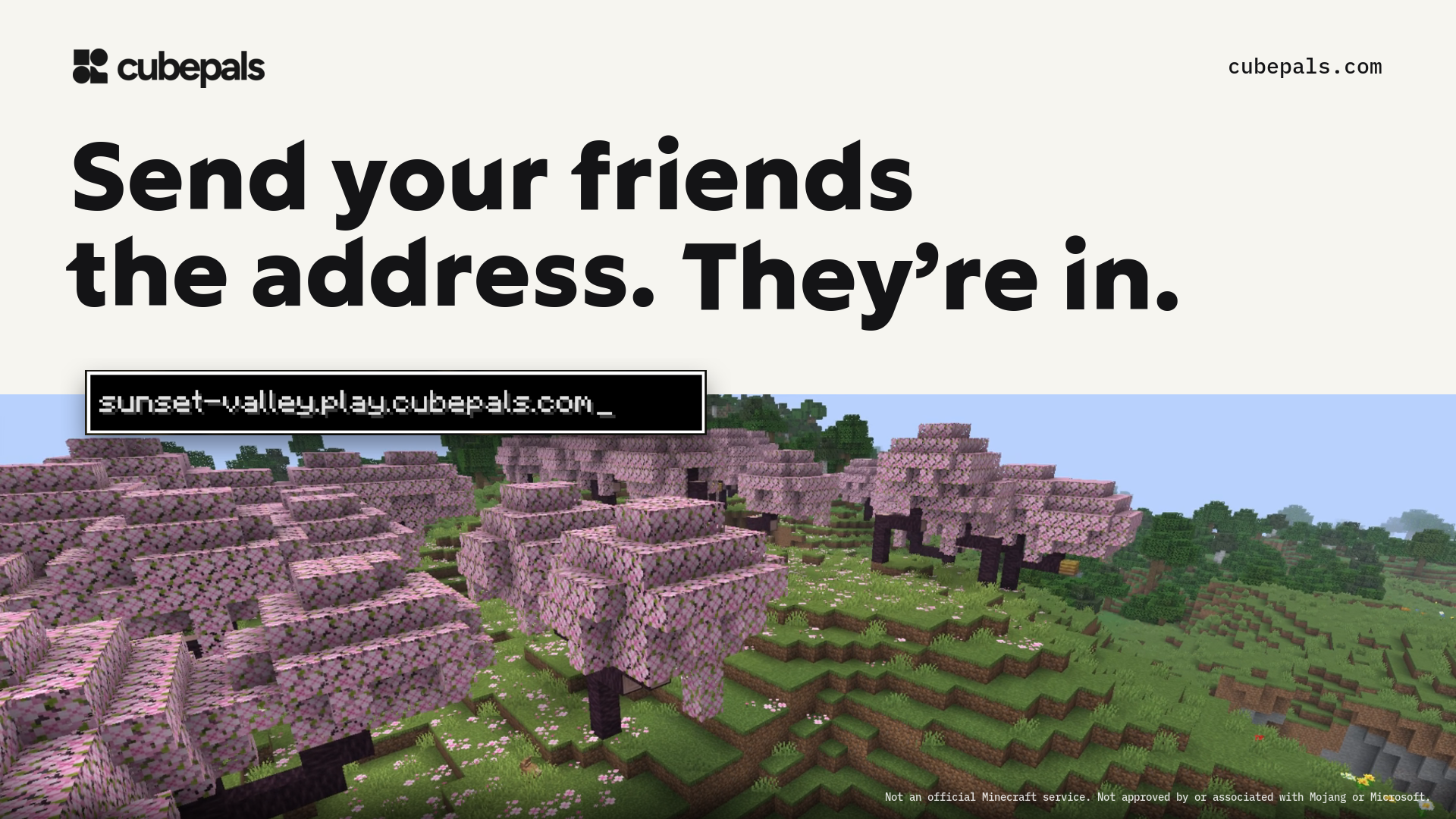
Cubepals is an open-source Minecraft server host. You make a server in a few choices, send friends an address like arcade.play.cubepals.com (our own server, you can join it from Minecraft Java right now), and they join from the normal game. Servers sleep when nobody plays and wake when someone joins.
The part I'm proudest of is the join: a sleeping server can take 40 to 50 s to boot, but the Minecraft client gives up after 30 s of silence. An edge proxy holds the login open by sending login queries the client answers, buffers what the client sent, and replays it once the server is up.
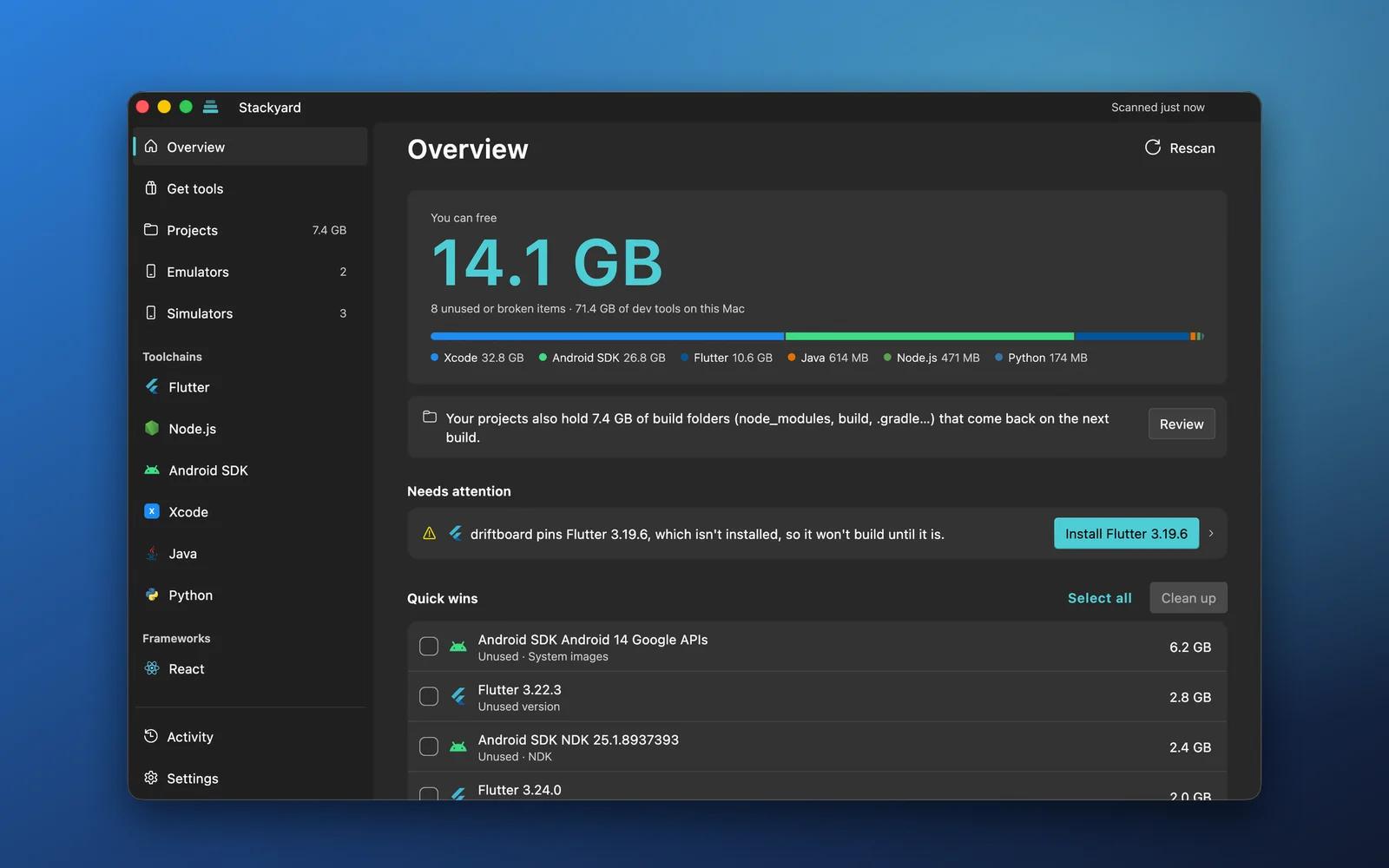
I kept running out of disk space and found 6 Flutter versions, 3 Android NDKs, 4 Node versions and a 13 GB emulator I hadn't started in a year. Version managers are great at installing things, but nothing told me which ones my projects still needed.
So I built Stackyard, a desktop app for Windows and macOS:
Every toolchain in one window: Flutter, Node.js, the Android SDK, Java, Python, .NET, Gradle and Xcode simulators, plus the frameworks your projects use (React, Next.js, Vue and more)
Knows which project uses what: it reads .nvmrc, package.json, .fvmrc, build.gradle, local.properties, .python-version, global.json and more, so every installed version shows the projects that need it and the unused ones stand out
Problems come with a fix button: a project pinning a version you don't have, a broken JAVA_HOME, dead or duplicate PATH entries, a Java too new for your Gradle
Installs any version of Node, Python, Java, Go, Rust, Flutter and more, straight from the publisher and checked against their hash
Cleans up old projects:node_modules, build, .dart_tool and Pods in projects you haven't touched in months, which come back on the next build
Emulators and simulators: every Android emulator and iOS simulator with its size and last start, plus Xcode's simulator runtimes (often 8 GB each)
It shows every step before running it, removes to the Trash by default, and never edits your projects. No account, no telemetry. MIT licensed.
I've been experimenting with the idea of writing queries in a database-independent syntax, then compiling them into operations supported by the target database.
The long-term goal is to support relational, document, and graph databases through a common language, while being explicit about compatibility differences.
I just released v0.1.0, which currently supports SQLite and basic read queries.
It's MIT-licensed, and I'd like to develop it with the community rather than keep it as a personal project.
I'd especially appreciate feedback on the language syntax, compiler architecture, and whether you think this approach would be useful in real applications.
ScreenGuard a software for Digital wellbeing natively on Linux, was my personal project which i uploaded to share with the community. Ever since , thanks to constant support and request by although a camparitively tiny but rreally enthusiatic group of ppl , I have been able to provide constant support and improvements to the application and the once raw unpolished system in starting to look...less unpolished. There are still multiple things scrambled which need to be fixed however this major pre release is most possile the final testing phase before v0.1.1 so please do try it out and report and bugs if found.
\# Major Fixes and Improvements:
\*\*Native C Helpers — trasitioning toward a C-Based Core daemon bit by bit\*\*
\* screenguard-notify (C): Desktop notification delivery no longer runs inside the Dart runtime. A tiny native helper talks to D-Bus directly, so alerts work identically on systemd and non-systemd systems (OpenRC, runit, …) where the old path could misbehave.
\* screenguard-killer (C): Process termination offloaded from Dart as well — an escalating, data-safe close chain: polite window close request → SIGTERM → full process-tree SIGKILL → Proton-native wineserver -k → guarded pattern-kill. Another step toward making the daemon core C-based.
Both helpers ship in every package (.rpm, .deb, tarball) and are wired into install, uninstall, and build-tooling.
\*\*Full Database Control (Settings → Data)\*\*
\* New Data tab in Settings: live storage stats, per-day deletion chips, date-range delete, and a full wipe behind a double confirmation. Settings and limits are always preserved — only usage history is touched.
\* Orphaned sessions from unclean stops (logout, power loss) are now closed on next start instead of silently inflating Past-30-days stats.
\*\*Focus Enforcement, Data-Safety First\*\*
\* Strict auto-close is now opt-in. The default never destroys unsaved work: a violating app is minimized and shown a persistent warning screen.
\* The warning screen offers +1 minute save grace, +15 minutes, edit limit, and close — with the screen re-appearing every 5 seconds until you decide, and re-warninng immediately when a grace window expires.
\* Turning on Strict auto-close (Settings) restores the legacy instant close+kill for those who want hard enforcement — your choice, your data.
\* Steam games no longer show up as mystery IDs (steam\\_app\\_2730970) — real names resolve from your Steam library manifests, with per-game icons rendered from the active icon theme.
\* Their usage is fully tracked and limit/focus rules now apply to them; the escalating close chain (above) is what actually makes Close work on Proton games that shrug off normal signals.
\* Fullscreen games now leave fullscreen before minimize (they silently ignore minimize requests otherwise), and the GNOME extension reports the real minimized state.
\*\*UI & Cosmetic\*\*
\* Settings reorganized into a clean sidebar layout with five sections: General, Limits & Pomodoro, Diagnostics, Updates, and Data.
\* Crash reporting moves into the new Diagnostics tab next to daemon status and autostart, with its badge on the tab itself.
\* The Focus screen's app picker can switch to a GNOME app-grid style layout — icon over name, check-badge selection — via the Grid layout toggle.
\*\*Fixes & Optimizations\*\*
\* Dead-code removal across the daemon (verified zero callers before each removal) plus notification-path optimization for non-systemd systems.
\* Warning screens for both focus mode and daily limits rebuilt with consistent behavior and honest reporting ("was closed" vs "could not close").
\*\*Summing Up:\*\*
ScreenGuard still has a very long way to go with my aim being:
proper category wise classification of apps and category usage stats by v0.1.5
support for 3 other desktop environments i.e. KDE, Hyprland and Mint on wayland with improved optimization for non systemd systems (like gentoo users) by v 2.0 (also more fraction of the daemon to be translated to native C)
however all of this will definitely take a lot of time primarily discovering and learning how things work out first, thus if you do like the project , then u can give me a hand by contributing to things i am currently unknown to such has other Desktop environments other than GNOME or with C programming
Most importantly, my personel project that begun "Late Nights in The Middle of June" has indeed come a long way.
I wanted a simple way to browse images directly in my Kitty terminal without opening a file manager, so I built lsi.
It's a free and open-source CLI tool written in Rust that works similarly to ls, but displays actual image thumbnails directly in the terminal using the Kitty Graphics Protocol.
It supports:
lsi — Grid view with image thumbnails.
lsi -l — Long listing with thumbnails and file metadata.
Familiar ls options for sorting, hidden files, recursion, etc.
A standalone Linux executable without requiring Python or Rust to be installed.
Installation:
Arch Linux / CachyOS (AUR):
paru -S lsi-bin
Debian / Ubuntu: .deb package available in GitHub Releases.
I'm a personal trainer and gym manager who's become increasingly frustrated with the state of fitness and coaching software. Expensive subscriptions, half-baked applications, unnecessary cloud dependencies and questionable data privacy practices.
So I started building True Grit, a premium, entirely offline workout tracking and coaching application written in Flutter.
It's a massive undertaking, nowhere near finished, and probably more feature-packed than most people will ever need. But what I've built so far works incredibly well, and I've put an enormous amount of time and effort into getting it where it is today.
Some of its current functionality and ongoing development:
Workout tracking: The centrepiece of the application. Fast, intuitive logging with an overview mode displaying individual exercises in dedicated containers, alongside a guided, full-screen experience that takes you through your workout in sequence.
Media library and editing: A functional photo library and non-destructive editor using custom multi-stage shaders, with an interface inspired by premium photography applications. Performance optimisation is still ongoing, with video support planned.
Social exports: The goal is to produce beautiful, customisable workout summaries, progress photographs and comparison exports, complete with personal branding and optional overlays of linked training or client metrics. Parts of this are still in development.
Advanced analytics: Ambitious progression and comparison functionality, eventually allowing different training and performance metrics to be overlaid on the same graphs to explore relationships between them.
Bespoke training decay modelling: Inspired by Banister's impulse-response model, incorporating three separate streams of training data to help estimate training adaptations and recovery.
Custom interface: A bespoke calendar, dialogs, navigation and components built around the Liquid Glass widgets package for Flutter.
Cross-platform architecture: Built in Flutter, with plans for a dedicated desktop coaching interface offering a more spacious experience for client management and programme creation.
Much more to this too but i'd be here all day...
And perhaps the most important part? Everything is entirely local.
No mandatory accounts. No subscriptions. No cloud dependency. No vendor lock-in.
Your database, photographs and training history belong to you. Back them up wherever you want, migrate between devices and continue training regardless of your internet connection.
The longer-term vision is to allow coaches to create programmes and distribute them to clients through portable packages, with clients returning their completed training data just as easily.
I want the software to support the relationship between coaches and athletes, not replace it or make either party dependent on an expensive third-party platform.
But here's my dilemma.
I originally intended to sell True Grit. However, seeing the extraordinary pace of AI-assisted development, reverse engineering and feature-by-feature software reimplementation has made me reconsider the future of proprietary software.
I'm now seriously considering releasing True Grit completely free, publishing its source code and inviting community contributions.
Not because I think the work I've put into it is worthless, but because I genuinely believe the project could become something much more meaningful if other people were able to contribute to its development.
I'd love to see developers, coaches, athletes and researchers collectively improve it. Perhaps even establish open standards for exchanging training data that other applications could eventually adopt.
My biggest reservation is commercial exploitation.
I have absolutely no interest in companies taking the code, repackaging it and charging people for software intended to be freely accessible.
I want independent personal trainers, gyms and athletes to use it without restrictions, including coaches who earn their living training clients. What I don't want is another software company turning it into an expensive subscription service.
That makes licensing complicated, potentially requiring a source-available licence rather than a traditional open-source one.
And I appreciate that restricting commercial use could discourage some contributors, which is part of why I'm looking for advice.
There's also a more personal reason I'm considering this.
I'm completely new to Reddit, so apologies if this isn't quite the right place for this discussion!
Throughout my life, I've frequently chosen open-source software over proprietary alternatives. I've benefited enormously from the work of developers who've dedicated their time and expertise to creating incredible tools that anyone can use.
I've always had a tremendous amount of respect for that.
In many ways, I feel like this could finally be my opportunity to give something back to a community that's given me so much.
I'm under no illusion that I've built something perfect. I'm sure there are developers, designers and researchers far more knowledgeable than me in their respective fields who could take parts of what I've created and improve them considerably.
Honestly, that excites me.
Ultimately, my motivation is simple.
I believe independent coaches and athletes deserve better.
Personal trainers should be spending more time on gym floors, interacting with clients and actually coaching, rather than being held hostage by expensive platforms and unreliable cloud infrastructure.
And nobody should have to surrender their personal information just to track their workouts.
I'd be far prouder to see True Grit become a respected, freely accessible platform that genuinely helps people, and perhaps even influences how other fitness applications are developed, than to make money selling another fitness subscription.
Even if it never achieves that kind of recognition, knowing I've contributed something useful would mean a great deal to me.
So I'd genuinely appreciate some honest perspectives, particularly from developers, open-source maintainers and personal trainers.
Would you open a project like this to community development, keep it proprietary or take a different approach entirely?
And how would you handle licensing if allowing professional use and community contributions, while preventing commercial repackaging, was one of your fundamental goals?
It's an enormous vision, I know. But I genuinely believe the community deserves better.
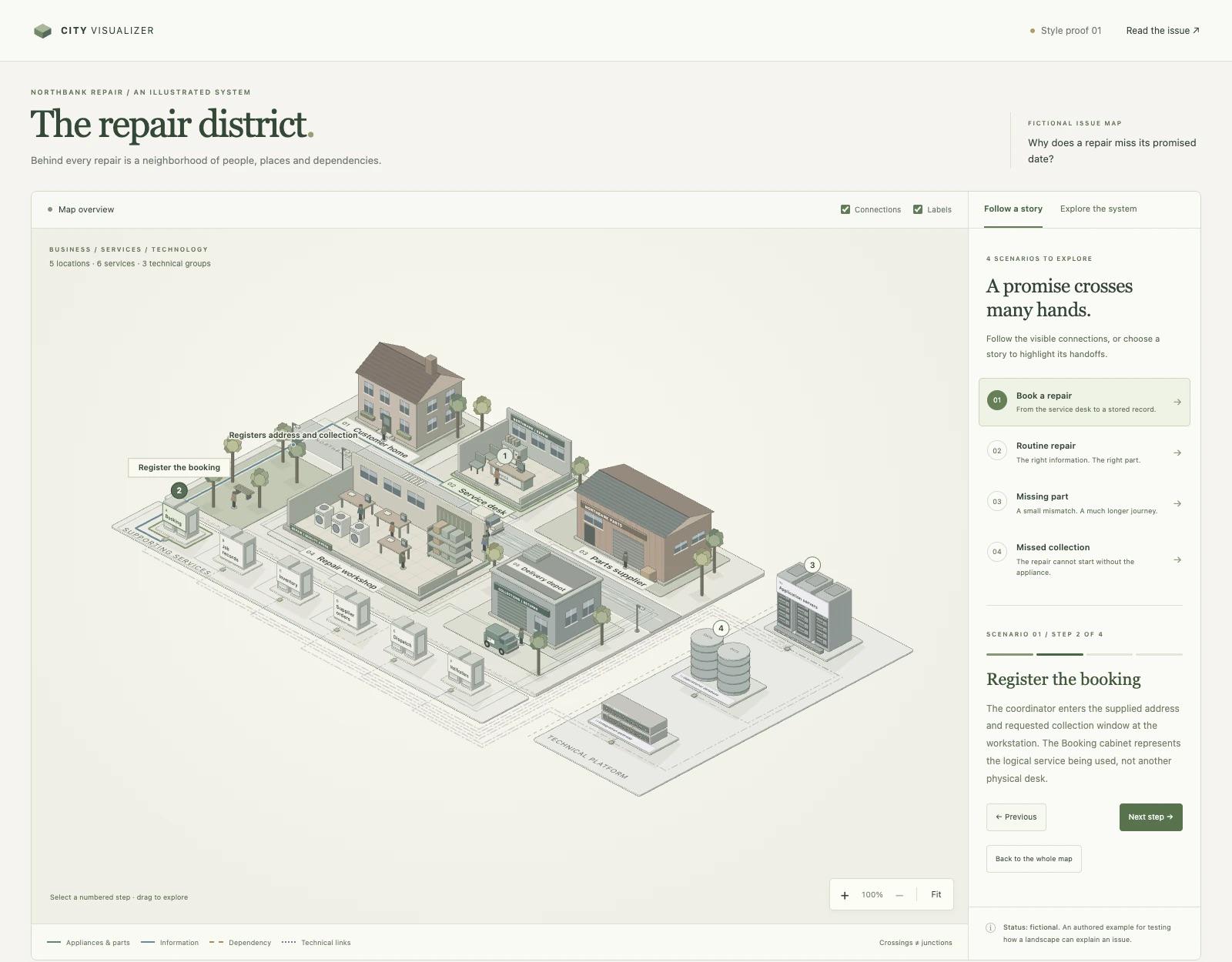
I've been working on CityVisualizer, because apparently my response to a complicated process is “this needs buildings and tiny people.”
It’s a skill that turns descriptions of services, workflows and technical systems into interactive isometric maps. You can follow animated journeys, click into locations and explore what happens inside them.
Now you can watch the handoffs and see where things get stuck. I think this breaks down ideas and complicated stuff and makes it appear a lot easier. It supports cities, parks, buildings and technical systems. You can also prompt it to increase the things it supports. The output is a standalone HTML file that works offline, so you can share it without accidentally acquiring a hosting side quest.
Credit where it’s due: it builds on the MIT-licensed geometry core from Ryan’s Anatomy skill, with my own map layouts, visual styles and interactive storytelling around it. It’s also inspired by Bo Meyer’s work in visual modelling.
I used Claude to help write the skill instructions and map code, then worked through example maps with it to refine the visuals and interactions. I steered what each map should explain; Claude helped turn that into something clickable. There was a fair amount of “yes, but can we make what’s happening here actually understandable?”
Curious what people would use this for and whether it makes a messy process easier to understand, or just gives the mess better urban planning. Hope you find it interesting!
Hi, I'm the developer. I wanted a PDF editor where my files never get uploaded, so everything happens client-side: editing text, signing, scanning and OCR. It's a PWA, so you can install it and use it offline, and it shows up in "Open with" for PDFs.
Hey everyone, I'm the developer of SpeakoFlow. It's a desktop app for Windows, macOS and Linux that lets you talk instead of type, in any app. 2.1 just came out.
What it does
Dictation anywhere, with optional cleanup of filler words and corrections.
Ask about selected text. Translate it, reply to it, or explain it.
Voice conversations. It answers out loud, and you can cut in.
Meeting notes. No bot joins the call.
Under the hood
Rust and Tauri 2, with a React UI.
Speech runs locally with Parakeet, Whisper and others. Models download from Hugging Face inside the app.
The assistant runs on a built-in llama.cpp engine, so it works offline with no server to set up.
Cleanup uses SpeakoFlow Mini, a 0.8B model I fine-tuned for it.
Cloud models are optional, with your own API key. MIT licensed, no telemetry.
I build an unofficial Omarchy App Store that pulls from the actually repo. I’ve never build something like this and I was fortunate enough to be invited to David’s basecamp group to improve and update the store as time goes on. I tried to add tutorials for each new and current app. Everything pulls from the apps hit repo and website if it’s listed.
Lots of people have asked why bother with an App Store? Well David wants one to have all apps in one place. They already have a plugin store so I build this to support the community and as a fun project .
- pulls multiple times a day
- all apps come form Omarchy repo and not self submission ( I did include a tutorial how to list your app in the official repo on the site )
- it’s 100% free
I juggle a lot of projects in the Code tab, and I’d spent a while dragging things around in the sidebar until the order finally made sense. Then I logged out, signed in with another account for something, and when I logged back in the order was just gone. The sidebar sorts folder groups on its own (recent activity or A–Z), and there’s no way to pin the ones you use most. Looks like I’m not the only one who wanted that.
So I built env-tabs, a small mod for the Code tab:
A Projects pane next to the conversation. Your pinned projects stay on top in the order you pick, and every other recent project is listed under them with its sessions.
Status dots like the sidebar’s. Amber when a session is waiting on you (a permission or a question), blue when it finished after you last looked, grey and pulsing while it’s working. Each project shows how many sessions need you.
A tab above the prompt for every pinned project. One click opens its latest session, or starts a new one in that folder.
Sessions you started without a folder end up under one “This computer” row instead of a pile of scratch folders.
It doesn’t move or touch your sessions, and it doesn’t depend on the sidebar’s order at all. Your pins live in the plugin’s own storage on your machine.
Install from a terminal:
claude plugin install env-tabs --marketplace ahmtsahin/claude-env-tabs
Or in the desktop app: + next to the prompt → Plugins → Add marketplace ahmtsahin/claude-env-tabs → Add plugin.
I built and tested it on Windows. macOS runs the same code and the tests cover it, but I haven’t tried it on a real Mac yet, so if you’re on a Mac and give it a go, I’d love to hear whether it works. Ideas and bug reports welcome.
I've been building a JARVIS-style assistant for my Mac that runs on local models through Ollama. No accounts and no API keys, and the model never leaves the machine. It's free for noncommercial use and on GitHub:
-Voice:an offline wake word ("Jarvis…") using Whisper, a natural neural voice (Kokoro), and you can interrupt it mid-sentence. It understands Arabic too.
- Sees your screen and camera: Apple Vision OCR plus a local vision model (qwen3.5). Ask "what's this error?" and it reads the exact text on screen.
- Controls your Mac: presses buttons in any app through Accessibility, drives your browser, opens files by name, drafts and sends email (you approve every send), works with Calendar and Reminders, and runs your Shortcuts. Esc is an emergency stop, and password managers, System Settings, terminals and banking sites are off-limits.
- Web research with sources:it searches, reads the top pages, keeps the passages that answer the question, and replies with numbered citations. Live weather comes from Open-Meteo, with no key needed.
- Agents and teams: make a single agent for a job, or wire a team together on a canvas. The agent you talk to briefs the others and combines their work. Teams can include other teams (I have an IT team with helpdesk, M365, network, security, scripting and SQL specialists). Pick one under "Talk to", or just say "ask the IT team to set up a new starter on Monday".
- From your phone: a Telegram bot that only makes outbound connections, so nothing is exposed. Say "send that to me" at the Mac and the answer lands on your phone.
- Extras: Apple Music playback of any song in the catalogue, Tapo/Kasa smart lights controlled over the local network, FaceTime calls, routines ("lights off at 11pm", "morning briefing on weekdays"), long-term memory, and a setup check that tells you exactly which macOS permission is missing.
Making a 14B model actually useful
Most of the work went into making a local model act reliably rather than just chat:
- Only the tools a request needs go into the prompt, chosen by embedding similarity, and every request opens with the same cached prefix. Median time to first word dropped from 8s to about 6s on qwen2.5:14b.
- Common commands ("open YouTube", "pause", "set a 10 minute timer", "lights off") skip the model entirely and respond in under a second.
- Honesty guards: if the model claims it sent or saved something that no tool actually did, it's pushed to do it, and if it still hasn't, the claim is cut from the reply. It also respects "no" and doesn't repeat itself.
- An eval suite replays about 90 real requests against fake tools, so I can measure every prompt or model change instead of guessing.
Setup:an Apple Silicon Mac (16 GB minimum, 24 GB+ recommended), Python 3.11+, Ollama, and `ollama pull qwen2.5:14b`. Then run `./start.sh`, or `npm run install-app` to get a proper Jarvis.app. The stack is FastAPI, React and Electron.
Honest caveats: it's macOS only. A 14B model still gets things wrong sometimes, so anything risky asks for permission first. Web research, weather, Apple Music lookups and Telegram go online, but only when you use them.
I'd love feedback, especially on which models work best for tool calling on 16–24 GB Macs, and what you'd want an assistant like this to do next.
Setting up Meta's WhatsApp Calling API for real-time voice agents is usually tedious: configuring Graph API calling settings, managing webhook overrides, negotiating WebRTC SDP offers/answers, and dealing with local tunnels.
I built WAVoice to automate that entire plumbing in a single command.
What it does:
Discovers your WhatsApp WABA and Phone Number ID from your token.
Programmatically turns on WhatsApp Voice Calling on Meta.
Sets up an automated Cloudflare tunnel for local testing (zero ngrok accounts or port forwarding).
Bridges WhatsApp WebRTC SDP offers directly into LiveKit Cloud rooms (wavoice livekit dev) or custom Pipecat pipelines (wavoice start).
Deduplicates Meta's at-least-once webhook delivery with atomic call-claim locks.
Quick test (zero install with uv):
# 1. Connect WhatsApp & LiveKit credentials
uvx wavoice livekit setup

# 2. Start bridge and route calls to your LiveKit agent
uvx wavoice livekit dev --agent-name my-agent --no-agent
Then you dial your WhatsApp Business number from your phone and your voice agent answers live.
I made speech recognition app that you could run without any subscriptions, 5h usage limits and other limitations. Runs purely on your mac (M series) with no internet connection even on a plane, consuming around 750mb RAM, and few percentage of CPU.
App consists of two logical parts: server(C++) which does model handling and a thin client (Swift). Client could be easily ported to other platforms. I deliberately skipped any tests, send your PR if you believe app worth tests.
How to use ?
[Build] -> Install -> Press hotkey -> Speak -> Press finish -> copies to active input /clipboard.
Models
i've included few models you can download from app's settings, both weight and use under 800M of ram. Speed and quality is pretty good for both of them.
pmstream streams projectm frames delimited by a double line-break. It was made to work with the music player kew, but it can be used stand-alone from the command-line or as a plugin for other apps.
Hi everyone! I’m working on NextWatch, an open-source show recommendation project, and now have the first local prototype running.
It takes favorite genres and shows someone likes or dislikes, then returns a short list of recommendations. There are two ranking options: genre overlap and a hybrid that also uses TF-IDF and cosine similarity on show descriptions. Each result includes the matching genres and words that contributed to its score.
Right now, it runs from the terminal using 12 fictional shows. There’s no Netflix connection or UI yet, so this version is mainly for checking the recommendation logic before adding a real catalog.
I’m working on this as part of the Cline Campus Ambassador Program. If you try the demo, I’d appreciate feedback on the setup or anything that’s unclear. I’d also be interested in what you’d want from a first interface, especially how you’d prefer to enter your favorite shows.
This is SOMA, an open source desktop app for doing CAD together with a coding agent. You use the agent you already have, like Claude Code, Codex or OpenCode. It runs in a normal terminal inside the app.
The agent writes the model as CadQuery code. SOMA builds it on every save and shows it in 3D. If something is off, you click on a part, measure it or draw on the 3D view and send that to the agent. The agent can also check its own work. It can build, measure, check for collisions and render images from the command line.
Some details for the curious. The app is Electron and TypeScript, the modeling side is Python. The geometry is done by OpenCascade and the FEM by CalculiX, so the hard math comes from proven projects. A model is just a folder with code and a Git history, you can open it without SOMA.
It's GPL and my first open source project. Builds for Windows, Mac and Linux, but I've mainly tested on Windows. Already over 100 stars on GitHub :)