r/coolgithubprojects • u/aqib_98 • 21h ago
Stackyard: open-source tool that shows every SDK and toolchain on your Mac or PC, which projects use each one, and what's safe to delete
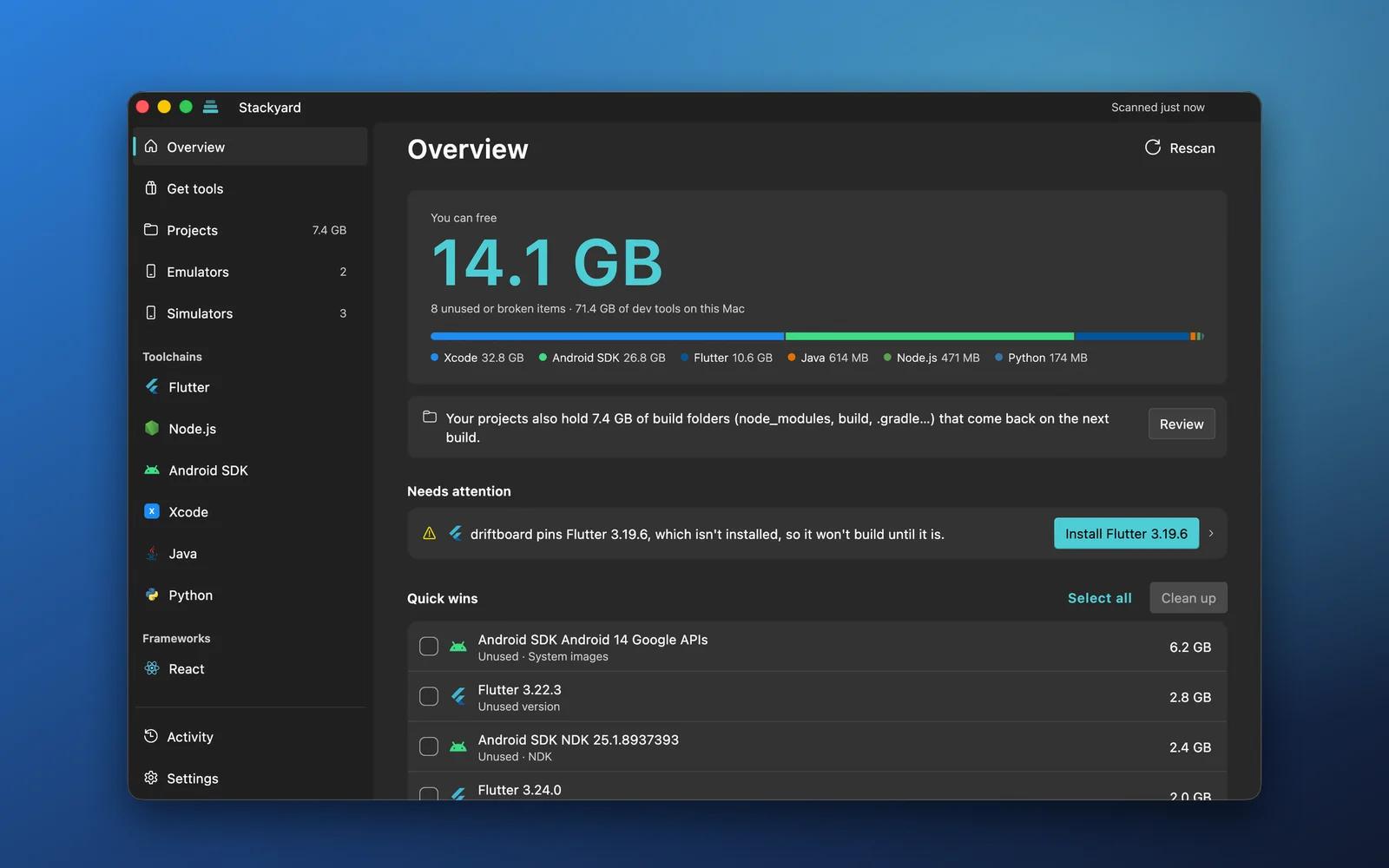
I kept running out of disk space and found 6 Flutter versions, 3 Android NDKs, 4 Node versions and a 13 GB emulator I hadn't started in a year. Version managers are great at installing things, but nothing told me which ones my projects still needed.
So I built Stackyard, a desktop app for Windows and macOS:
- Every toolchain in one window: Flutter, Node.js, the Android SDK, Java, Python, .NET, Gradle and Xcode simulators, plus the frameworks your projects use (React, Next.js, Vue and more)
- Knows which project uses what: it reads
.nvmrc,package.json,.fvmrc,build.gradle,local.properties,.python-version,global.jsonand more, so every installed version shows the projects that need it and the unused ones stand out - Problems come with a fix button: a project pinning a version you don't have, a broken
JAVA_HOME, dead or duplicate PATH entries, a Java too new for your Gradle - Installs any version of Node, Python, Java, Go, Rust, Flutter and more, straight from the publisher and checked against their hash
- Cleans up old projects:
node_modules,build,.dart_toolandPodsin projects you haven't touched in months, which come back on the next build - Emulators and simulators: every Android emulator and iOS simulator with its size and last start, plus Xcode's simulator runtimes (often 8 GB each)
It shows every step before running it, removes to the Trash by default, and never edits your projects. No account, no telemetry. MIT licensed.
GitHub: https://github.com/AqibJavedZeepalm/stackyard
Download: https://aqibjaved.dev/apps/stackyard/
Feedback is very welcome. If it's useful, a star on GitHub helps others find it.
51
Upvotes
2
u/touristtam 15h ago
Use Mise with local/project config. ;)