r/SteamDeck • • 9h ago

Tech Support Steamdeck bios reset taking forever

3 Upvotes

My steamdeck hasn’t been working with my dock and I’ve been trying for a long time to get it to work. Working with steam support I was told to attempt resetting the bios/firmware by powering on with volume -, …, and power on. The deck has now been blinking with a blue light for like 20 minutes now. Is this normal, or should I interrupt it?


r/SteamDeck • • 4h ago

Question Remote Play not switching resolutions between docked and handheld mode

1 Upvotes

So I’ve been trying Remote Play again, and it actually works great as far as gaming experience goes. But the one problem I’m having is it not automatically switching the resolution when I go from handheld to docked and vice versa.

I’m using the SudoVGA virtual display option, which is cool and works well, but it seems to only have one setting for the deck even though docked and handheld are 2 very different display scenarios. I can go into Windows display settings and manually change it from a virtual desktop session but was wondering if anyone has found a way for it to switch automatically?

I feel like I’ve tried every variation of settings in Steam > Display and Remote Play > Advanced Host and Client settings.


r/SteamDeck • • 5h ago

Question How can I stop google chrome from creating duplicate files of my download?

1 Upvotes

Hello,

whenever I download something using google chrome on steam deck, it creates duplicate files in the same size!

I need to go to:

"var-app-google chrome-config-google chrome-default-file system" and delete them myself.

is there's a away to stop this?


r/SteamDeck • • 5h ago

Game Review On Deck How does “halloween: the game” run on the deck?

1 Upvotes

So I’ve been considering getting Halloween: the game on steam deck but it’s unsupported. Although many times the steam compatibility rating can be wrong. So I’m wondering if anyone knows how it plays?


r/SteamDeck • • 9h ago

Tech Support My steamdeck completely bugged out and Froze - unsure what happened here really, anyone know?

2 Upvotes

Hi, I am sorry for the vague Title and I wanted to add I am not the main account owner but i thought i would just ask here to figure out what just happened and if this is something I should be worried about. I was playing a game on Sober, before suddenly all graphics started tweaking out and my deck completely froze up and got all hot. i forceshut it down and restarted it to see if the problem would still be there or happen again but this thankfully is not the case aside from the fact the steamdeck was still running hot. I turned it off and i am charging it now because it was low, but yea. Is this a hardware issue or just software being wierd or...?

I got an LCD 256 GB model, it's second hand and I had it for aprox a year with this never happening before. This does have Decky loader installed but only uses the Deck as Controller plugin.

this also has base SteamOS on it (I think it's on the stable branch im pretty sure.)

any help is greatly appreciated, I would love to fix things if there is anything i can do because I really don't wanna loose my deck. :,D


r/SteamDeck • • 6h ago

Tech Support SteamDeck buttons don't work for a while after booting after last update

1 Upvotes

Basically what the title says. There was a big OS update, the theme looks better, many new features, wow, so cool. But now sometimes when I power on the Deck, the buttons (abxy and left analog) do nothing, I can still use the touchscreen, then I try pressing many things, Steam button still works, opens the menu, and then abxy work again. Is it just me or do you guys also have this?


r/SteamDeck • • 6h ago

Tech Support Heroic launcher games not recognizing steam deck input!

1 Upvotes

Guys, how do I get heroic launcher games to recognize the effing steam deck controller?

I tried setting the proton to proton ge

I tried disabling umu (this crashes the game)

I tried the PROTON\\_PREFER\\_SDL=1 environment variable

I tried launching the game from the desktop

Non of these options work!!!!! Any help is appreciated as this is driving me nuts!

Steam Deck, running Bazzite 44 deck image


r/SteamDeck • • 6h ago

Tech Support Steam Deck not connecting to TV

1 Upvotes

hi everyone! for reference, i have a third party JSAUX Steam Deck Dock that i have never really had serious problems with. about a month ago i moved into a new apartment with a new TV, and since then it hasn’t been able to connect. I used to have some problems with it connecting, but it was always fixable by plugging it back in and fiddling with the HDMI cord, but no luck whatsoever since moving.

the steam deck still works fine in handheld, and i can tell it connects to the dock fine because whenever i unplug it from the dock it gets disconnected from the controllers that are plugged into it too. I can also confirm it’s not the HDMI cord, because it works perfectly fine on my switch two.

i’ve tried everything i can think of really, i’ve unplugged the dock from the wall before plugging it back in, i’ve updated the steam deck itself, and i’ve reconnected the power cable and HDMI cable to the dock before putting the Steam Deck back into the dock.

i would greatly appreciate any help whatsoever, i have so many games on here i’d love to play with my friends but am unable to!!


r/SteamDeck • • 14h ago

Tech Support New update didn't fix intermittent connectivity with controllers

3 Upvotes

For months, fully-updated Xbox controllers (both series S and X) have had intermittent connectivity issues with the deck while it is docked. There are dozens of reported fixes for it, most of which tell you to update firmware or remove other Bluetooth devices from the area.

It isn't on an exact timer. I've timed the disconnections and they span from 4 minutes apart, all the way to 25. I've done my due diligence going through possible fixes and have found nothing. I've not seen any official recognition of the problem, but a bunch of anecdotal accounts of it happening.


r/SteamDeck • • 1d ago

Discussion Lost my deck at Reagan National airport in DC.

Post image
285 Upvotes

I’m putting this up in the hopes that perhaps a decent person found it and checks. I was at gate B14. Boarding a United flight heading for Chicago Ohare. Totally tired and not paying attention. So annoyed with myself.

Although the pic shows Esoteric Ebb, I was playing Isaac at the time.


r/SteamDeck • • 10h ago

Tech Support B opens menu in game

2 Upvotes

Hey everyone, i have a problem with my game AC Brotherhood where B opens menu, everything went fine for a while but after a crash it happened again and i don't know how to fix it.

I saw posts with similar problems like b is esc and whatnot, but i have seen no fixes that worked for me... Is there someone that can help me list possible solutions for this issue?

Any help is welcome.


r/SteamDeck • • 1d ago

Tech Support Castlevania Belmonts Curse -- They fixed the stuttering! Make sure you update the game

57 Upvotes

As of this Friday afternoon, they pushed out an update for a black screen issue for high refresh rate monitors but it also seemed to fix the stuttering issues. I'm running the game at 1080p and getting a very steady 60fps. Occasional dips but MUCH better. Default resolution should run a solid 60 with no dips


r/SteamDeck • • 7h ago

Tech Support Where is the controller overlay for streaming?

1 Upvotes

I have to use the discover store steam link app since it has the controller overlay option (hold the select button). I wanted to start using the steam deck built in remote play rather than the app, but there's no option for the controller overlay anywhere? Is this missing?


r/SteamDeck • • 7h ago

Hardware Repair Fan won’t engage

Thumbnail
gallery
1 Upvotes

I started noticing the SD getting sluggish and never exceeding 400mhz cpu speed. Then noticed the fan doesn’t spin and only comes on sometimes. I installed docky and forced a manual fan speed of 4000rpm, but it’s erratic going from 0 to 10000rpm. Opened it up and didn’t see anything wrong. Should I replace the fan?


r/SteamDeck • • 7h ago

Tech Support Right trackpad click acting up

1 Upvotes

So a few minutes ago, my right trackpad started acting up, meaning the right trackpad started clicking as soon as i put my thumb on it.

The trackpad is really not busted : when testing controls, the pressure seems normalized, its just that instead of starting at 0 like the left one, it starts at 3000 something, but still goes to 0 when i realease it, and to add to the weirdness of it, it seems to be a non issue when typing.

I know this is a reacurring issue, and i saw a """fix""", putting the soft press threshold higher but then the pad doesnt register presses when on keyboard.

I might be dellusionnal but it clearly seems like a os glitch but i dont know what to do about it ?


r/SteamDeck • • 13h ago

Discussion Idle animations are on the steam deck!

2 Upvotes

I just completed the main story for Citizen Sleeper and was letting my steam deck charge a little bit and to my shock I noticed that the screen was still on even though I thought I had put it in idle mode.

It turns out that the recent update that gave steam OS on steam machine idle animations is also on the steam deck! I didn't quite know where to post about it and it seems like no one may have posted about it so I thought I just put this out there especially if someone starts wondering why their battery is low even though they haven't played. It appears to carousel through your screenshots as opposed to game titles.


r/SteamDeck • • 7h ago

Tech Support SteamDeck Won't Boot

1 Upvotes

Hello,

I've done everything under the sun. My steam deck will just have a blank screen and pulse the fan. Haptics work I get boot chimes. Nothing else.

I've let the battery drain. I've disconnected the battery and held the power button down for a min. I've done volume down +3dots +power and waited for blue light flash, I've done 3dots and volume down for 10 seconds. I have like 300 ai prompts with zero effect.

I bought an external monitor and dock to try and resolve this and waiting on dock.

I haven't tried flashing recovery USB yet but that's my next move.

Anyone else experience this? How did you resolve?

I have 512gb OLED model that I modified with 2tb nvme and undervolted -30mv SOC, CPU, GPU I overclocked some but am under 4k/2k but didn't mod to go past 15w tdp.

I was playing starfield and it froze and went into audio loop so I forced it off never to return back on.

Edit: in hind sight I probably shouldn't have followed old guides to overclocking the LCD model. I have a sneaking suspicion my undervolt is causing my issues. I installed cyro utilities then figured out the steamos updates have pretty much made those tweaks obsolete and unnecessary. I did uninstall and revert those changes before this happened though.


r/SteamDeck • • 13h ago

Tech Support Can i rely on Steam support?

Thumbnail
gallery
4 Upvotes

I got my Steam deck on the 14th July 2023. Lately i noticed how it got way to hot while playing, and the Fan constantly making a little click Sound but also that the More demanding the Games were, the faster they crashed (for example: Gothic Remake after about 3 minutes and enshrouded after an estimated 30 minutes). I completly restarted my steam Deck but nothing changed. I Opened the Steam deck with the Hope of Just seeing a Lot of dust, there was a Bit of dust and i cleaned it. The Performance of my beloved Steam deck did sadly Not recover at all.

Now i wonder, is there any Chance for me to Play bigger Games without crashing or is the time of Skyrim, oblivion, Gothic Remake, enshrouded and No man's sky over for me?


r/SteamDeck • • 7h ago

Question Augmented Reality Glasses Recomendations?

1 Upvotes

hello all, I have the Steam Deck 1TB OLED as well as a PS5, have been looking at AR glasses as a way for some gaming session (two kids, one TV, making it difficult to game on the big screen)

  1. VITURE vs. Xreal vs. others, any speicifc model recommendations?

  2. I have myopia and was wondering if the built in myopia adjuster would be adequate or do I need it custom made to my vision?

  3. Primary use would be for gaming on steam deck, maybe some from PS5, probably not much movie, would be cool if I can use it for work (documenting) or photo editing (Capture One)

Thank you!


r/SteamDeck • • 7h ago

Question Augmented Reality Glasses Recomendations?

0 Upvotes

hello all, I have the Steam Deck 1TB OLED as well as a PS5, have been looking at AR glasses as a way for some gaming session (two kids, one TV, making it difficult to game on the big screen)

  1. VITURE vs. Xreal vs. others, any speicifc model recommendations?

  2. I have myopia and was wondering if the built in myopia adjuster would be adequate or do I need it custom made to my vision?

  3. Primary use would be for gaming on steam deck, maybe some from PS5, probably not much movie, would be cool if I can use it for work (documenting) or photo editing (Capture One)

Thank you!


r/SteamDeck • • 8h ago

Tech Support Quasimorph Unplayable Due to Blackscreen Crashes on steam deck!

0 Upvotes

This only happens with this game as i have played multiple other titles fine for multiple hours with 0 issue. I am not using mods and I Have everything up to date Steam Os and the game. This will happen anywhere main menu, options menu, and game play. Every time I launch the game within 10 to 20 minutes the game will crash to a black screen lose hdmi conection to my TV and dock for a cpl seconds and go to either the desktop or main menu in game mode. I have tried everything i know to do. I tried multiple protons, -dx11, verifying game files, and even deleting and re downloading the game. Any solutions would be appreciated.


r/SteamDeck • • 8h ago

Storytime I've had this thing for years

1 Upvotes

I've had my steam deck since release and I never knew that the case I have was 2 separate pieces held together with Velcro Why? is the purpose of this so you can wash it?


r/SteamDeck • • 15h ago

Question Is there any way to play wardogs on the Steamdeck

6 Upvotes

I want to buy one to play wardogs on.


r/SteamDeck • • 1d ago

Discussion You don't need anything else

404 Upvotes

After purchasing every single handheld device, including the Xbox Ally X, Legion Go 2, and OneXPlayer 3, I can confidently tell you that the Steam Deck still provides a better overall experience than all of them. I sold my Deck OLED earlier this year; yes, I was being stupid, and now I am back after selling the OneXPlayer 3. These devices are great; however, I couldnt use them for the only thing I bought them for: gaming. I am here to tell you that the grass is always greener on the other side and the Steam Deck still rocks. Don't experience FOMO watching the X20 or anything else. Also I got the steam deck oled just for 300 bucks with dbrand Killswitch. Got really lucky


r/SteamDeck • • 1d ago

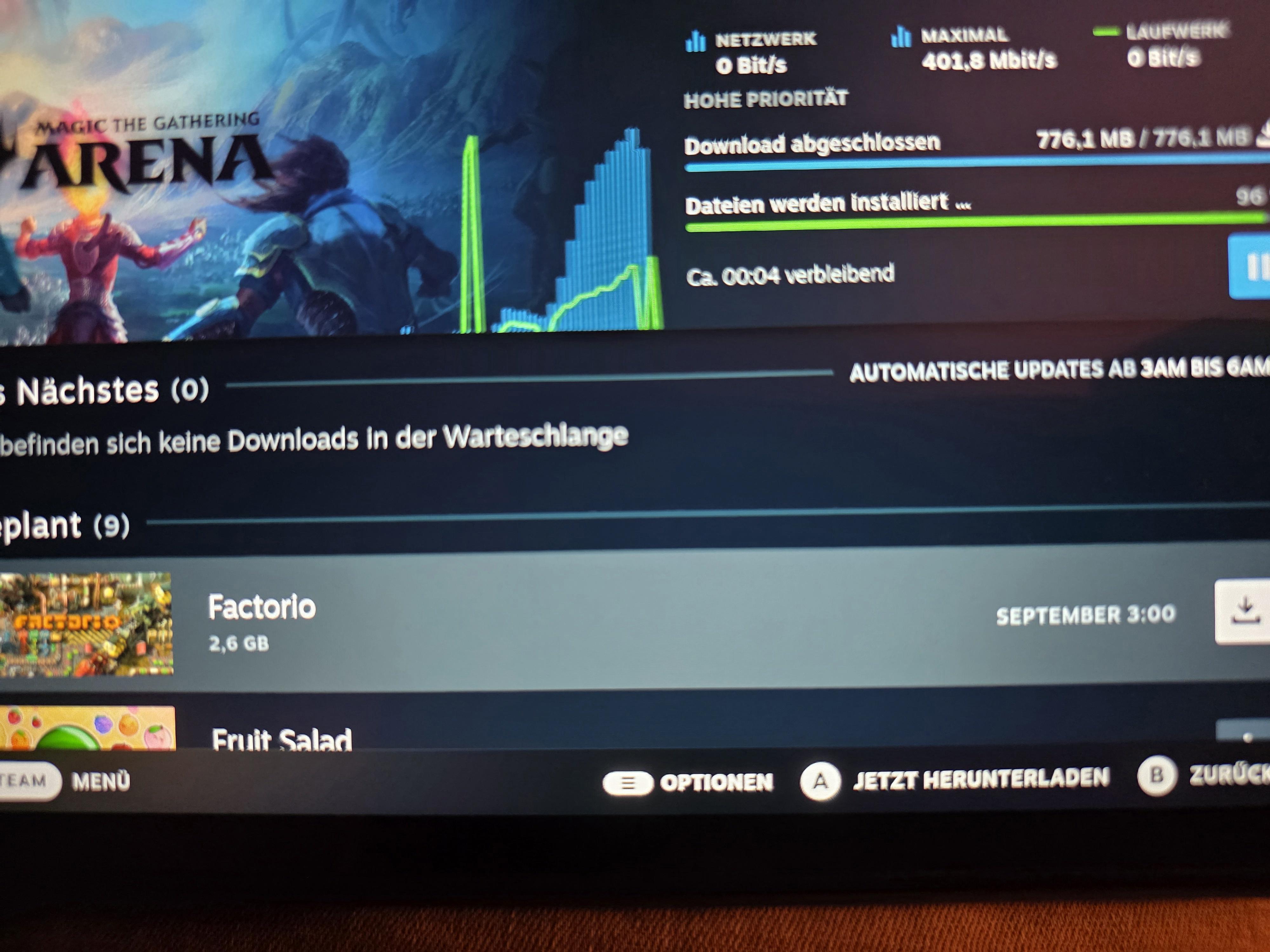
Question How can I set up my SD to download EVERY available update every night?

Post image
65 Upvotes

This is so damn annoying!

I was happy when Valve released the SteamOS feature of downloading updates while in stand by. I set it up to download everything "as soon as possible" and yet everytime I'm grabbing my Steam Deck, I have to update my damn games and some are even pending for "this week" rather than the upcoming night. It sucks. I want it to download updates while I sleep so I can play while I'm awake. Is there no way to achieve this?